


Epic War
Play on PC with BlueStacks – the Android Gaming Platform, trusted by 500M+ gamers.

Page Modified on: Mar 31, 2026
Main Epic War on PC
Creatures of darkness are devouring every living soul in their path. This is a war that you can’t afford to lose.
Under your command, every unit counts. Lead your force to victory and glory, with meticulous planning and genius tactics! Are you prepared?
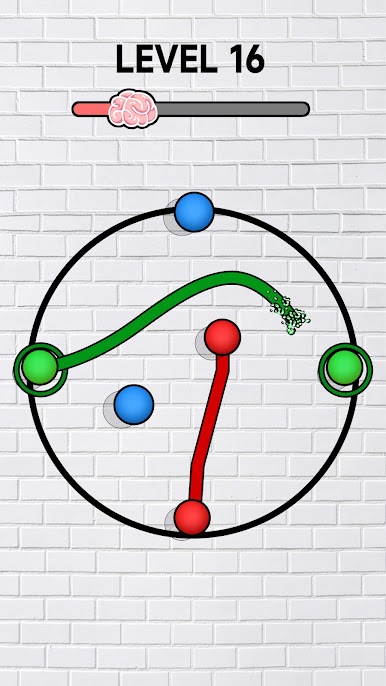
1.Connect the same colored balls
In this super fun and relaxing puzzle game, you need to connect the same balls and ensure that the lines do not cross. You succeed when you can connect all the balls.
2.Multiply the Forces
Call your soldiers to disembark at the zombies. Do some simple maths from time to figure out what’s the best shot to be taking. You need to hit gates that multiply your forces and overwhelm your foes before they’ve got a chance to react!
3. More is more
Do you think troops of 50 or 100 units clashing against each other is impressive enough? Well, be re-impressed with a war on epic scale, 1,000 vs 1,000.
There are 11 unique types of units plus powerful heroes waiting for you. Feel the sheer power.
4. Sandbox Strategy
Claim the Dark Throne, revive the guardian dragon and brand this fantasy world with your name, as the king of kings!
Facebook: https://www.facebook.com/EpicWarGlobal/
Privacy Policy: https://sites.google.com/view/ew-privacy-policy/
Terms of Service: https://sites.google.com/view/ew-term-of-service/




Play Epic War on PC. It’s easy to get started.
-
Download and install BlueStacks on your PC
-
Complete Google sign-in to access the Play Store, or do it later
-
Look for Epic War in the search bar at the top right corner
-
Click to install Epic War from the search results
-
Complete Google sign-in (if you skipped step 2) to install Epic War
-
Click the Epic War icon on the home screen to start playing

