


My Hero’s Love: Horax – Otome
Play on PC with BlueStacks – the Android Gaming Platform, trusted by 500M+ gamers.

Page Modified on: Mar 3, 2026
Play My Hero’s Love: Horax – Otome on PC or Mac
Bring your A-game to My Hero’s Love: Horax – Otome, the Role Playing game sensation from Your.Visual.Novel. Give your gameplay the much-needed boost with precise game controls, high FPS graphics, and top-tier features on your PC or Mac with BlueStacks.
About the Game
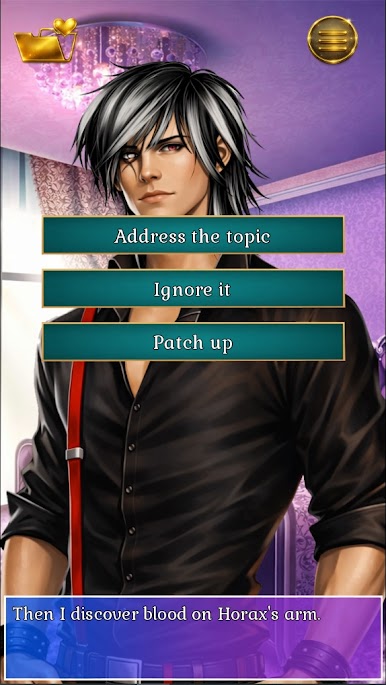
My Hero’s Love: Horax – Otome is a Role Playing visual novel from Your.Visual.Novel where every choice tugs at your heart—and sometimes your life. You arrive in the capital of Marvall looking for a job and end up in the middle of a war between gods, demons, and the last human defenders. One twist of fate (and a troublesome mirror) pulls you into another dimension, where two very different men pull you closer to truths you may not want to hear.
Game Features
- Branching romance: Your decisions shape the route, shifting trust, tension, and chemistry toward multiple endings—from tender to gut‑wrenching.
- Two dangerous love interests: Horax, scarred and guarded with a blinded right eye, hides pain that could ruin you; Rahab’s charm feels thrilling… and more than a little risky.
- A world at war: Train alongside the Protectors in Zargoa, cross paths with the infamous Lady Daria, and navigate Academy politics while surviving demons.
- Cinematic presentation: Smooth video animations and frequent new scenes make this animated VN feel alive.
- Style that matters: Dress your avatar and nudge the story’s direction with outfits that influence scenes and relationships.
- Ad‑free sessions: No pop‑ups breaking the moment—just story, choices, and romance.
- Rich audio: Dramatic music and sharp sound effects lift big reveals and quiet confessions alike.
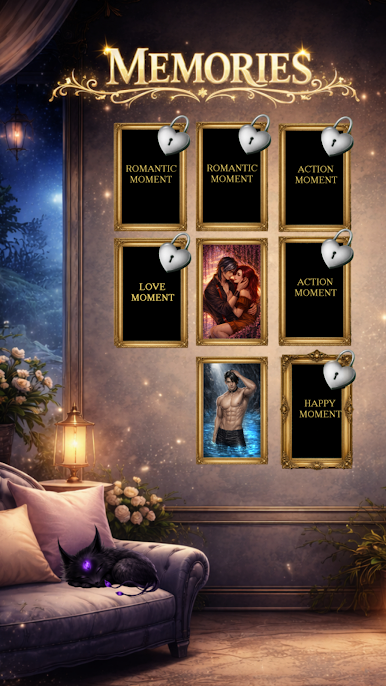
- Collectibles & memories: Unlock CGs, gather spells, and revisit key moments in your gallery.
- Language options: Play in English or German.
- Free to play: Experience the story without an upfront cost and progress at your own pace.
- Optional luck & shopping: Pick up outfits in the shop and try chance‑based moments that might tilt fate in your favor.
- PC option with BlueStacks: Prefer a keyboard and a bigger display? It plays comfortably on PC with BlueStacks.
Start your journey now. Download the game on BlueStacks, invite your friends, and march on a new adventure.






Play My Hero’s Love: Horax – Otome on PC. It’s easy to get started.
-
Download and install BlueStacks on your PC
-
Complete Google sign-in to access the Play Store, or do it later
-
Look for My Hero’s Love: Horax – Otome in the search bar at the top right corner
-
Click to install My Hero’s Love: Horax – Otome from the search results
-
Complete Google sign-in (if you skipped step 2) to install My Hero’s Love: Horax – Otome
-
Click the My Hero’s Love: Horax – Otome icon on the home screen to start playing

