


Whoa Adventure
Play on PC with BlueStacks – the Android Gaming Platform, trusted by 500M+ gamers.

Page Modified on: Jul 25, 2026
Main Whoa Adventure on PC
On a mysterious continent where ancient magic and dark forces awaken, heroes must unite to explore unknown lands, defeat powerful enemies, and restore balance to the world.
👉Are you ready for a new adventure?
Fearless Warrior; Devoted Priest; Arcane Wizard; Silent Assassin; Deadly Archer
Five unique classes united — Tank, DPS, and Healer all in one. Defeat the dark forces that threaten the mysterious continent and create your own heroic legend.
🔥Game Features🔥
1. Classic Classes
Five unique classes with diverse skill sets, each with its own charm and playstyle.
2. Expressive Chibi 3D heroes
Distinctive 3D comic-style heroes full of personality and flair.
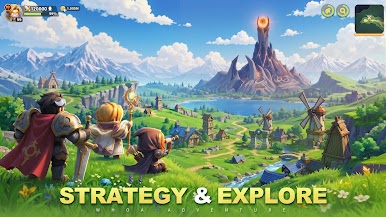
3. Strategy & Explore
Conquer dungeons with clever strategies and race to be the fastest.
4. Pet Discovery
Fight side by side with trusted pets and grow stronger together.
5. Epic Guilds
Over 1,000 players clash in epic large-scale battles for ultimate glory.
6. Loot Galore
Enjoy effortless farming and endless rewards with every battle.




Play Whoa Adventure on PC. It’s easy to get started.
-
Download and install BlueStacks on your PC
-
Complete Google sign-in to access the Play Store, or do it later
-
Look for Whoa Adventure in the search bar at the top right corner
-
Click to install Whoa Adventure from the search results
-
Complete Google sign-in (if you skipped step 2) to install Whoa Adventure
-
Click the Whoa Adventure icon on the home screen to start playing

