


Jigsaw Puzzles Explorer
Play on PC with BlueStacks – the Android Gaming Platform, trusted by 500M+ gamers.

Page Modified on: Jan 22, 2026
Play Jigsaw Puzzles Explorer on PC or Mac
From the innovators and creators at TerranDroid, Jigsaw Puzzles Explorer is another fun addition to the World of Puzzle games. Go beyond your mobile screen and play it bigger and better on your PC or Mac. An immersive experience awaits you.
About the Game
Jigsaw Puzzles Explorer is where you can kick back, relax, and lose yourself in the simple joy of putting pieces together. Whether you’re a seasoned puzzle lover or just want to pass some time, this puzzle game from TerranDroid promises hours of soothing, satisfying fun. Looking for a quick brain break or a long, chill session? It’s all here, and you never have to deal with missing pieces.
Game Features
- Massive Puzzle Library
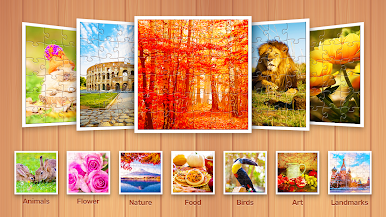
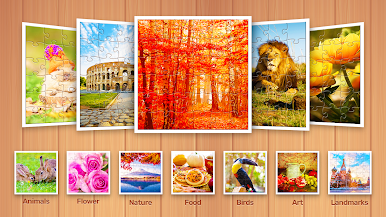
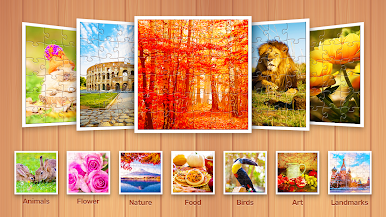
Get lost in a huge selection of more than 10,000 eye-catching puzzles. From adorable puppies and fluffy kittens to city skylines and serene landscapes, there’s something for every mood. - Fresh Puzzles Every Day
Never run out of options! New puzzle packs and special puzzle quests land daily, so there’s always something new to work on. - Daily Free Puzzle
Check in each day for a unique, free puzzle—like a little daily challenge for your brain! - Adjustable Difficulty
Feeling ambitious? Set the challenge up to 400 pieces, or keep it stress-free with fewer pieces—it’s totally up to you. - Rotate for Extra Challenge
Want a bit more of a brain teaser? Flip and rotate pieces (if you dare) to bump up the difficulty. - Scatter & Organize
Move pieces around just the way you’d like—sort, scatter, or stack them for a more authentic jigsaw feel. - Save Progress Anytime
Got a few puzzles on the go? No problem. Your unfinished puzzles are always saved, so you can pick up exactly where you left off. - Simple, Friendly Controls
The interface is super straightforward, making it easy to jump right in, whether you’re on your phone or playing with BlueStacks on PC.
Slay your opponents with your epic moves. Play it your way on BlueStacks and dominate the battlefield.





















Play Jigsaw Puzzles Explorer on PC. It’s easy to get started.
-
Download and install BlueStacks on your PC
-
Complete Google sign-in to access the Play Store, or do it later
-
Look for Jigsaw Puzzles Explorer in the search bar at the top right corner
-
Click to install Jigsaw Puzzles Explorer from the search results
-
Complete Google sign-in (if you skipped step 2) to install Jigsaw Puzzles Explorer
-
Click the Jigsaw Puzzles Explorer icon on the home screen to start playing

