

APT Darkness Clock
Play on PC with BlueStacks – the Android Gaming Platform, trusted by 500M+ gamers.

Page Modified on: Oct 28, 2025
Run APT Darkness Clock on PC or Mac
Multitask effortlessly on your PC or Mac as you try out APT Darkness Clock, a Tools app by Distinct Solutions Ltd. on BlueStacks.
About the App
APT Darkness Clock is a simple, no‑nonsense helper for anyone chasing deep‑sky targets or planning a night under the stars. It figures out when the sky at your location is truly dark, so you can set up at the right moment instead of guessing. Built by Distinct Solutions Ltd. in the Tools genre, it’s lightweight, free, and ad‑free. Prefer planning on a bigger display? You can check your timing on a desktop using BlueStacks as well.
App Features
-
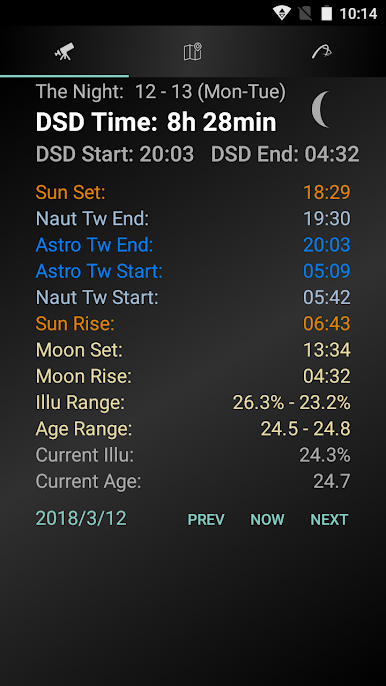
Deep Sky Darkness Time (DSD): See the exact “moonless” window between the end of evening astronomical twilight and the start of morning astronomical twilight—only when the Moon is below the horizon. Perfect for faint galaxies, nebulae, and any target that needs the deepest darkness.
-
Narrow Band Time (NB): Shooting through narrowband filters? Get the full usable period between evening and morning astronomical twilight, when the Moon matters far less.
-
Start, end, and duration at a glance: Get precise clocks for each window, plus total duration for your selected night, so you can plan setups, exposures, and breaks without doing the math.
-
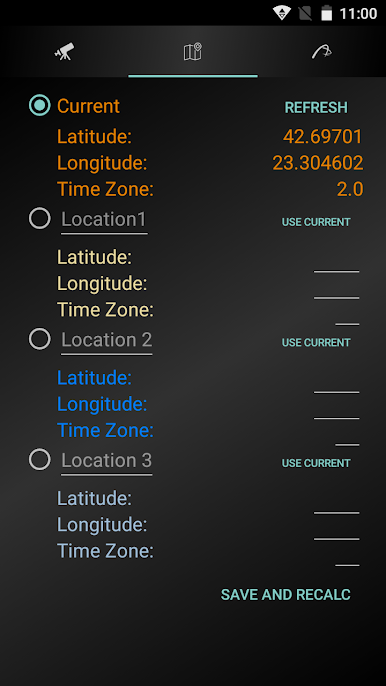
Location options: Use your current position or pick from up to three saved observing sites. Handy if you bounce between a backyard spot, a dark‑sky site, and a star party location.
-
Night selection: Choose the date you’re heading out and let the app crunch the numbers for that specific night and place.
-
Clean, ad‑free experience: Nothing gets between you and the data you need—no pop‑ups, no clutter, just clear timing information for astrophotography or visual observing.
Switch to BlueStacks and make the most of your apps on your PC or Mac.
Play APT Darkness Clock on PC. It’s easy to get started.
-
Download and install BlueStacks on your PC
-
Complete Google sign-in to access the Play Store, or do it later
-
Look for APT Darkness Clock in the search bar at the top right corner
-
Click to install APT Darkness Clock from the search results
-
Complete Google sign-in (if you skipped step 2) to install APT Darkness Clock
-
Click the APT Darkness Clock icon on the home screen to start playing

