

Last Survivors: Zombie Defense
Play on PC with BlueStacks – the Android Gaming Platform, trusted by 500M+ gamers.

Page Modified on: Jul 23, 2026
Play Last Survivors: Zombie Defense on PC or Mac
Play Last Survivors: Zombie Defense by Pavetra LTD on PC or Mac with BlueStacks. Use a bigger screen, mouse and keyboard controls, and smoother performance while you play.
About the Game
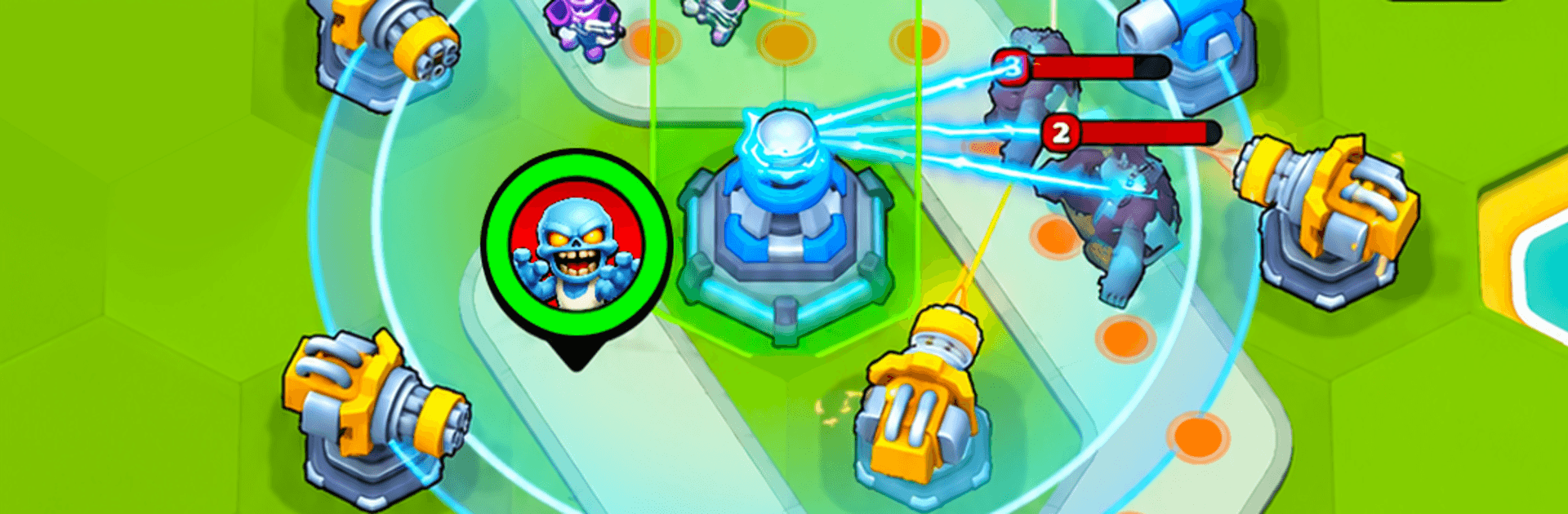
Last Survivors: Zombie Defense is a Strategy twist on classic tower defense where you don’t just place turrets—you design the route the undead take. You’ll lay down path tiles on a hex grid, spin them around, and funnel shamblers straight into your deadliest crossfire. Every map becomes a puzzle, and every run plays out differently thanks to roguelike upgrades that force quick, smart decisions.
Game Features
- Craft the Map: Place and rotate path tiles on a hex grid to shape the battlefield and stretch enemy routes for maximum damage time.
- Control the Route: Build tricky loops, chokepoints, and kill zones that turn slow corners into hot spots your towers can shred.
- Roguelike Upgrades: Level up mid-battle and pick from random perks to form new builds every run—adapt on the fly or get overwhelmed.
- Pick Your Battle Deck: Choose which towers you bring to each mission and experiment with combos that fit the terrain and threats.
- Modern Firepower: Set up machine guns, snipers, flamethrowers, rocket launchers, and lasers—then stack upgrades to push each role further.
- Smarter Enemies: Fast sprinters, armored brutes, mutant oddballs, and screen-filling bosses demand different counters and clever placement.
- Synergy-Driven Strategy: Combine tower effects, abilities, and terrain to create nasty interactions that melt big waves.
- Long-Term Progress: Unlock new towers, tech, and permanent boosts that open fresh tactics across tougher maps.
- Built for Replays: Easy to learn, but with endless layouts and loadouts that keep every defense puzzle feeling new.
- Offline Friendly: Jump into missions and survival runs anytime, even without a connection.
- PC-Friendly Controls: Plan routes and place towers comfortably on a bigger screen using BlueStacks.
Start playing Last Survivors: Zombie Defense on BlueStacks and get a smoother, more comfortable PC or Mac setup.


Play Last Survivors: Zombie Defense on PC. It’s easy to get started.
-
Download and install BlueStacks on your PC
-
Complete Google sign-in to access the Play Store, or do it later
-
Look for Last Survivors: Zombie Defense in the search bar at the top right corner
-
Click to install Last Survivors: Zombie Defense from the search results
-
Complete Google sign-in (if you skipped step 2) to install Last Survivors: Zombie Defense
-
Click the Last Survivors: Zombie Defense icon on the home screen to start playing

