


Gnome From Hell
Play on PC with BlueStacks – the Android Gaming Platform, trusted by 500M+ gamers.

Page Modified on: Jun 25, 2026
Main Gnome From Hell on PC
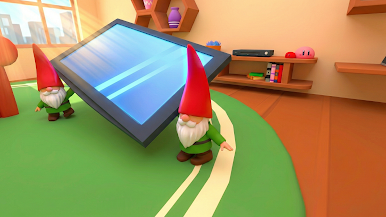
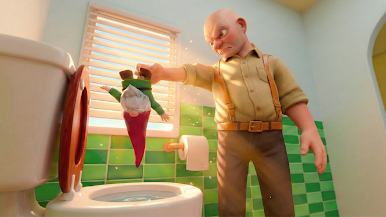
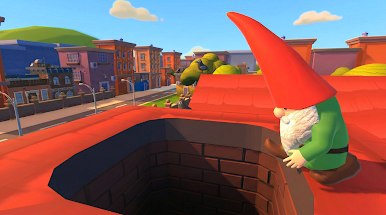
Play as a troublemaking gnome with AI buddies and complete a set number of pranks to win. Smash objects, steal valuables, flush items down the toilet, or devour anything you find — every prank brings you closer to victory and makes grandpa furious.
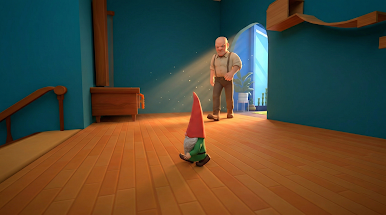
But beware: grandpa is always hunting the Burglin Gnomes. If he catches one of you, the punishment gets harsher each time. He might throw you outside, flush you away, or eliminate you from the mission. Lose too many teammates and your prank operation falls apart.
Watch out for traps hidden throughout the house — one wrong step and grandpa can capture a Burglin Gnomes intruder instantly.
Features:
• Hilarious stealth & prank gameplay
• Command a squad of chaotic Burglin Gnomes
• Dozens of creative mischief objectives
• Increasing difficulty as grandpa gets angrier
• Hidden traps and dynamic hazards
• Fast, fun, and unpredictable rounds
Can you outsmart grandpa and become the ultimate prank mastermind? Chaos awaits in Gnome From Hell!

Play Gnome From Hell on PC. It’s easy to get started.
-
Download and install BlueStacks on your PC
-
Complete Google sign-in to access the Play Store, or do it later
-
Look for Gnome From Hell in the search bar at the top right corner
-
Click to install Gnome From Hell from the search results
-
Complete Google sign-in (if you skipped step 2) to install Gnome From Hell
-
Click the Gnome From Hell icon on the home screen to start playing

