


Gugu Gaga Penguin: Parkour
Play on PC with BlueStacks – the Android Gaming Platform, trusted by 500M+ gamers.

Page Modified on: May 14, 2026
Play Gugu Gaga Penguin: Parkour on PC or Mac
Explore a whole new adventure with Gugu Gaga Penguin: Parkour, a Arcade game created by Go Dreams. Experience great gameplay with BlueStacks, the most popular gaming platform to play Android games on your PC or Mac.
About the Game
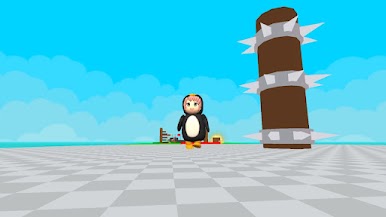
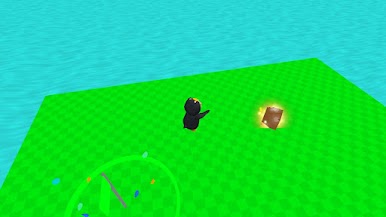
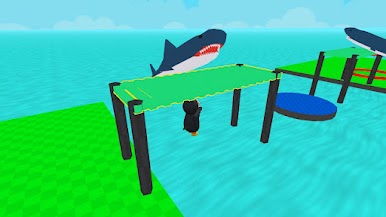
Gugu Gaga Penguin: Parkour is a cheerful 3D Arcade platformer that’s all about timing, balance, and gutsy jumps. You guide a tiny penguin across physics-driven courses packed with moving platforms and sneaky hazards, chasing that sweet “made it!” moment one leap at a time. It’s easy to pick up, surprisingly tense, and way cuter than a game with saw blades has any right to be.
Game Features
- Real Physics Platforming: Every hop, slide, and stumble feels grounded, so smart timing and speed control matter as much as raw reflexes.
- Fast, Flexible Play: Simple controls make it great for quick runs, but the tougher stages will absolutely keep you coming back.
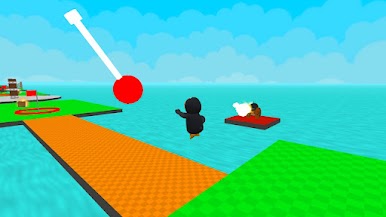
- Tricky Obstacles: Pendulums, spikes, and spinning saws keep you honest—read the patterns, then thread the needle.
- Moving Platforms & Balance Sections: Ride shifting blocks, line up tight landings, and keep your cool when the floor won’t sit still.
- Coins to Snag: Grab coins along the route to reward clean lines and gutsy risks while you push deeper into new challenges.
- Bright 3D Look: Crisp, colorful levels and a ridiculously charming penguin make near-misses oddly satisfying.
- Built for Skill Chasers: Each stage ramps up the difficulty, rewarding sharp reactions and clean routes without piling on complexity.
- Play Your Way: Prefer a keyboard and a bigger screen? It runs smoothly on PC with BlueStacks, so you can chase perfect runs however you like.
BlueStacks gives you more room to focus on the game and less time adjusting around mobile limitations.
Play Gugu Gaga Penguin: Parkour on PC. It’s easy to get started.
-
Download and install BlueStacks on your PC
-
Complete Google sign-in to access the Play Store, or do it later
-
Look for Gugu Gaga Penguin: Parkour in the search bar at the top right corner
-
Click to install Gugu Gaga Penguin: Parkour from the search results
-
Complete Google sign-in (if you skipped step 2) to install Gugu Gaga Penguin: Parkour
-
Click the Gugu Gaga Penguin: Parkour icon on the home screen to start playing

