


Gugugaga Penguin Prison Escape
Play on PC with BlueStacks – the Android Gaming Platform, trusted by 500M+ gamers.

Page Modified on: May 30, 2026
Main Gugugaga Penguin Prison Escape on PC
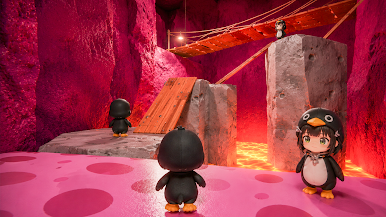
Navigate through a challenging prison escape obby designed to test your timing and precision. Take control of the Gugugaga penguin, analyze the obstacles ahead, and execute precise jumps to complete each stage of the prison run.
Upcoming Levels and Maps:
The adventure expands with unique environments currently in development:
Escape Grandma's House: Navigate a house layout filled with unexpected obstacles and traps.
Escape Baby Bobby Daycare: Move through a oversized daycare environment filled with giant toy hazards.
Escape from School: Find your way out of classrooms and corridors by utilizing your obby parkour skills.
Core Gameplay Features
Play as Gugu Gaga Penguin: Control the main character through various levels of increasing difficulty.
Classic Obby Parkour Mechanics: Practice your timing with jumps, moving platforms, and lasers.
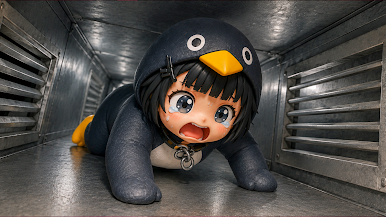
Strategic Prison Escape Levels: Each zone requires a mix of speed and caution to safely reach the safe zone.
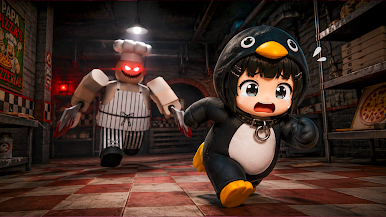
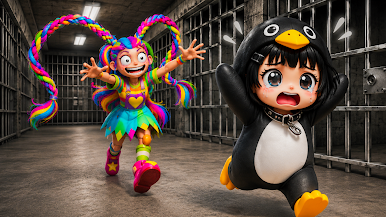
Beware of bosses! They aren't very bright, but won't let you go that easily. Don't let them catch Gugu Gaga Penguin again!
Start the challenge, master the level layouts, and guide Gugugaga to freedom.
Play Gugugaga Penguin Prison Escape on PC. It’s easy to get started.
-
Download and install BlueStacks on your PC
-
Complete Google sign-in to access the Play Store, or do it later
-
Look for Gugugaga Penguin Prison Escape in the search bar at the top right corner
-
Click to install Gugugaga Penguin Prison Escape from the search results
-
Complete Google sign-in (if you skipped step 2) to install Gugugaga Penguin Prison Escape
-
Click the Gugugaga Penguin Prison Escape icon on the home screen to start playing

