


Dream Cricket 2025
Play on PC with BlueStacks – the Android Gaming Platform, trusted by 500M+ gamers.

Page Modified on: Feb 26, 2026
Play Dream Cricket 2025 on PC or Mac
Step into the World of Dream Cricket 2025, a thrilling Sports game from the house of Sporta Technologies Private Limited. Play this Android game on BlueStacks App Player and experience immersive gaming on PC or Mac.
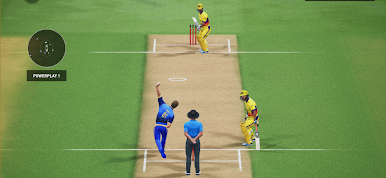
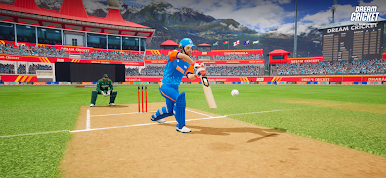
Dream Cricket 2025 feels like a proper cricket sim that still lets matches move fast when someone only has a few minutes. The ball physics are the star here. Edges carry, mistimed lofts hang up, and bounce on green or dusty pitches actually changes how a shot plays out. Test Match mode is not just a checkbox either. Sessions matter, stamina matters, and declaring at the right time really can flip a game. Visually, players look sharp and the animations sell those late cuts and yorkers without looking stiff.
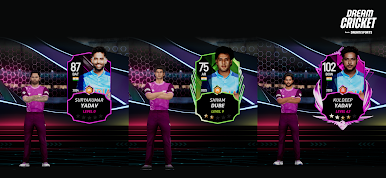
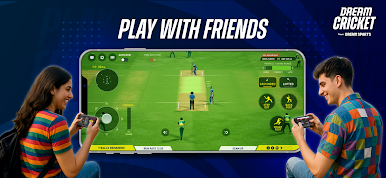
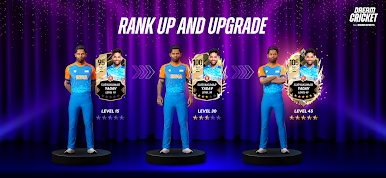
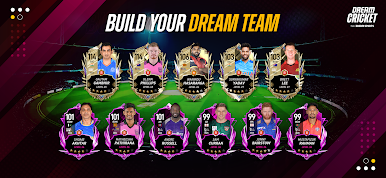
There are loads of modes, so it never feels stuck in one lane. Single Player has Challenges, Tournaments, and a quick pick-up-and-play match. Multiplayer has Dream League for ranked grind, Blitz for shorter bursts, and a simple Play With Friends option. Official teams and leagues show up, plus a huge list of real players to unlock, so building a dream XI actually means mixing legends like Chris Gayle or Brett Lee with current stars like Shubman Gill, Mohammad Siraj, or Andre Russell. Custom bits are fun too. Pick a captain, tweak jerseys, set field plans, drop an emote when a plan works. Batting is timing-first, so placement and shot choice matter. Bowling rewards mixing pace and lines to force mistakes. On PC with BlueStacks, aiming shots and setting fields with a mouse feels clean, and quick matches let someone choose ODI, T20, or a Super Over, swap stadiums, and adjust difficulty so it fits the mood.
Make your gaming sessions memorable with precise controls that give you an edge in close combats and visuals that pop up, bringing every character to life.


Play Dream Cricket 2025 on PC. It’s easy to get started.
-
Download and install BlueStacks on your PC
-
Complete Google sign-in to access the Play Store, or do it later
-
Look for Dream Cricket 2025 in the search bar at the top right corner
-
Click to install Dream Cricket 2025 from the search results
-
Complete Google sign-in (if you skipped step 2) to install Dream Cricket 2025
-
Click the Dream Cricket 2025 icon on the home screen to start playing

