


Rummy 500 - Offline Card Game
Play on PC with BlueStacks – the Android Gaming Platform, trusted by 500M+ gamers.

Page Modified on: Jul 22, 2026
Play Rummy 500 - Offline Card Game on PC
Sit down against smart AI opponents any time, anywhere — on a plane, on the couch, or with no signal at all. Whether you have five minutes or an hour, your next hand is one tap away.
HOW RUMMY 500 PLAYS
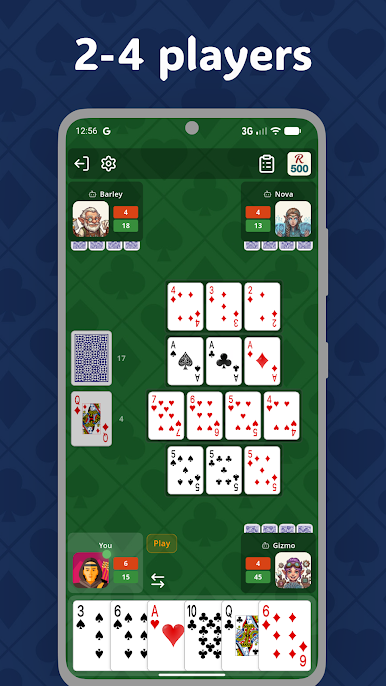
Draw, meld, and discard your way to 500 points. Build sets and runs to score, and watch your deadwood — unmelded cards count against you when someone goes out. Pull off a going-rummy finish for a bonus.
- Deep discard-pile picking — reach down into the pile to grab the card you need, and take everything on top of it.
- Positive scoring for melds, negative for the cards left in your hand.
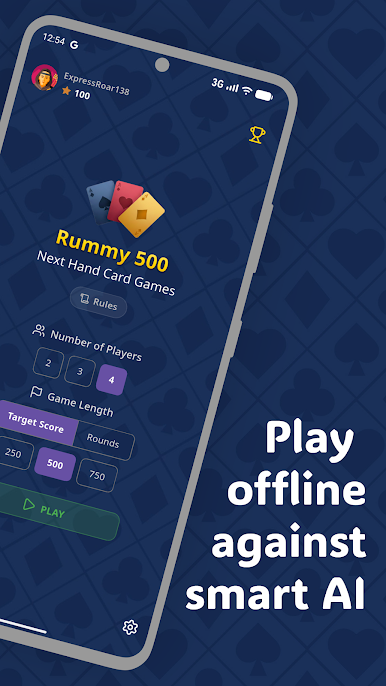
- Play the full game to 500, or set a shorter target for a quick match.
BUILT FOR SOLO PLAY
- Smart AI opponents with genuine strategy — not random card-throwers.
- 2 to 4 players — set up the table the way you like it.
- Clean, fast card animations that keep the game moving.
- Pick up right where you left off — your game is saved automatically if you step away.
EARN XP AND CLIMB
Every game you finish earns XP and moves you up through the tiers. Track your progress as you sharpen your play.
NO INTERNET REQUIRED
The whole game runs on your device. Play completely offline — an internet connection is only needed for ads and optional leaderboards.
Whether you grew up playing Rummy 500 around the kitchen table or you're learning the ropes, this is the relaxed, ad-supported, no-pressure way to enjoy it. Deal the cards. It's your turn.
Play Rummy 500 - Offline Card Game on PC. It’s easy to get started.
-
Download and install BlueStacks on your PC
-
Complete Google sign-in to access the Play Store, or do it later
-
Look for Rummy 500 - Offline Card Game in the search bar at the top right corner
-
Click to install Rummy 500 - Offline Card Game from the search results
-
Complete Google sign-in (if you skipped step 2) to install Rummy 500 - Offline Card Game
-
Click the Rummy 500 - Offline Card Game icon on the home screen to start playing

