


Arrow Cube Escape
Play on PC with BlueStacks – the Android Gaming Platform, trusted by 500M+ gamers.

Page Modified on: Apr 10, 2026
Play Arrow Cube Escape on PC
Featuring a simple yet beautiful design, this logic puzzle game will test your thinking skills, concentration, and creativity.
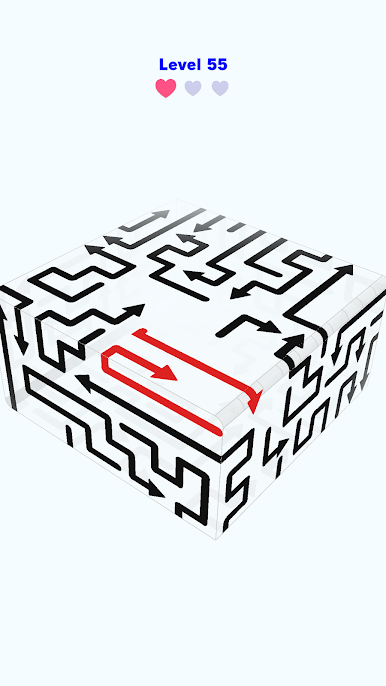
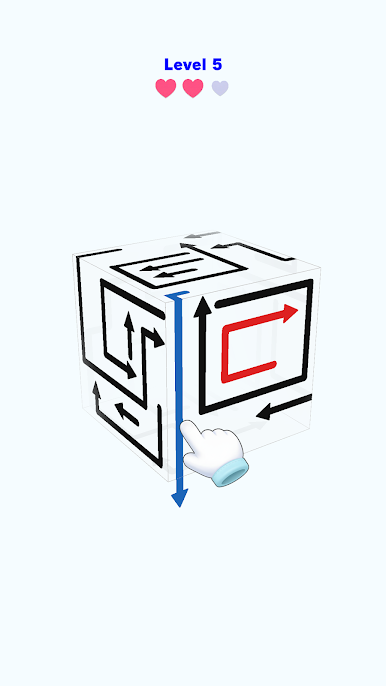
Carefully navigate the intricately intertwined maze of arrows and remove them all without making a single mistake.
Each stage presents a unique challenge that combines logical thinking, timing, and spatial awareness.
Enjoy a rewarding puzzle experience that requires both intuition and strategic thinking.
The goal is simple, but you must never let your guard down.
Remove the arrows in the correct order to clear them all from the cube.
Anticipate your next move, visualize chain reactions, and discover the optimal sequence.
Whether you’re a puzzle veteran or a beginner,
“Arrow Cube Escape” delivers two distinct pleasures: the joy of thinking and a sense of calm tranquility.
Each puzzle is a story that demands logic, patience, and precision.
Can you remove all the arrows placed on the six sides?
Test your mental agility in a quiet, beautiful world.
“Arrow Cube Escape” will become your new “healing time for the mind.”








Play Arrow Cube Escape on PC. It’s easy to get started.
-
Download and install BlueStacks on your PC
-
Complete Google sign-in to access the Play Store, or do it later
-
Look for Arrow Cube Escape in the search bar at the top right corner
-
Click to install Arrow Cube Escape from the search results
-
Complete Google sign-in (if you skipped step 2) to install Arrow Cube Escape
-
Click the Arrow Cube Escape icon on the home screen to start playing

