


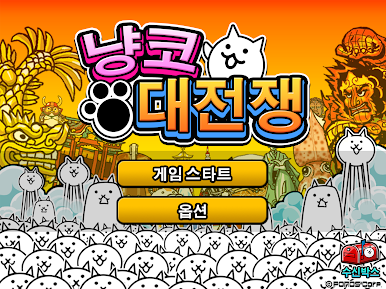
냥코 대전쟁
Play on PC with BlueStacks – the Android Gaming Platform, trusted by 500M+ gamers.

Page Modified on: Sep 6, 2026
Play 냥코 대전쟁 on PC
Anyone can easily play! A cat training & strategy game!!
*Free to play, but includes some paid content.
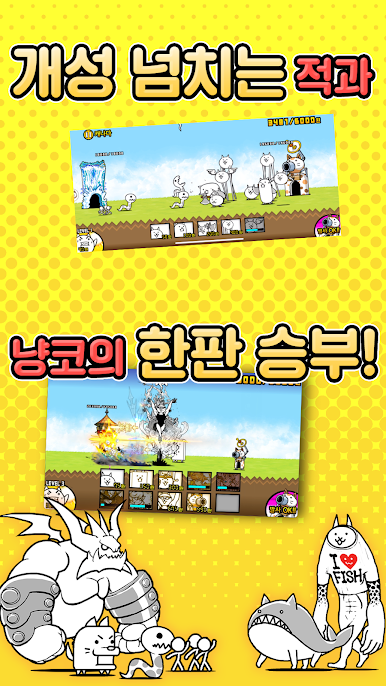
★☆Super-simple battle system★☆
Click on your favorite cat!!
One powerful blow! Fire the cat cannon!!
Capture the enemy castle!!
★☆Super-simple training system★☆
Earn XP by clearing stages!!
Choose your favorite cat!!
Change classes by reaching level 10!!
★☆Super-simple cat war★☆
Collecting treasures from around the world is super fun!!
Cute and adorable enemy characters!!
EX characters are even more bizarre!!
A game you can enjoy even if you don't like games!
A game I recommend to everyone, regardless of age or gender! The cat war!!
What kind of cat do you want to raise? Start creating your own crazy and fun cat army right now!
****************************
※When downloading or updating the game, a pop-up window will appear stating, "Downloading a large app." If you're not connected to Wi-Fi, be sure to turn "Download only when connected to Wi-Fi" off before proceeding.
If it's on, downloads and updates will not proceed properly.
****************************
****Access Permissions****
When using the app, access permissions are required for the following purposes. [Required Access Items]
Item Description
In-app Purchases: Allows users to make in-game purchases through Google Play.
View Wi-Fi connections: Allows users to download game data.
Full network access: Allows users to download game data.
Control vibration: Allows vibration to accompany push notifications.
Prevent phone from sleep: Prevents the screen from turning off during gameplay.
View network connection: Allows users to download game data.
[Discretionary Access Items]
None
※If you decline the required access items, you will not be able to play the game.
Also, if you decline the discretionary access items, you will still be able to play, but some features will be restricted.
You can reset or withdraw consent for discretionary access items using the following methods:
[Android version 6.0 or later]
Settings > App Management > Select App > Access Permissions > Reset
[Android version 6.0 or lower]
You can decline access permissions by deleting the app.
********
Presented by PONOS




Play 냥코 대전쟁 on PC. It’s easy to get started.
-
Download and install BlueStacks on your PC
-
Complete Google sign-in to access the Play Store, or do it later
-
Look for 냥코 대전쟁 in the search bar at the top right corner
-
Click to install 냥코 대전쟁 from the search results
-
Complete Google sign-in (if you skipped step 2) to install 냥코 대전쟁
-
Click the 냥코 대전쟁 icon on the home screen to start playing

