


Poolrooms Museum
Play on PC with BlueStacks – the Android Gaming Platform, trusted by 500M+ gamers.

Page Modified on: May 20, 2026
Main Poolrooms Museum on PC
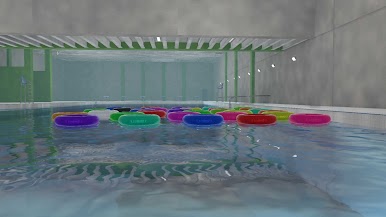
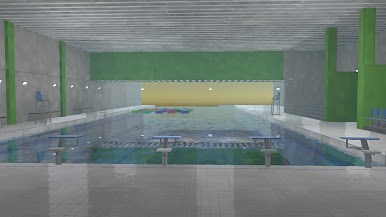
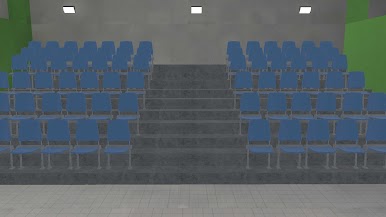
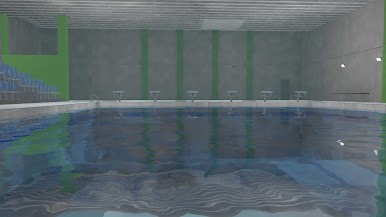
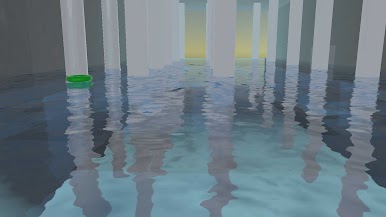
Explore silent water-filled spaces, endless white pillars, and surreal poolrooms with an eerie atmosphere.
As you move deeper into the poolrooms, strange things begin to happen.
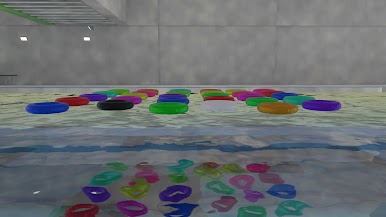
Floating rings may change color, move to a different place, or appear where they were not before.
There are no complicated mechanics.
Just walk, observe, and experience the unsettling feeling of a space that slowly changes when you are not looking.
Features:
- Explore mysterious poolrooms and liminal spaces
- Notice subtle changes in the environment
- Encounter strange floating ring anomalies
- Enjoy atmospheric first-person exploration
Simple controls with immersive visuals and water reflections
A quiet pool should feel safe.
So why does this one feel wrong?
Play Poolrooms Museum on PC. It’s easy to get started.
-
Download and install BlueStacks on your PC
-
Complete Google sign-in to access the Play Store, or do it later
-
Look for Poolrooms Museum in the search bar at the top right corner
-
Click to install Poolrooms Museum from the search results
-
Complete Google sign-in (if you skipped step 2) to install Poolrooms Museum
-
Click the Poolrooms Museum icon on the home screen to start playing

