


Soccer Ludo
Play on PC with BlueStacks – the Android Gaming Platform, trusted by 500M+ gamers.

Page Modified on: Jun 9, 2026
Main Soccer Ludo on PC
Whether you want to challenge players worldwide, play a quick match against the computer mode, or gather your family around a single screen, Soccer Ludo has a stadium waiting for you.
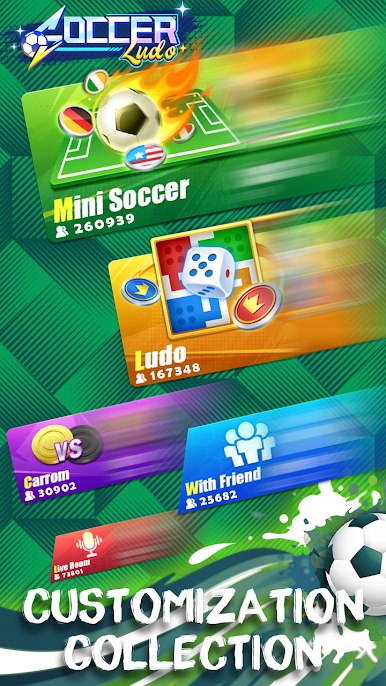
⚽ Main Game Modes & Features
Soccer Ludo offers three incredibly robust, feature-packed main gameplay pillars:
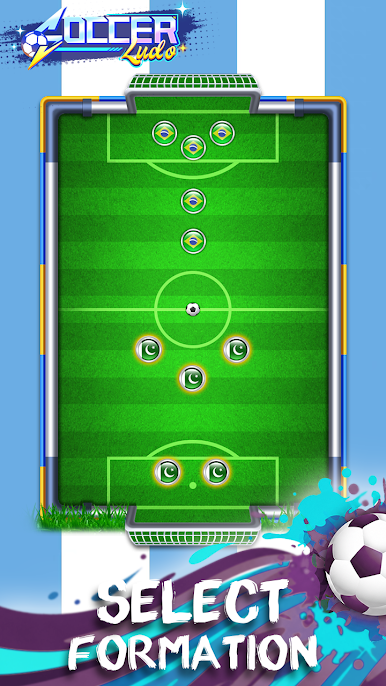
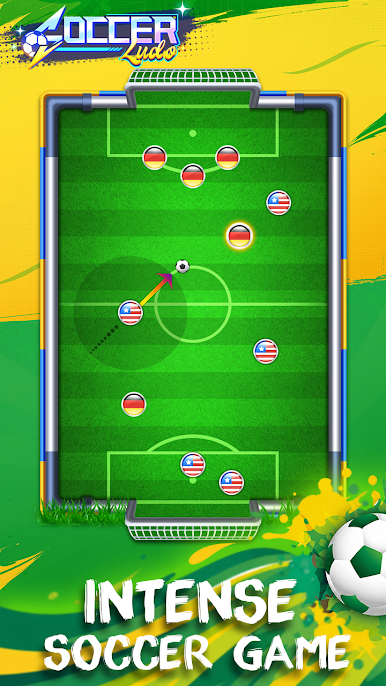
⚽ 1. Soccer (Tactical Finger Football Action!)
Based on the physics-controlled, tactical gameplay of soccer game, this mode turns the pitch into a sub-billiard style tabletop battlefield. Take turns flicking, aiming, and bouncing your team's bottlecap-style player discs into the football. Use strategy to position your defenders, block your goals, and unleash powerful trick shots to blast the ball into the back of your opponent's net!
Online Mode: Enter the global league! Face off against international players in intense, turn-based soccer PvP match.
Computer Mode: play with your formations, angles, and shooting power against a challenging computer opponent.
Local Mode: Experience immediate, action-packed fun against a friend on the same screen— designed for settling friendly rivalries.
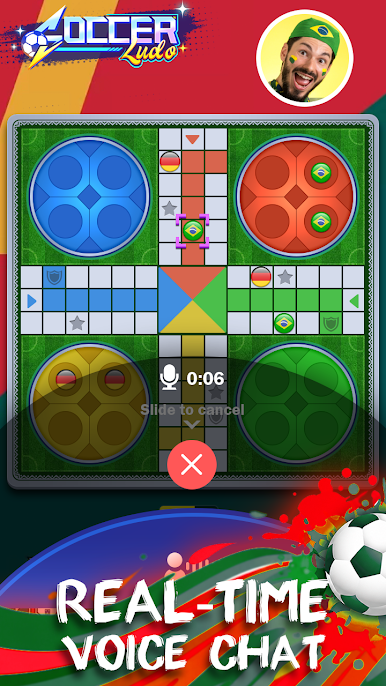
2. 🎲 Ludo (Classic Fun, Reimagined!)
Roll the dice and race your tokens to the center of the board. True to the timeless rules you know and love, our Ludo mode is incredibly versatile, offering an array of sub-modes to fit your schedule:
1v1: Go head-to-head PvP match against a single opponent in a high-stakes tactical showdown. Choose between Quick mode for fast bursts of fun or Classic mode for the authentic experience.
4-Player Mode: Gather a full stadium! Compete against three other players in thrilling Quick or Classic matches.
Vs Computer: No internet? No problem. Test your luck and strategy against our computer mode in both Quick and Classic settings.
Local Play Mode: The ultimate couch multiplayer experience. Pass your phone or tablet around with friends and family locally in Quick or Classic variants.
Play with Friends: Form private rooms, invite your best buddies, and determine who the true Ludo Champion is in a Classic match.
Live Room: Create or join public Classic live rooms to chat with and play with board game enthusiasts worldwide in real-time. Do not forget to send gifts to your favorite players to show your support and love.
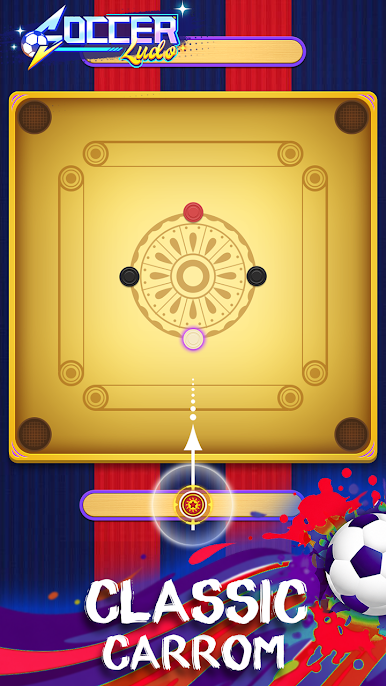
🔴 3. Carrom (The Classic Strike and Pocket Game)
Step up to the square board and experience realistic board physics. Aim your striker, slice your shots, and pocket your carrom men before your opponent does. Soccer Ludo offers multiple ways to play Carrom:
Online Mode: Match up against real players from around the globe in real-time, competitive play.
Computer Mode: Sharpen your angles, perfect your trick shots, and practice against various difficulty levels.
Local Mode: Turn a single device into a portable carrom board to play with a friend anytime, anywhere.
🏆 Why Choose Soccer Ludo?
Three Games, One Download: Save storage on your device while unlocking endless hours of entertainment. Seamlessly switch between rolling dice, pocketing carrom coins, and scoring spectacular football goals.
Realistic Physics Engine: Feel the realistic slide of the carrom tokens and the authentic momentum and bounces of the football on the pitch.
Intuitive & Smooth Controls: Simple click-and-drag mechanics for Soccer and Carrom, and effortless taps for rolling dice and moving tokens in Ludo.
CONTACT US:
Please share your feedback if you have trouble in Soccer Ludo and tell us how to improve your game experience. Send messages to the following channel:
E-mail: market@comfun.com
Privacy Policy: https://static.tirchn.com/policy/index.html
Play Soccer Ludo on PC. It’s easy to get started.
-
Download and install BlueStacks on your PC
-
Complete Google sign-in to access the Play Store, or do it later
-
Look for Soccer Ludo in the search bar at the top right corner
-
Click to install Soccer Ludo from the search results
-
Complete Google sign-in (if you skipped step 2) to install Soccer Ludo
-
Click the Soccer Ludo icon on the home screen to start playing

