


Hyper Strike PVP FPS
Play on PC with BlueStacks – the Android Gaming Platform, trusted by 500M+ gamers.

Page Modified on: Mar 5, 2026
Main Hyper Strike PVP FPS on PC
CORE FEATURES:
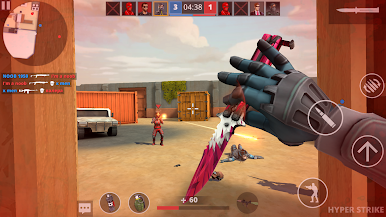
REALISTIC BALLISTICS & GUNPLAY: Feel the weight of every shot with advanced recoil patterns, bullet drop, and authentic weapon handling. Each of the 50+ licensed firearms is fully customizable.
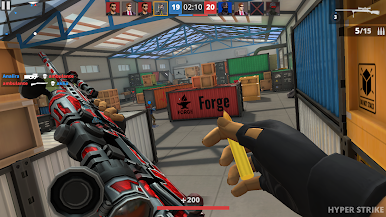
TACTICAL 5V5 MULTIPLAYER: Coordinate with your squad via built-in voice chat. Use drones, breaching charges, and tactical gear to outsmart your opponents in objective-based modes.
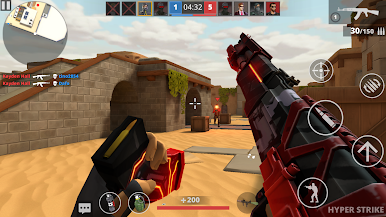
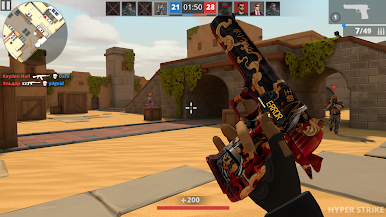
NEXT-GEN GRAPHICS: Experience console-quality visuals on your mobile device. From rain-slicked urban streets to dusty desert outposts, every environment is built for maximum immersion.
DEEP WEAPON CUSTOMIZATION: Use the "Gunsmith" system to swap optics, grips, barrels, and stocks. Build the ultimate tool for your specific playstyle.
RANKED COMPETITION: Rise through the global leaderboards. Prove your worth in seasonal tournaments and earn exclusive rewards for your tactical prowess.
Play Hyper Strike PVP FPS on PC. It’s easy to get started.
-
Download and install BlueStacks on your PC
-
Complete Google sign-in to access the Play Store, or do it later
-
Look for Hyper Strike PVP FPS in the search bar at the top right corner
-
Click to install Hyper Strike PVP FPS from the search results
-
Complete Google sign-in (if you skipped step 2) to install Hyper Strike PVP FPS
-
Click the Hyper Strike PVP FPS icon on the home screen to start playing

