

Crate Simulator UC
Play on PC with BlueStacks – the Android Gaming Platform, trusted by 500M+ gamers.

Page Modified on: Feb 5, 2026
Play Crate Simulator for PUBGM on PC or Mac
Crate Simulator for PUBGM brings the Simulation genre to life, and throws up exciting challenges for gamers. Developed by The One Int, this Android game is best experienced on BlueStacks, the World’s #1 app player for PC and Mac users.
About the Game
Ever wondered what it’s like to crack open those elusive PUBG Mobile crates without actually spending a dime? Crate Simulator for PUBGM by The One Int lets you do just that. Whether you’re itching to see what rare skins you could pull or just want to kill some time and test your luck, this Simulation game is loaded with plenty of surprises to keep you busy.
Game Features
-
Crate Opening Galore
Fancy the thrill of opening loads of cases? Go ahead and rip through ten crates at once—just like in the real deal. Will your luck hold up or backfire? Only one way to find out. -
Massive Skins Library
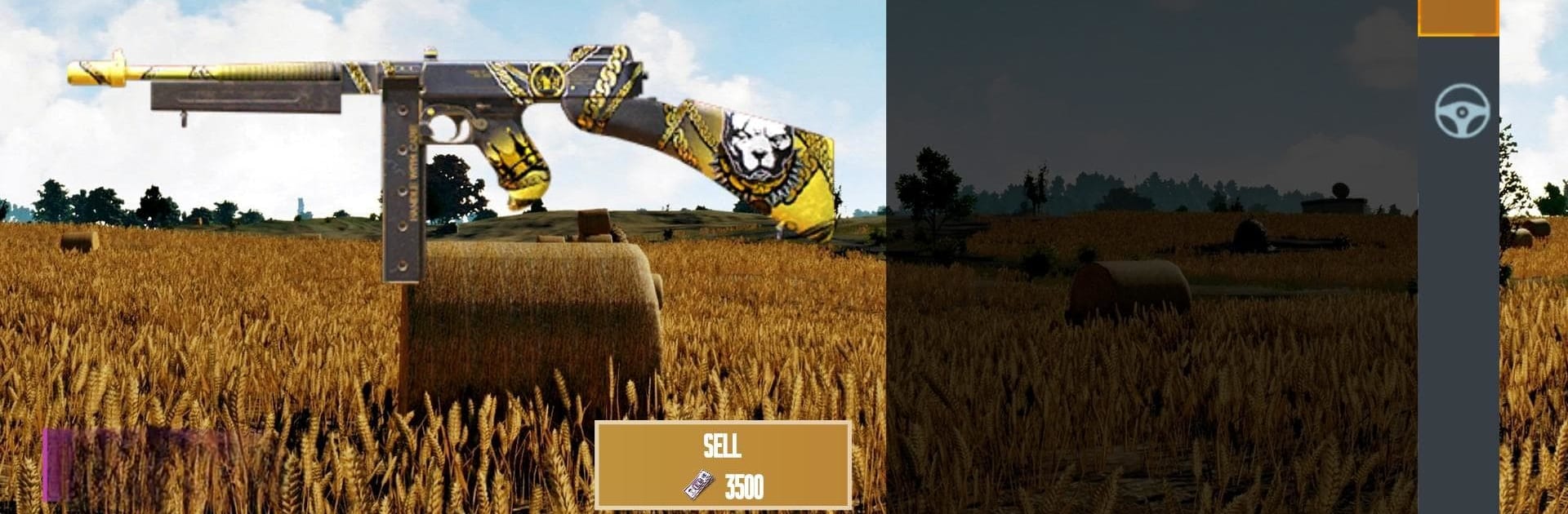
Guns, outfits, even vehicles—you’ll spot a huge catalog of skins inspired by the PC versions and the ones you know from your favorite battleground. The inventory’s got room for your dream collection, and yep, you can even sort everything by category when things get a bit crowded. -
Inventory Management
Not feeling that neon helmet? Stuck with too many duplicate skins? Easily manage and sell your virtual loot inside the simulator so your collection stays nice and organized. -
No Real-World Stakes
Since it’s a case opening simulator (just a heads up: no actual items will be transferred to your in-game PUBG Mobile account), you can experiment as much as you like—no risk, just the fun. -
Frequent Updates
The team at The One Int keeps things fresh, rolling out new crates and skins pretty regularly. It’s one of those games you’ll keep coming back to see what’s new. -
Optimized Experience with BlueStacks
If you prefer opening crates on a bigger screen or just want smoother controls, try playing Crate Simulator for PUBGM with BlueStacks for that PC feel.
This is a collector’s playground—no strings attached. All that’s left is to see how lucky you really are.
Ready to top the leaderboard? We bet you do. Let precise controls and sharp visuals optimized on BlueStacks lead you to victory.








Play Crate Simulator UC on PC. It’s easy to get started.
-
Download and install BlueStacks on your PC
-
Complete Google sign-in to access the Play Store, or do it later
-
Look for Crate Simulator UC in the search bar at the top right corner
-
Click to install Crate Simulator UC from the search results
-
Complete Google sign-in (if you skipped step 2) to install Crate Simulator UC
-
Click the Crate Simulator UC icon on the home screen to start playing

