


Home Run High
Play on PC with BlueStacks – the Android Gaming Platform, trusted by 500M+ gamers.

Page Modified on: Jan 20, 2026
Play Home Run High on PC or Mac
Explore a whole new adventure with Home Run High, a Sports game created by Kairosoft. Experience great gameplay with BlueStacks, the most popular gaming platform to play Android games on your PC or Mac.
About the Game
Home Run High puts you in charge of a scrappy high school baseball club with big dreams. You’ll shape raw talent into a winning roster by running practices, building out facilities, and juggling school life with game day pressure. Prefer longer sessions at a desk? It also plays nicely on BlueStacks.
Game Features
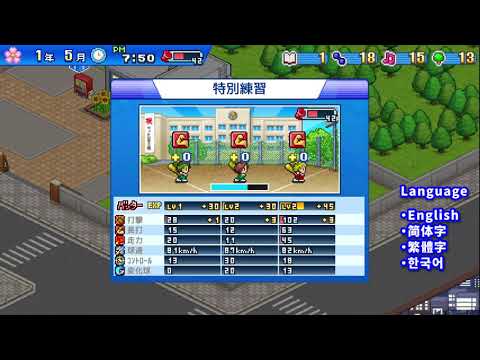
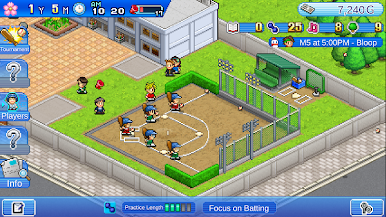
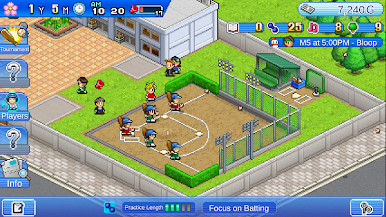
- Coach with purpose: Set up practice plans and decide where each player should focus—batting, pitching, or a mix—so the team grows in the right ways.
- Build a winning environment: Add batting cages, showers, and other upgrades around campus to make training smoother and more effective.
- School comes first (mostly): Construct educational facilities to keep grades up and improve the school, so your athletes aren’t just good on the field.
- Dorm life perks: Give students a place to live on campus, freeing up more time for both studying and extra reps.
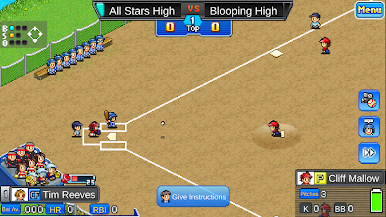
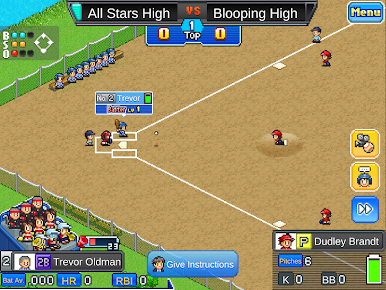
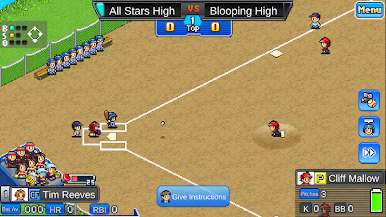
- Pick the lineup, chase the title: Choose your starters, tweak strategies, and see how your squad stacks up in tournaments against rival schools.
- Landscape play and local saves: The game runs in landscape mode and saves to your device. If it ever freezes, a quick device restart usually does the trick.
- Easy to enjoy on PC: Want a comfy, bigger screen and steady controls? Home Run High also feels great on BlueStacks without changing how you play.
This is a Sports sim from Kairosoft with a satisfying loop: train smart, build better, and test your decisions when the ump calls, “Play ball!”
Slay your opponents with your epic moves. Play it your way on BlueStacks and dominate the battlefield.



















Play Home Run High on PC. It’s easy to get started.
-
Download and install BlueStacks on your PC
-
Complete Google sign-in to access the Play Store, or do it later
-
Look for Home Run High in the search bar at the top right corner
-
Click to install Home Run High from the search results
-
Complete Google sign-in (if you skipped step 2) to install Home Run High
-
Click the Home Run High icon on the home screen to start playing

