


Zombie High School
Play on PC with BlueStacks – the Android Gaming Platform, trusted by 500M+ gamers.

Page Modified on: Feb 4, 2026
Main Zombie High School on PC
Huh? What happens to Zombie High School students?
Aren’t they supposed to be just studying, dating and partying like others in their ages?
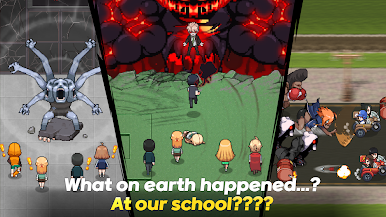
I came for the best private high school, but zombies? What are zombies doing here?
From the rumor I heard, this is not a random accident that zombies are everywhere in the school.
It IS all planned by someone.
You have to be one of the students to investigate the situation with all the risk. Find out the secret of Zombie high school, and take the school back.
Obviously, it won’t go easy. You have to get rid of zombies chasing after you. You might have to fight back to get through.
If you think you are capable, you are welcome to enter Zombie High School.
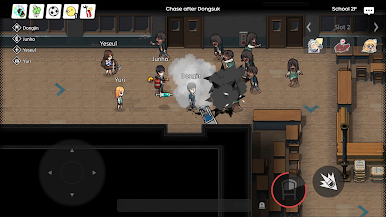
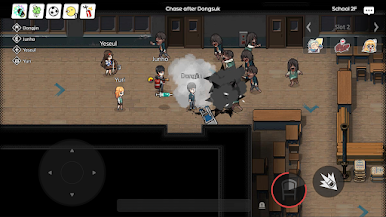
▶Infection Mode (2~8 players)
One of the players is turned into a zombie.
Others should run away to survive.
Locate secret paths and place to hide.
The longer you survive, the bigger the reward you will get!
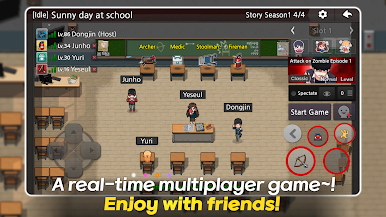
▶Attack on Zombie (4 players Co-op)
Play through the story to find out the secret of Zombie High School.
Choose your weapon, and overcome the wave of dangerous zombies!
Fight as a team! Stick with your friends! Teamwork is the only way to survive!
▶Cops & Robbers (2~8 Team-play)
Get your strategy ready for 4 on 4 versus mode.
Break all the switches as a Human Team, or Catch them all as Zombie Team.
Humans can be escaped anytime. So, keep your eyes open, and always stay alert.
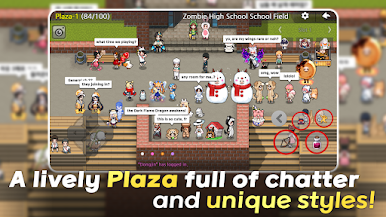
▶Community Channel
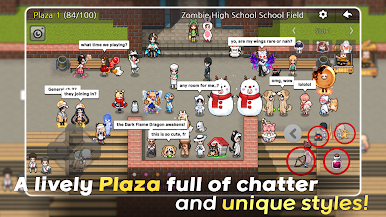
Play with up to 100 players in the same server!
Chatting? Hanging Out? Playing mini-games?
We prepared a safe place you can take a rest in peace.
Experience high school life before zombies appear.
ENTER ZOMBIE HIGH SCHOOL NOW!
We are happy to assist you if you have any problem while playing the game
Please describe the issue and Android version.
----------------------
Required Permission Info
Phone Number – Check validation of game account
Prevent from watching AD repeatedly
Mic – Record voice
Required to record game-play for community share
Phone status and ID
Prevent from watching AD repeatedly
Storage – Check contents in SD card
Required to access Naver Café from in-game
----------------------
Official Naver Cafe
http://cafe.naver.com/onimobile
Official Kakao Story
https://story.kakao.com/ch/zombieschool
Official Facebook
https://www.facebook.com/AwesomePiece/?fref=nf
Customer Support
zh@awesomepiece.com
----
Developer Address
Gwanak-gu, Seoul, Republic of Korea
----
Developer Contact
02-877-2626

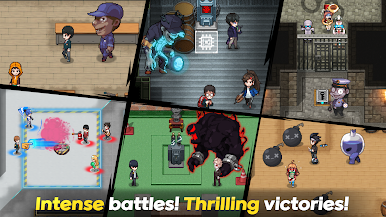
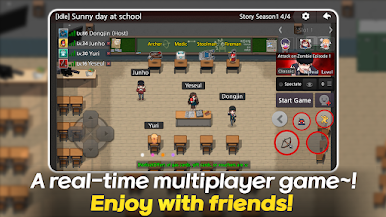


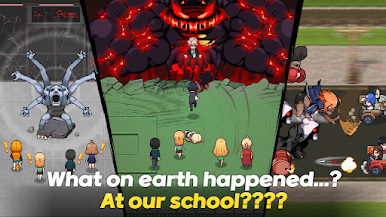
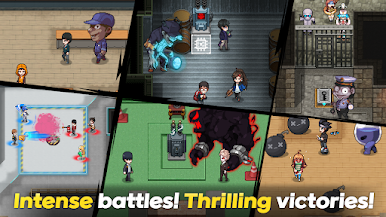


Play Zombie High School on PC. It’s easy to get started.
-
Download and install BlueStacks on your PC
-
Complete Google sign-in to access the Play Store, or do it later
-
Look for Zombie High School in the search bar at the top right corner
-
Click to install Zombie High School from the search results
-
Complete Google sign-in (if you skipped step 2) to install Zombie High School
-
Click the Zombie High School icon on the home screen to start playing

