


Lemo Lite
Play on PC with BlueStacks – the Android Gaming Platform, trusted by 500M+ gamers.

Page Modified on: Sep 1, 2026
Run Lemo Lite on PC or Mac
What’s better than using Lemo Lite by LEMO TECHNOLOGY PTE. LTD.? Well, try it on a big screen, on your PC or Mac, with BlueStacks to see the difference.
Lemo Lite feels like a casual hangout app where someone can wander into different rooms and actually talk to people who share the same interests. Instead of scrolling the same posts again and again, it centers on live rooms. They pick a topic, jump into voice or video, or just listen, and there are quick mini games tucked into some rooms so it is not just chatting. There is a feed for posting little moments, and a music angle too, so people can share songs or listen together without hassle.
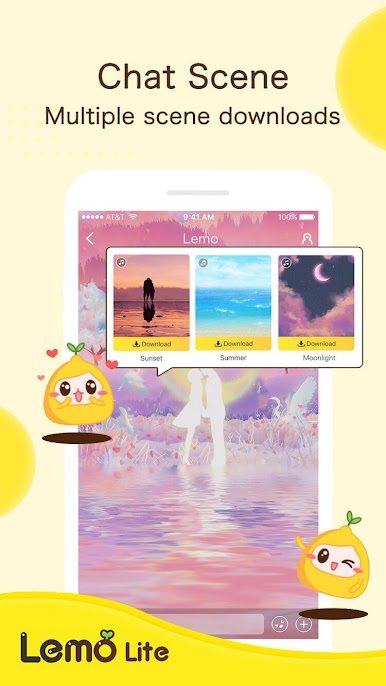
There are small missions that nudge them to try features, and those unlock themes and these goofy Lemojis. It sounds gimmicky, but it adds a bit of personality without being a grind. The mood is more make-friends than date-first, with rooms hosted by all sorts of folks, so the conversations swing from chill to lively. Camera off is fine, audio only works, and muting is right there, so it feels safe to ease in.
On PC with BlueStacks, it is easier to browse a bunch of rooms at once, type fast with a keyboard, and keep a window open while checking profiles. Webcam and mic plug in fine. The design is bright but not loud, and the custom themes help tweak the look if they do not love the default. Some rooms are quiet, some get busy, that happens, but when a good one pops up it really feels like being together even while apart.
Big screen. Bigger performance. Use BlueStacks on your PC or Mac to run your favorite apps.




Play Lemo Lite on PC. It’s easy to get started.
-
Download and install BlueStacks on your PC
-
Complete Google sign-in to access the Play Store, or do it later
-
Look for Lemo Lite in the search bar at the top right corner
-
Click to install Lemo Lite from the search results
-
Complete Google sign-in (if you skipped step 2) to install Lemo Lite
-
Click the Lemo Lite icon on the home screen to start playing

