


The UESO App Lite
Play on PC with BlueStacks – the Android Gaming Platform, trusted by 500M+ gamers.

Page Modified on: Nov 22, 2025
Overview
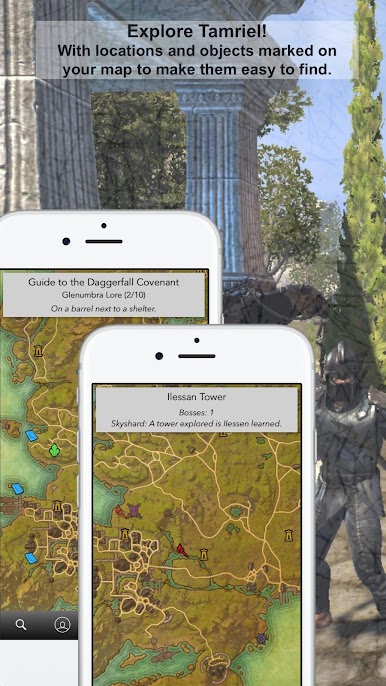
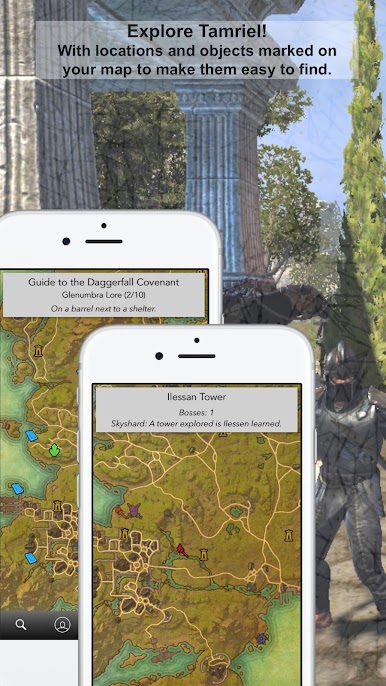
Get locations to lorebooks and skyshards across Tamriel. Look inside the delves to see boss locations and more.
Find lore books, skyshards and delves, easily either using the region maps or our in-built search option.
This app does not use internet once downloaded.. So no more long load times or incorrect positions. All lorebooks locations come with a short description to help you locate those hard to find books.
We hope you enjoy and please leave a review!!
Follow us on Instagram @the_eso_app
Nexu Industries Australia
www.nexuindustries.com
info@nexuindustries.com
@nexu_industries
This is an unofficial application with no affiliations to ZeniMax or Bethesda.
Play The UESO App Lite on PC. It’s easy to get started.
-
Download and install BlueStacks on your PC
-
Complete Google sign-in to access the Play Store, or do it later
-
Look for The UESO App Lite in the search bar at the top right corner
-
Click to install The UESO App Lite from the search results
-
Complete Google sign-in (if you skipped step 2) to install The UESO App Lite
-
Click the The UESO App Lite icon on the home screen to start playing

