


FastNote: Quick & Simple Notes
Play on PC with BlueStacks – the Android Gaming Platform, trusted by 500M+ gamers.

Page Modified on: Mar 11, 2026
Play FastNote: Quick & Simple Notes on PC
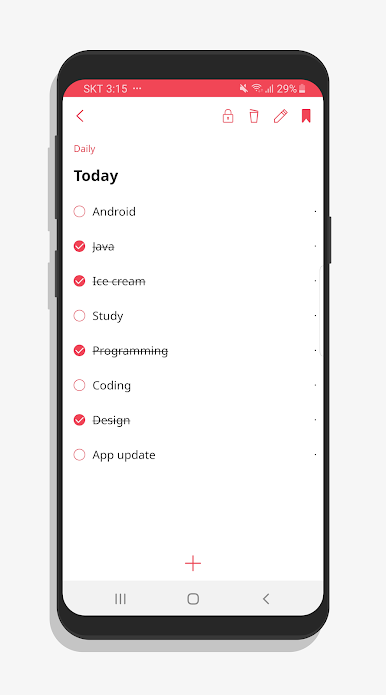
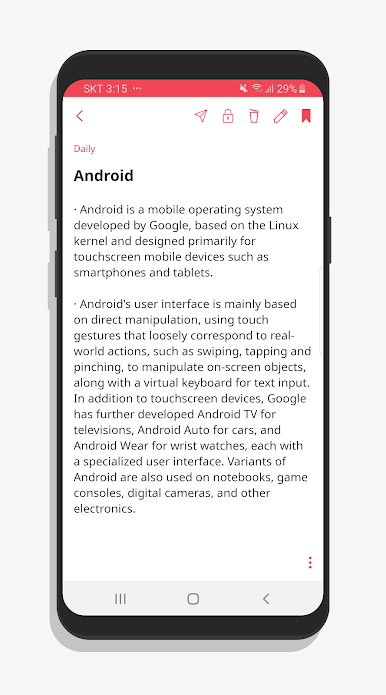
Capture your thoughts instantly with a clean, simple interface for notes, ideas, memos, and to-do lists.
⚡ Efficient Writing
No clutter, no delays — just pure efficiency for fast note-taking.
💾 Automatic Saving
FastNote automatically saves your notes so you never have to worry about losing them.
🌍 Offline Functionality
Write notes and access them anytime, anywhere, even without an internet connection.
🗓️ Perfect for Everyday Use
A reliable notepad app for your daily tasks and notes.

Play FastNote: Quick & Simple Notes on PC. It’s easy to get started.
-
Download and install BlueStacks on your PC
-
Complete Google sign-in to access the Play Store, or do it later
-
Look for FastNote: Quick & Simple Notes in the search bar at the top right corner
-
Click to install FastNote: Quick & Simple Notes from the search results
-
Complete Google sign-in (if you skipped step 2) to install FastNote: Quick & Simple Notes
-
Click the FastNote: Quick & Simple Notes icon on the home screen to start playing

