


ANIMEIN
Play on PC with BlueStacks – the Android Gaming Platform, trusted by 500M+ gamers.

Page Modified on: Dec 16, 2025
Main ANIMEIN on PC
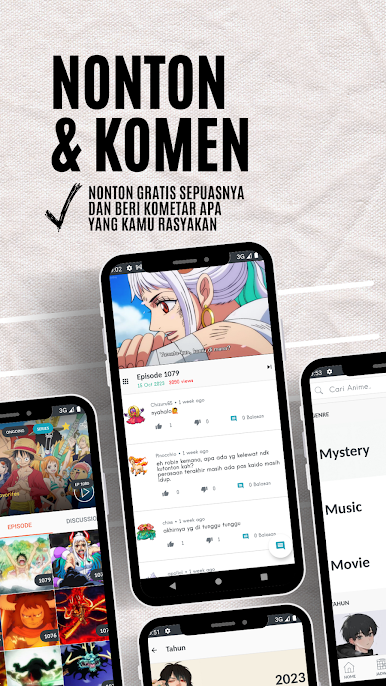
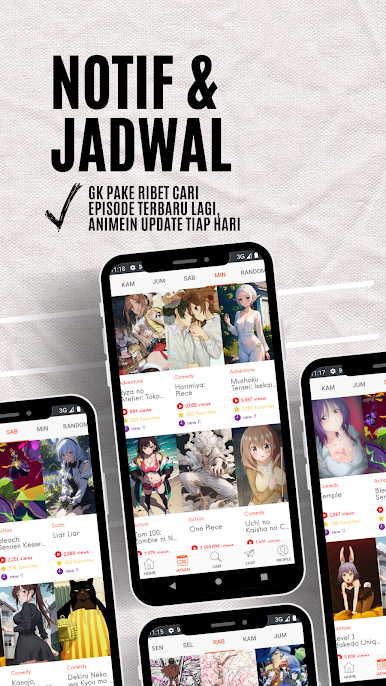
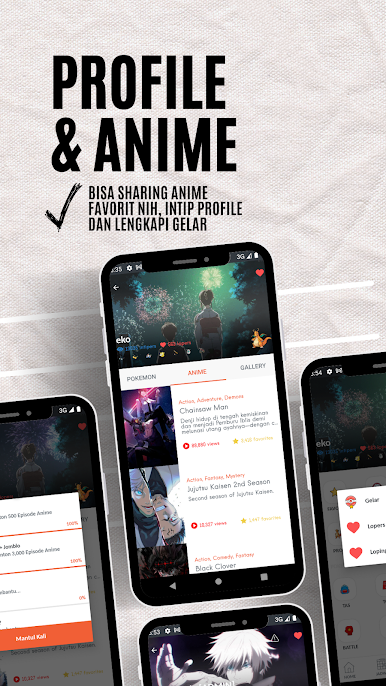
ANIMEIN is the solution: a free, convenient, daily updated, and ad-free anime streaming app.
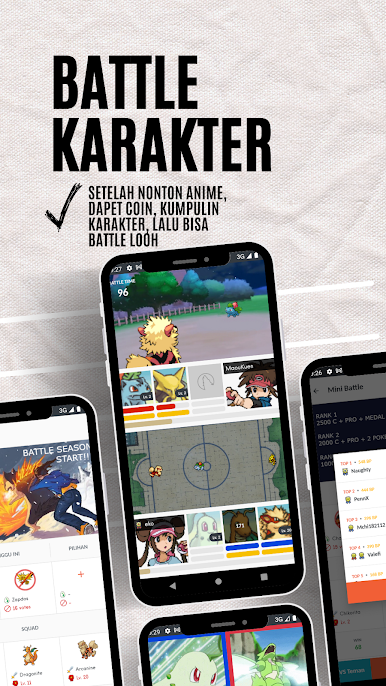
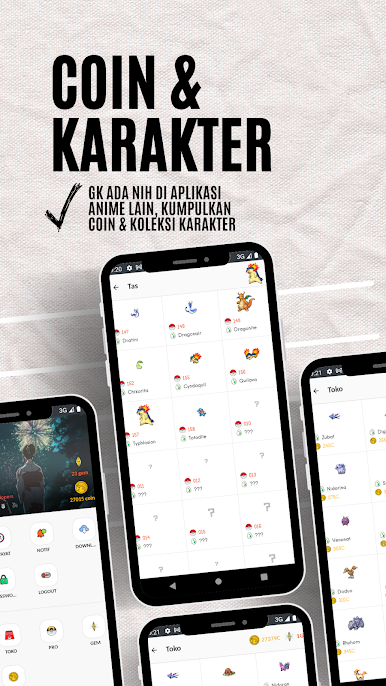
And there's something unique about it that other anime streaming apps don't offer. Download it now and experience the comfort and unique sensation of ANIMEIN.
* Things to Note When Using the ANIMEIN App
Copyright
ANIMEIN is an app created by anime lovers who were just having fun and had nothing to do, but now it's here, haha. This app is not an official app and holds no copyright to its content. It is not affiliated with, endorsed, sponsored, or specifically approved by any company. All copyrights and trademarks belong to their respective owners. The images/videos in this app are collected from around the web. If we violate copyright, please let us know and we will immediately remove the content.
Purchases & Payments
Purchased items are non-refundable. If there is an error or data corruption in the purchased product (not a video), we will immediately contact the person concerned to find a solution and reach an agreement. Payment methods are only available in and through the app. So be careful of fraud, we give up on that, hehe.
Contact and Communication
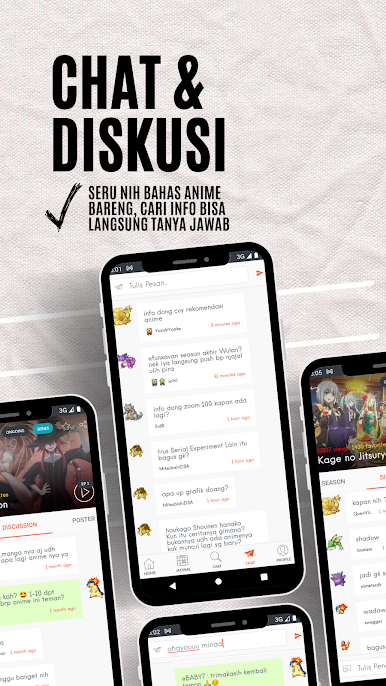
There is a messaging feature with images that can be set by the user and will then be visible to other users. If we find any violations such as inappropriate words or inappropriate images, we will immediately remove them. Hey, those of you who like to get excited, it's okay to be aggressive, but don't be rude, many people are sensitive, haha.

Play ANIMEIN on PC. It’s easy to get started.
-
Download and install BlueStacks on your PC
-
Complete Google sign-in to access the Play Store, or do it later
-
Look for ANIMEIN in the search bar at the top right corner
-
Click to install ANIMEIN from the search results
-
Complete Google sign-in (if you skipped step 2) to install ANIMEIN
-
Click the ANIMEIN icon on the home screen to start playing

