


Cash’em All - Earn Rewards
Play on PC with BlueStacks – the Android Gaming Platform, trusted by 500M+ gamers.

Page Modified on: Sep 15, 2026
Play Cash’em All - Earn Rewards on PC
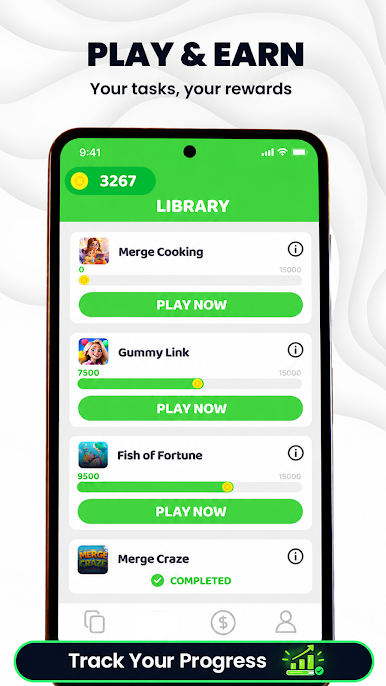
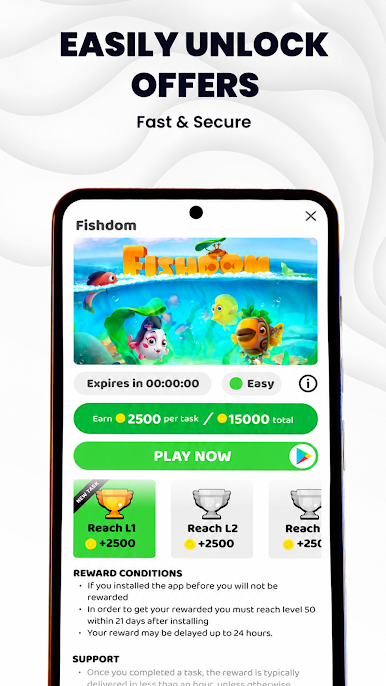
Looking for a way to earn gift cards or cash prizes while playing mobile games? Cash'em All is a completely free app that rewards you for the time you spend discovering and playing new games.
Get Cash'em All for free (no deposits, no in-app purchases, and no ads).
Earn coins for the time you spend playing.
Exchange coins for gift cards or cash rewards.
How to start earning:
✓📱 Download: Get Cash'em All for free.
✓🎮 Play: Discover and play any of our partner games.
✓💎 Earn: Collect coins while you play.
✓💲 Redeem: Trade your coins for gift cards from top brands or PayPal cash.
The exciting part? You can earn your first reward after playing a game you choose. Our offer wall contains various game types such as Casual, Strategy, Action, Puzzle, Adventure, Arcade, and many more.
Why choose Cash'em All?
Completely Free: No ads, no deposits, and no in-app purchases required.
Easy to Use: A simple, clean interface to track your progress.
Variety of Games: Play the genres you actually enjoy.
Fast Payouts: Choose the reward option that fits you best.
Referral Bonus: Invite friends, and both of you will earn extra rewards!
Turn your gaming time into rewards today. Discover your next favorite game with Cash'em All!
(Note: Offers and rewards are subject to availability.)

Play Cash’em All - Earn Rewards on PC. It’s easy to get started.
-
Download and install BlueStacks on your PC
-
Complete Google sign-in to access the Play Store, or do it later
-
Look for Cash’em All - Earn Rewards in the search bar at the top right corner
-
Click to install Cash’em All - Earn Rewards from the search results
-
Complete Google sign-in (if you skipped step 2) to install Cash’em All - Earn Rewards
-
Click the Cash’em All - Earn Rewards icon on the home screen to start playing

