

Pool Empire
Play on PC with BlueStacks – the Android Gaming Platform, trusted by 500M+ gamers.

Page Modified on: Aug 2, 2026
Play Pool Empire on PC or Mac
Pool Empire brings the Sports genre to life, and throws up exciting challenges for gamers. Developed by HangZhou Mention Network Technology Co., Ltd., this Android game is best experienced on BlueStacks, the World’s #1 app player for PC and Mac users.
About the Game
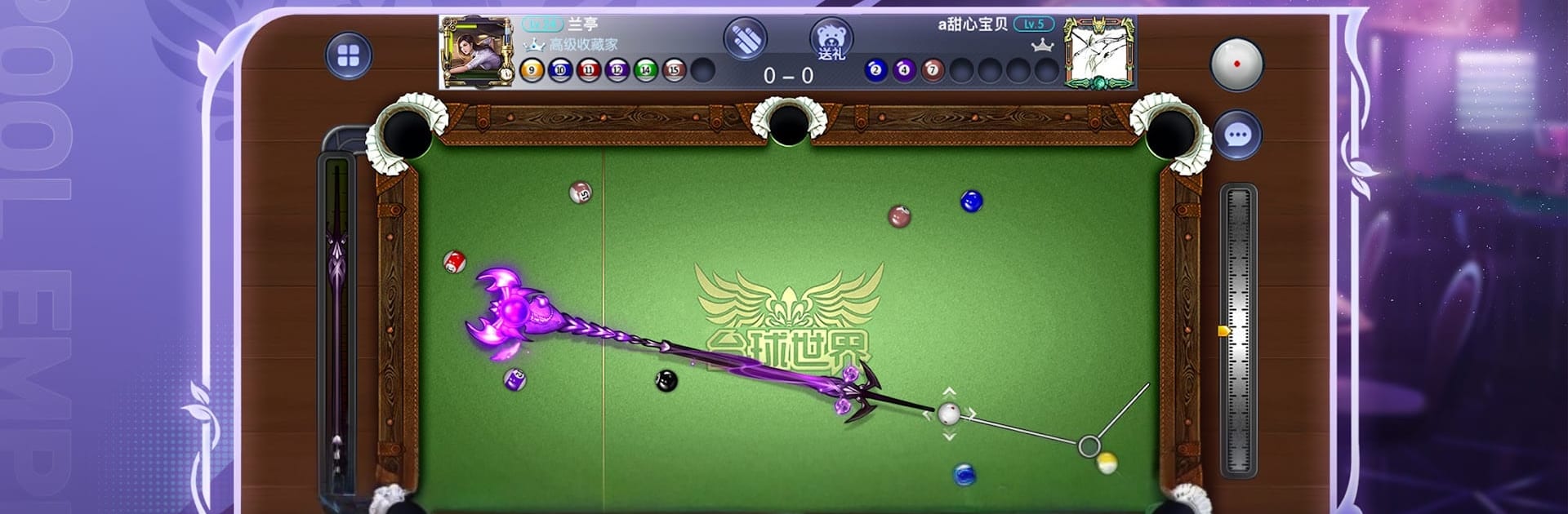
Pool Empire keeps things simple, sharp, and seriously satisfying. This Sports title sticks to a clean 2D table, so reading angles, dialing in spin, and judging pace feels natural right away—no wobbly cameras or guesswork. Want a bigger display and steadier aim? You can play on PC with BlueStacks without changing a thing about your progress.
Game Features
- True-to-Life Physics: Balls roll, collide, and spin the way you expect, rewarding smart position play and crisp cueing.
- 1v1 Matches: Square off against players worldwide and savor that last-ball finish when the rack is on the line.
- Snooker Table: Classic rules with tight pockets—chasing a century feels both possible and hard-earned.
- 14.1 Straight Pool: Plan routes, manage clusters, and keep the cue ball under control to run long racks.
- Pool Adventure Mode: Shake up the formula with Lightning, Bomb, and Laser balls that flip the script and pump up your score.
- Spin Pocket: Each pocket carries its own multiplier. Choose where—and what—to pot for maximum points.
- Arena Challenge: Claim the top spot, then defend it against all comers. Staying champ is the real test.
- 8-Player Brackets: Eight enter, one champion leaves. Win your way through tense knockout rounds.
- Daily, Weekly, Monthly Tournaments: Regular competition that tracks how you stack up over time.
- Champion Road: Battle legendary cue stars and take on clever trick-shot puzzles that sharpen real skills.
- Clubs & Friends: Join a club to practice, trade tips, challenge buddies, or spectate top-tier matches whenever you want.
- Clean 2D View & Controls: See the whole table clearly, line up shots fast, and fine-tune power and spin without wrestling the camera.
Get ready for a buttery smooth, high-performance gaming action only on BlueStacks.







Play Pool Empire on PC. It’s easy to get started.
-
Download and install BlueStacks on your PC
-
Complete Google sign-in to access the Play Store, or do it later
-
Look for Pool Empire in the search bar at the top right corner
-
Click to install Pool Empire from the search results
-
Complete Google sign-in (if you skipped step 2) to install Pool Empire
-
Click the Pool Empire icon on the home screen to start playing

