


Pull a Sword: Obby World
Play on PC with BlueStacks – the Android Gaming Platform, trusted by 500M+ gamers.

Page Modified on: Jan 30, 2026
Play Pull a Sword: Obby World on PC
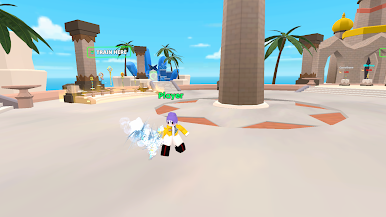
Welcome to Pull a Sword: Obby World, an addictive adventure where every pull a sword action makes you stronger, braver, and closer to victory!
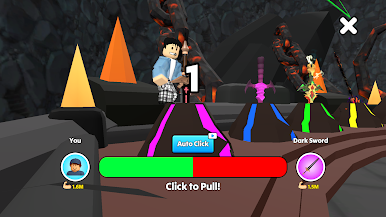
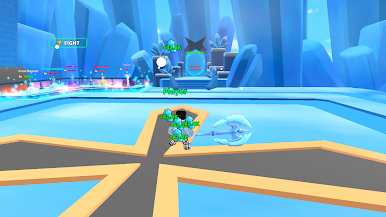
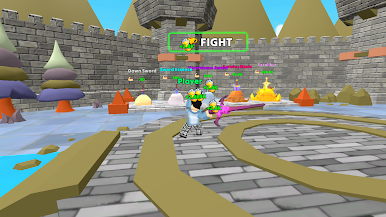
In this thrilling challenge, you will pull a sword again and again to train your strength, unlock powerful new swords, and rise through intense Obby World stages. Each sword you pull is a test of will, power, and persistence. Can you overcome every challenge and become the strongest warrior in Obby World?
🔥 Why Play Pull a Sword: Obby World?
⚔️ Pull a sword to gain strength and unlock stronger weapons
🏆 Collect wins, rewards, and adorable pets
🧗 Face exciting Obby World obstacle challenges
💥 Feel the power growth with every successful pull a sword
🎯 Simple controls, endless progression, nonstop fun
🕹️ How to Play
Tap to pull a sword and build your strength
Train continuously to unlock new swords
Complete Obby World levels filled with action and challenge
Collect wins, pets, and power upgrades
Keep pulling, keep growing, dominate Obby World
🚀 Pull a sword. Build strength. Beat every challenge.
👉 Download Pull a Sword: Obby World now and start your journey to ultimate power!

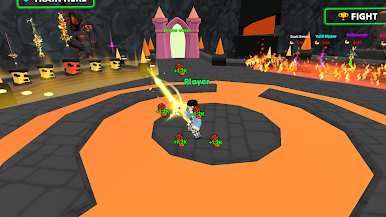
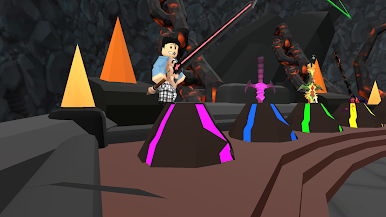
Play Pull a Sword: Obby World on PC. It’s easy to get started.
-
Download and install BlueStacks on your PC
-
Complete Google sign-in to access the Play Store, or do it later
-
Look for Pull a Sword: Obby World in the search bar at the top right corner
-
Click to install Pull a Sword: Obby World from the search results
-
Complete Google sign-in (if you skipped step 2) to install Pull a Sword: Obby World
-
Click the Pull a Sword: Obby World icon on the home screen to start playing

