


Crowd Bus Flow!
Play on PC with BlueStacks – the Android Gaming Platform, trusted by 500M+ gamers.

Page Modified on: Oct 24, 2026
Play Crowd Bus Flow! on PC
🎯 HOW TO PLAY
▪ Tap a bus to send it onto the road
▪ The bus loops along the road, collecting matching people as it goes
▪ Fill the bus with the right number of people and it drives off
▪ Clear every dot from the picture to complete the level
✨ WHY YOU’LL LOVE IT
▪ Hundreds of levels, each revealing a new colorful picture
▪ Smooth, satisfying loop animations with every move
▪ Bright, vivid colors and detailed crowd art
▪ Simple tap controls that are easy to pick up and relaxing to play
🚀 Keep the flow going, manage every bus and watch the crowd clear out. Download Crowd Bus Flow! now and join the fun!




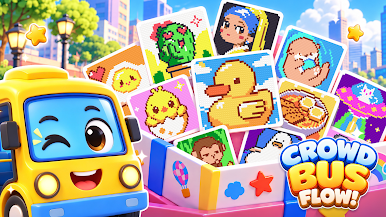

Play Crowd Bus Flow! on PC. It’s easy to get started.
-
Download and install BlueStacks on your PC
-
Complete Google sign-in to access the Play Store, or do it later
-
Look for Crowd Bus Flow! in the search bar at the top right corner
-
Click to install Crowd Bus Flow! from the search results
-
Complete Google sign-in (if you skipped step 2) to install Crowd Bus Flow!
-
Click the Crowd Bus Flow! icon on the home screen to start playing

