


Shine Match: Beauty Blast
Play on PC with BlueStacks – the Android Gaming Platform, trusted by 500M+ gamers.

Page Modified on: Aug 1, 2026
Play Shine Match: Beauty Blast on PC or Mac
Shine Match: Beauty Blast brings the Puzzle genre to life, and throws up exciting challenges for gamers. Developed by sandeep kumar khichar, this Android game is best experienced on BlueStacks, the World’s #1 app player for PC and Mac users.
About the Game
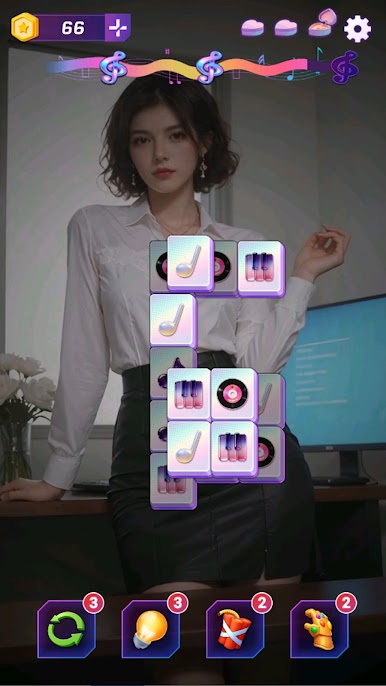
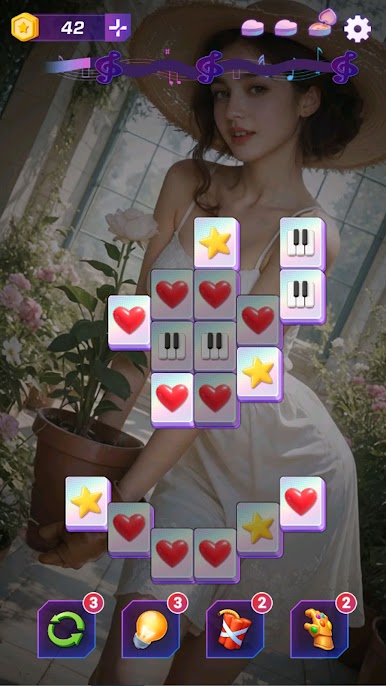
Shine Match: Beauty Blast is a relaxed, feel-good Puzzle game from sandeep kumar khichar where matching pairs turns into a little moment of zen. You tap identical tiles, clear the grid, and slowly reveal a striking portrait underneath—it’s oddly satisfying. Easy to pick up, with layouts that grow more clever over time, it nudges your observation skills without piling on pressure.
Game Features
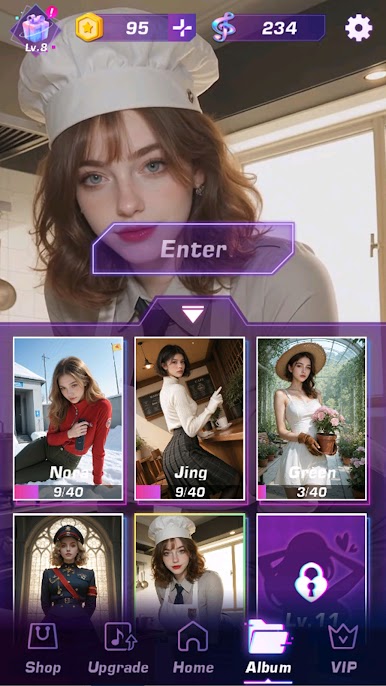
- Striking portrait reveals: Every stage hides a polished artwork that comes into focus as you clear tiles, so each win feels like finishing a mini gallery piece.
- Slick 3D tiles: Tiles have a glossy, holographic edge and a crisp pop when matched—clean, clicky feedback that just feels right.
- Boosters when you need them: Use helpful tools to keep momentum going—Shuffle mixes the board, Hint points out a match, Bomb clears blockers, and the Power Glove removes a tile that’s in your way.
- Clear, fair rules: Only free tiles can be selected, so reading the board matters. Plan a couple of moves ahead to open paths and keep chains going.
- A gentle challenge curve: Early stages are calm and breezy; later layouts add complexity and make pattern-spotting more rewarding.
- Quick-session friendly: Perfect for a short break or a comfy unwind session—pause anytime and return when you’re ready.
- Smooth on any screen: Designed for touch, and also plays nicely on PC with BlueStacks if you prefer a keyboard-and-mouse chill session.
Get ready for a buttery smooth, high-performance gaming action only on BlueStacks.


Play Shine Match: Beauty Blast on PC. It’s easy to get started.
-
Download and install BlueStacks on your PC
-
Complete Google sign-in to access the Play Store, or do it later
-
Look for Shine Match: Beauty Blast in the search bar at the top right corner
-
Click to install Shine Match: Beauty Blast from the search results
-
Complete Google sign-in (if you skipped step 2) to install Shine Match: Beauty Blast
-
Click the Shine Match: Beauty Blast icon on the home screen to start playing

