


+1 Speed Obby Escape
Play on PC with BlueStacks – the Android Gaming Platform, trusted by 500M+ gamers.

Page Modified on: Jul 3, 2026
Play +1 Speed Obby Escape on PC
+1 Speed Obby Escape is a thrilling obstacle-course runner where every step makes you faster. Build incredible momentum, sharpen your reflexes, and race through exciting obby levels packed with jumps, moving platforms, tricky paths, and nonstop challenges.
Can you master every obby and make the perfect escape?
Experience the excitement of a powerful speed keyboard journey as your character accelerates with every move. The more you run, the faster you become, creating a fun and addictive gameplay loop that rewards timing, precision, and skill.
Features
🚀 Fast-paced obby action with increasing speed.
⚡ Exciting speed keyboard gameplay that tests your reflexes.
🎯 Hundreds of fun challenges filled with jumps and parkour obstacles.
🏃 Master your skill and improve your movement techniques.
🔥 Feel the thrill of every successful escape.
🌟 Mysterious routes, hidden shortcuts, and surprising obby sections.
😌 Easy to learn, fun to play, and perfect to relax anytime.
💨 Speed & escape mashup gameplay that keeps every run exciting.
How to Play
Run through the obby course.
Gain more speed with every step.
Jump, dodge, and overcome difficult challenges.
Use timing and skill to avoid falling.
Reach the finish line and complete your escape.
Why Players Love It
Players enjoy the satisfying speed progression, exciting obby design, and rewarding challenges. Whether you're looking to improve your skill, enjoy a quick gaming session, or simply relax while overcoming obstacles, there's always a new adventure waiting.
Unlike ordinary obstacle games, every movement makes you faster, creating a unique blend of speed keyboard excitement, obby action, and thrilling escape gameplay.
Download +1 Speed Obby Escape now, conquer every obby, overcome endless challenges, master your skill, and complete the ultimate escape!
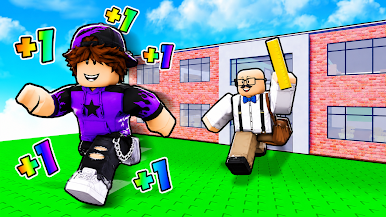
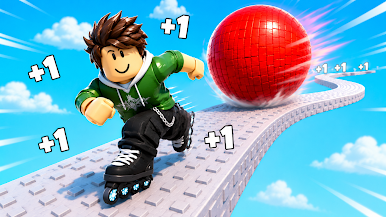

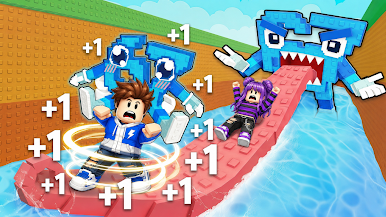
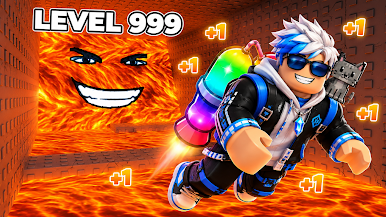
Play +1 Speed Obby Escape on PC. It’s easy to get started.
-
Download and install BlueStacks on your PC
-
Complete Google sign-in to access the Play Store, or do it later
-
Look for +1 Speed Obby Escape in the search bar at the top right corner
-
Click to install +1 Speed Obby Escape from the search results
-
Complete Google sign-in (if you skipped step 2) to install +1 Speed Obby Escape
-
Click the +1 Speed Obby Escape icon on the home screen to start playing

