


Video downloader for Thread
Play on PC with BlueStacks – the Android Gaming Platform, trusted by 500M+ gamers.

Page Modified on: Sep 24, 2026
Run Video downloader for Thread on PC or Mac
Multitask effortlessly on your PC or Mac as you try out Video downloader for Thread, a Productivity app by Video Downloader – Video Editor on BlueStacks.
About the App
Ever spotted an awesome video or photo on Threads and wished you could save it to your phone? With Video downloader for Thread, grabbing those memorable moments has never been easier. This handy productivity tool from Video Downloader – Video Editor lets you quickly download videos and photos from Threads, so you can keep your favorite finds close, share them, or repost as you like.
App Features
-
Super Simple Downloads
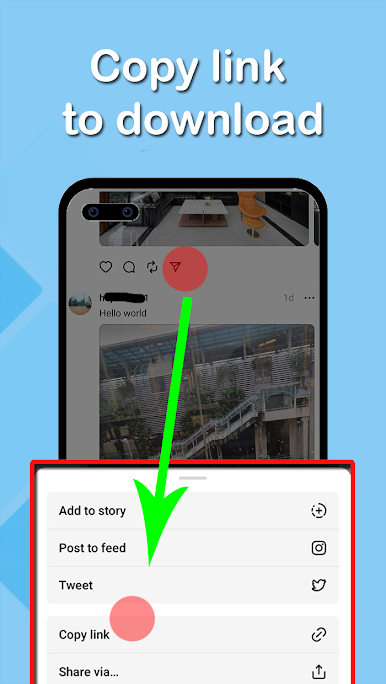
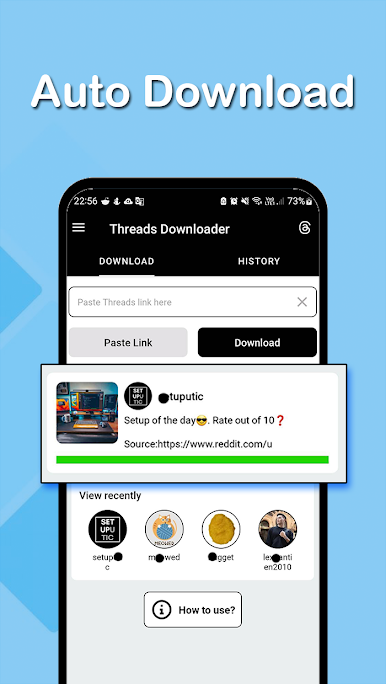
You’ve got two easy ways to save content—just copy the link from Threads or share the post directly with Video downloader for Thread. A couple taps, and you’re done. -
Snag Both Videos and Photos
It’s not just for videos; photos are fair game, too. Capture anything from public Threads posts and stash it on your device. -
Batch Downloading
Want the whole post? Download all included media in one go instead of fussing with each item separately. -
Instant Video Playback
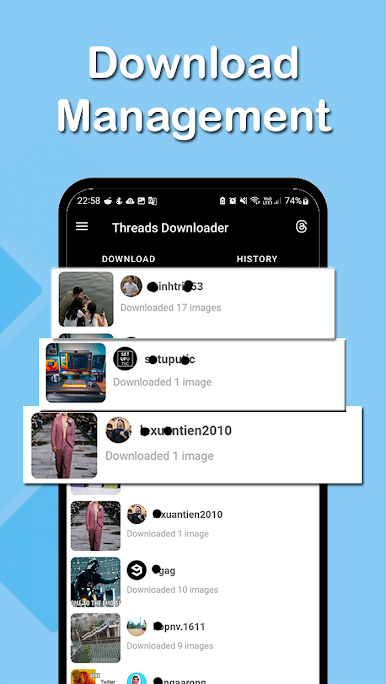
No need to leave the app. Watch the videos you just downloaded right inside Video downloader for Thread. -
Lightweight Design
Don’t worry about storage—this app keeps things efficient, so it won’t clutter your phone or slow it down. -
Compatible with BlueStacks
Prefer bigger screens? You can use Video downloader for Thread smoothly through BlueStacks, bringing this productivity tool to your PC for an even easier workflow.
Eager to take your app experience to the next level? Start right away by downloading BlueStacks on your PC or Mac.

Play Video downloader for Thread on PC. It’s easy to get started.
-
Download and install BlueStacks on your PC
-
Complete Google sign-in to access the Play Store, or do it later
-
Look for Video downloader for Thread in the search bar at the top right corner
-
Click to install Video downloader for Thread from the search results
-
Complete Google sign-in (if you skipped step 2) to install Video downloader for Thread
-
Click the Video downloader for Thread icon on the home screen to start playing

