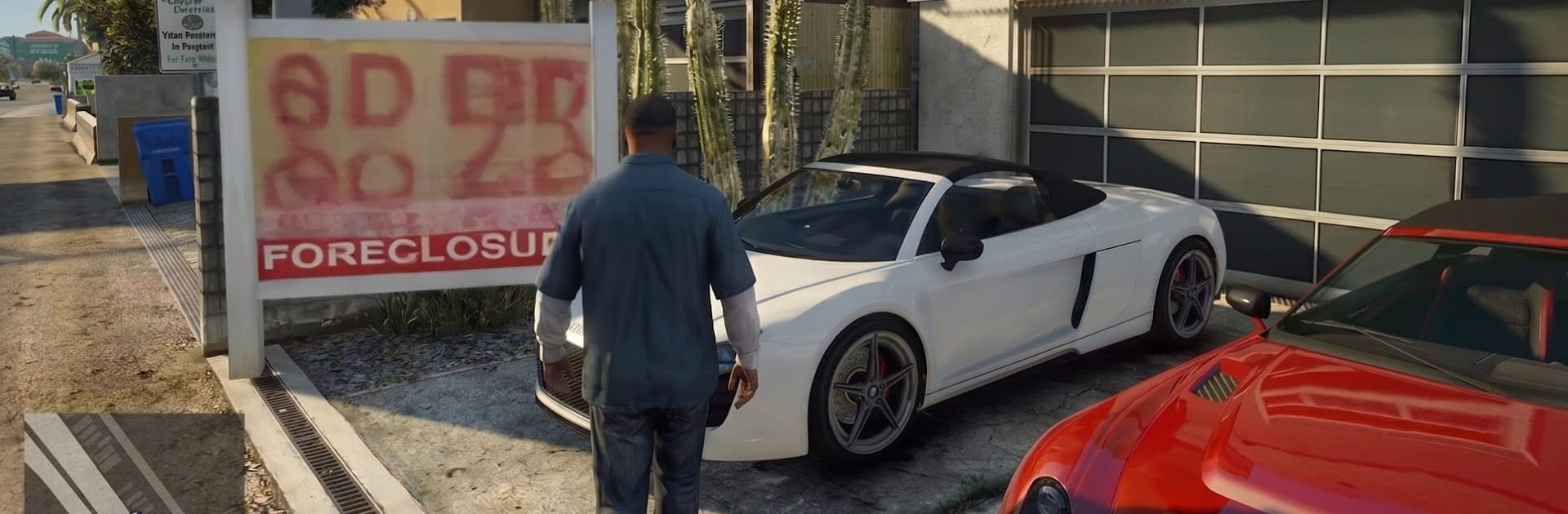
Grand Theft Auto V
Grand Theft Auto V

Grand Theft Auto V

Action

| Play Street Studio

Play on PC with BlueStacks or from our cloud

  • Overview
  • Game Features
  • How to Play

Page Modified On: June 09, 2026

Play Grand Theft Auto V on PC or Mac

Step into the World of Grand Theft Auto V, a thrilling Action game from the house of Play Street Studio. Play this Android game on BlueStacks App Player and experience immersive gaming on PC or Mac.

About the Game

Grand Theft Auto V drops you into a massive, modern city where every block feels alive and a little dangerous. You’ll jump between three very different criminals, pull off outrageous heists, and decide how far you’re willing to go for cash, clout, and survival. It’s a bold Action playground packed with choices, chaos, and smart storytelling—and yes, it plays great on a bigger screen with BlueStacks if that’s your thing.

Game Features

  • Three Leads, One Wild Story: Swap between a street hustler, a seasoned operator, and a fearless loose cannon. Their lives crash into each other through linked missions and big, messy consequences.
  • A City That Never Sits Still: Cruise freeways, cut through alleys, and wander busy downtown blocks. Stumble onto side hustles, odd encounters, and secrets tucked between neon and concrete.
  • Heists with Real Decisions: Case a target, pick your approach, choose your crew, and roll out. Nail a clean getaway or improvise when everything catches fire—it’s on you.
  • Action Your Way: Go loud with car chases and shootouts or play it smooth with stealth and smart gadgets. Drive, fly, or just roam and soak up the scenery.
  • Progress That Feels Personal: Earn cash, unlock slick vehicles, gear up, and improve your skills. The more you invest in your style, the bigger your footprint in the city.
  • Dynamic Pushback: Heat levels, rival crews, and unpredictable moments keep you on your toes. Actions echo; people remember.
  • Sharp Tools and Controls: Tweak settings to fit how you like to play. On BlueStacks, set up custom keymaps and enjoy precision on a larger display without making a fuss.
  • Map Sense, Not Hand-Holding: Use in-game navigation to track missions, find hangouts, and chase curiosities. It points you in the right direction while leaving room to explore.

Start playing Grand Theft Auto V on BlueStacks and get a smoother, more comfortable PC or Mac setup.


Game Features

Enhancements

  • Macros
  • Multi Instance
  • Multi Instance Sync
  • Eco Mode
  • Enhancements
Macros

Macros

Skip the boring parts of a game. Play Grand Theft Auto V with Macros and get the edge. Simply record a sequence of commands and execute them at any moment.
Multi Instance

Multi Instance

Why limit to one game on your phone when you can play many on your PC? Open multiple instances of Grand Theft Auto V at once with Multi-Instance. Leverage the power of different accounts by doing more.
Multi Instance Sync

Multi Instance Sync

Get the best out of Grand Theft Auto V with Multi-Instance Sync. Play the game from different accounts and build your own empire. Use Multi-instance sync to repeat the action in the main BlueStacks instance on all other instances.
Eco Mode

Eco Mode

Find the rarest heroes by making multiple summons in Grand Theft Auto V. And while you are at it, reduce your PC’s resource consumption with the Eco Mode. Farm efficiently. Get the best results.
Read More

How to Download and Play Grand Theft Auto V on PC or Mac

  • Download and install BlueStacks on your PC or Mac

  • Complete Google sign-in to access the Play Store, or do it later

  • Look for Grand Theft Auto V in the search bar at the top right corner

  • Click to install Grand Theft Auto V from the search results

  • Complete Google sign-in (if you skipped step 2) to install Grand Theft Auto V

  • Click the Grand Theft Auto V icon on the home screen to start playing

video
Watch Video

Minimum System Requirements

With BlueStacks 5, you can get started on a PC that fulfills the following requirements.

  • Operating System

    Microsoft Windows 7 or above, macOS 11 (Big Sur) or above

  • Processor

    Intel, AMD or Apple Silicon Processor

  • RAM

    at least 4GB

  • HDD

    10GB Free Disk Space

Note:

* You must be an Administrator on your PC. Up to date graphics drivers from Microsoft or the chipset vendor.

Grand Theft Auto V - FAQs

  • How to play Grand Theft Auto V on Windows PC & Mac?

    Play Grand Theft Auto V on your PC or Mac by following these simple steps.

    • Click on 'Play Grand Theft Auto V on PC’ to download BlueStacks
    • Install it and log-in to Google Play Store
    • Launch and play the game.
  • Why is BlueStacks the fastest and safest platform to play games on PC?

    BlueStacks respects your privacy and is always safe and secure to use. It does not carry any malware, spyware, or any sort of additional software that could harm your PC.

    It is engineered to optimize speed and performance for a seamless gaming experience.

  • What are Grand Theft Auto V PC requirements?

    Minimum requirement to run Grand Theft Auto V on your PC

    • OS: Microsoft Windows 7 or above MacOS 11 (Big Sur) or above
    • Processor: Intel, AMD or Apple Silicon Processor
    • RAM: Your PC must have at least 4GB of RAM. (Note that having 4GB or more disk space is not a substitute for RAM)
    • HDD: 10GB Free Disk Space.
    • You must be an Administrator on your PC.