Shoot Hunter Gun War

Shoot Hunter Gun War

Adventure

| FPS Shooter Game

Play on PC with BlueStacks or from our cloud

  • Overview
  • Game Features
  • How to Play

Page Modified On: December 15, 2025

Play Shoot Hunter Gun War on PC or Mac

Step into the World of Shoot Hunter Gun War, a thrilling Adventure game from the house of FPS Shooter Game. Play this Android game on BlueStacks App Player and experience immersive gaming on PC or Mac.

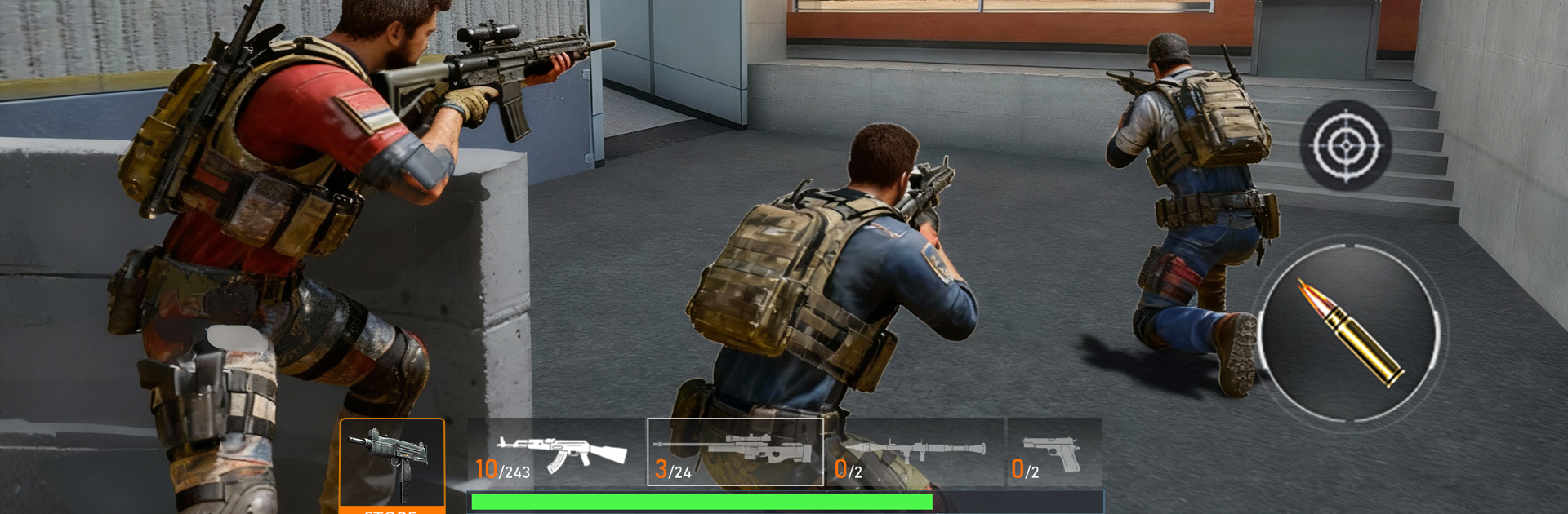
Shoot Hunter Gun War is a straight-ahead FPS where the player ticks through clear missions, swaps guns a lot, and tries not to get pinned when things go loud. It leans on a nice tactical rhythm. Peek out, line a shot, back to cover, push forward when the patrol thins out. Maps roll from city blocks to factory yards, jungle posts, even snowy bases, and the lighting shifts from day to night mid-mission so visibility and sound matter. Footsteps and gunfire have some heft, and recoil feels different across guns, so the AN94 or M4 land faster follow ups while the SCAR and AK12 kick harder but hit like a truck. There is even a wild M134 that shreds light vehicles if the mission throws those at the player.

Enemies are not just target dummies. Regular squads push and flank, then the game starts tossing armored convoys, helicopters, and drones that force a change in approach. Missions run the gamut from quick target eliminations to rescue runs that punish sloppy reloads. The progression is simple to read. Earn gear, tune guns, pick optics, and build a loadout that fits how they like to clear a lane. Nothing overly complicated, just enough knobs to twist so a favorite rifle feels personal.

On PC with BlueStacks it plays cleaner than on a phone. Mouse aim makes tracking drones and hitting weak angles way easier, and a bigger screen helps spot helmets peeking over cover. Performance is light, so it holds steady, and the sound cues pop when a squad is moving in from the side. It is very much a single-player, mission-by-mission shooter with hundreds of little scenarios to chew through, steady difficulty bumps, and that satisfying loop of taking a map, learning the spawns, and finding the right tool for the job.

Make your gaming sessions memorable with precise controls that give you an edge in close combats and visuals that pop up, bringing every character to life.


Game Features

Enhancements

  • Macros
  • Multi Instance
  • Multi Instance Sync
  • Script
  • Enhancements
Macros

Macros

Automate the predictable in Shoot Hunter Gun War and transform your gameplay with Macros. Get access to inventive Macros in the BlueStacks Macro Community
Multi Instance

Multi Instance

Play Shoot Hunter Gun War on one window. And chat with your friend on the other. Press CTRL + Shift + 8 to open the Multi-Instance Manager. And start creating fresh instances or clone an existing one.
Multi Instance Sync

Multi Instance Sync

Play Shoot Hunter Gun War with the power of Multi-Instance Sync. Replicate what you are doing on the main instance on all other instances. Level up faster, play more.
Script

Script

Script your way to gaming glory in Shoot Hunter Gun War with BlueStacks Script. Write and run a set of commands to automate repeated tasks. Trigger the command by assigning it to any key.
Read More

How to Download and Play Shoot Hunter Gun War on PC or Mac

  • Download and install BlueStacks on your PC or Mac

  • Complete Google sign-in to access the Play Store, or do it later

  • Look for Shoot Hunter Gun War in the search bar at the top right corner

  • Click to install Shoot Hunter Gun War from the search results

  • Complete Google sign-in (if you skipped step 2) to install Shoot Hunter Gun War

  • Click the Shoot Hunter Gun War icon on the home screen to start playing

video
Watch Video

Minimum System Requirements

With BlueStacks 5, you can get started on a PC that fulfills the following requirements.

  • Operating System

    Microsoft Windows 7 or above, macOS 11 (Big Sur) or above

  • Processor

    Intel, AMD or Apple Silicon Processor

  • RAM

    at least 4GB

  • HDD

    10GB Free Disk Space

Note:

* You must be an Administrator on your PC. Up to date graphics drivers from Microsoft or the chipset vendor.

Shoot Hunter Gun War - FAQs

  • How to play Shoot Hunter Gun War on Windows PC & Mac?

    Play Shoot Hunter Gun War on your PC or Mac by following these simple steps.

    • Click on 'Play Shoot Hunter Gun War on PC’ to download BlueStacks
    • Install it and log-in to Google Play Store
    • Launch and play the game.
  • Why is BlueStacks the fastest and safest platform to play games on PC?

    BlueStacks respects your privacy and is always safe and secure to use. It does not carry any malware, spyware, or any sort of additional software that could harm your PC.

    It is engineered to optimize speed and performance for a seamless gaming experience.

  • What are Shoot Hunter Gun War PC requirements?

    Minimum requirement to run Shoot Hunter Gun War on your PC

    • OS: Microsoft Windows 7 or above MacOS 11 (Big Sur) or above
    • Processor: Intel, AMD or Apple Silicon Processor
    • RAM: Your PC must have at least 4GB of RAM. (Note that having 4GB or more disk space is not a substitute for RAM)
    • HDD: 10GB Free Disk Space.
    • You must be an Administrator on your PC.