Teen Patti Nawab - Royal Card

Teen Patti Nawab - Royal Card

Card

| Let's Find X Int'l

Play on PC with BlueStacks or from our cloud

  • Overview
  • Game Features
  • How to Play

Page Modified On: January 05, 2026

Play Teen Patti Nawab - Royal Card on PC or Mac

From the innovators and creators at Let’s Find X Int’l, Teen Patti Nawab – Royal Card is another fun addition to the World of Card games. Go beyond your mobile screen and play it bigger and better on your PC or Mac. An immersive experience awaits you.

About the Game

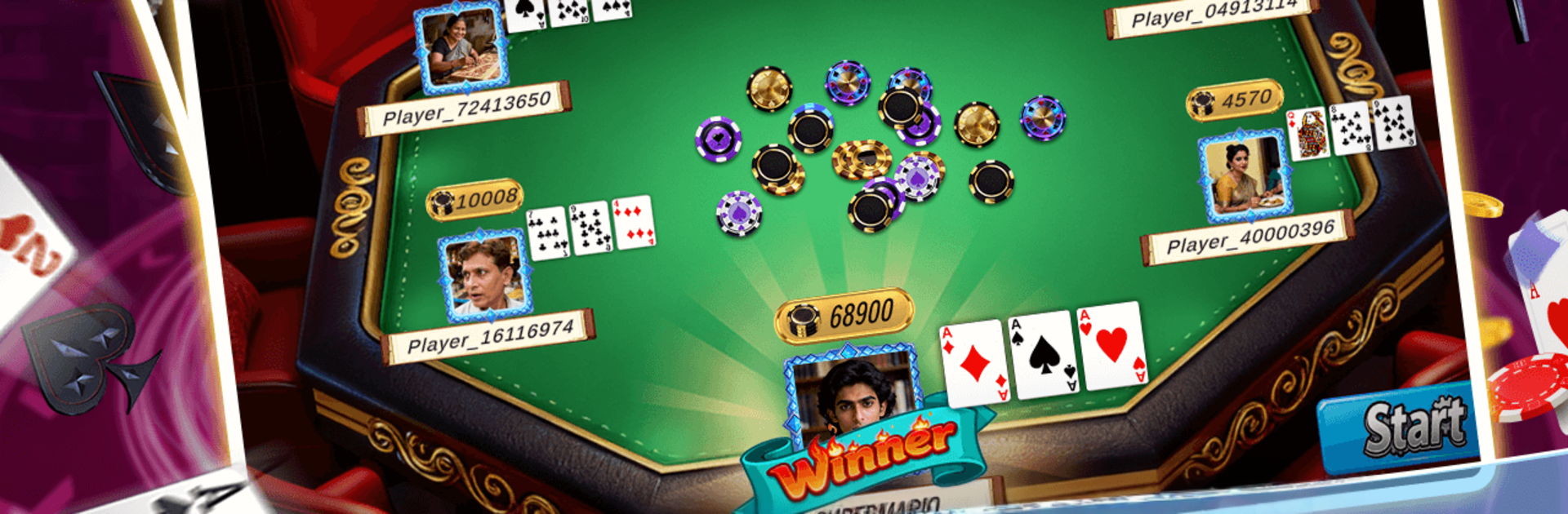
Teen Patti Nawab – Royal Card takes the beloved 3-card format and gives it a modern, clean feel. This Card title from Let’s Find X Int’l is all about gut calls and sharp reads—do you stick around, push the bet, or step away before it gets costly? It’s steady and thoughtful, yet tense when it counts, rewarding players who pay attention and act at the right moment.

Game Features

  • Classic 3-card core: Familiar Teen Patti rules put skill, timing, and nerve at the center of every hand.
  • Smart betting flow: Fold, call, or raise with purpose as the pot grows and the pressure ramps up.
  • Read the table: Track behaviors, spot patterns, and make decisions a beat sooner than everyone else.
  • Composure matters: Staying calm, adapting quickly, and thinking ahead genuinely changes outcomes.
  • Clean, responsive feel: A tidy table layout and smooth handling make each move straightforward and satisfying.
  • Polished presentation: Sleek visuals highlight the action without clutter or distraction.
  • Quick, meaningful sessions: Short hands that still feel strategic—perfect for a quick break or a longer run.
  • Subtle PC support: Prefer a bigger view? It plays comfortably through BlueStacks while keeping the same smooth rhythm.

Get ready for a buttery smooth, high-performance gaming action only on BlueStacks.

Game Features

Enhancements

  • Macros
  • Multi Instance
  • Multi Instance Sync
  • Script
  • Enhancements
Macros

Macros

Automate the predictable in Teen Patti Nawab - Royal Card and transform your gameplay with Macros. Get access to inventive Macros in the BlueStacks Macro Community
Multi Instance

Multi Instance

Play Teen Patti Nawab - Royal Card on one window. And chat with your friend on the other. Press CTRL + Shift + 8 to open the Multi-Instance Manager. And start creating fresh instances or clone an existing one.
Multi Instance Sync

Multi Instance Sync

Play Teen Patti Nawab - Royal Card with the power of Multi-Instance Sync. Replicate what you are doing on the main instance on all other instances. Level up faster, play more.
Script

Script

Script your way to gaming glory in Teen Patti Nawab - Royal Card with BlueStacks Script. Write and run a set of commands to automate repeated tasks. Trigger the command by assigning it to any key.
Read More

How to Download and Play Teen Patti Nawab - Royal Card on PC or Mac

  • Download and install BlueStacks on your PC or Mac

  • Complete Google sign-in to access the Play Store, or do it later

  • Look for Teen Patti Nawab - Royal Card in the search bar at the top right corner

  • Click to install Teen Patti Nawab - Royal Card from the search results

  • Complete Google sign-in (if you skipped step 2) to install Teen Patti Nawab - Royal Card

  • Click the Teen Patti Nawab - Royal Card icon on the home screen to start playing

video
Watch Video

Minimum System Requirements

With BlueStacks 5, you can get started on a PC that fulfills the following requirements.

  • Operating System

    Microsoft Windows 7 or above, macOS 11 (Big Sur) or above

  • Processor

    Intel, AMD or Apple Silicon Processor

  • RAM

    at least 4GB

  • HDD

    10GB Free Disk Space

Note:

* You must be an Administrator on your PC. Up to date graphics drivers from Microsoft or the chipset vendor.

Teen Patti Nawab - Royal Card - FAQs

  • How to play Teen Patti Nawab - Royal Card on Windows PC & Mac?

    Play Teen Patti Nawab - Royal Card on your PC or Mac by following these simple steps.

    • Click on 'Play Teen Patti Nawab - Royal Card on PC’ to download BlueStacks
    • Install it and log-in to Google Play Store
    • Launch and play the game.
  • Why is BlueStacks the fastest and safest platform to play games on PC?

    BlueStacks respects your privacy and is always safe and secure to use. It does not carry any malware, spyware, or any sort of additional software that could harm your PC.

    It is engineered to optimize speed and performance for a seamless gaming experience.

  • What are Teen Patti Nawab - Royal Card PC requirements?

    Minimum requirement to run Teen Patti Nawab - Royal Card on your PC

    • OS: Microsoft Windows 7 or above MacOS 11 (Big Sur) or above
    • Processor: Intel, AMD or Apple Silicon Processor
    • RAM: Your PC must have at least 4GB of RAM. (Note that having 4GB or more disk space is not a substitute for RAM)
    • HDD: 10GB Free Disk Space.
    • You must be an Administrator on your PC.