
ÜçDörtBeş All Star
ÜçDörtBeş All Star

ÜçDörtBeş All Star

Education

| Allstar Akademi Eğitim Yayıncılık ve Dağıtım A.Ş.

Play on PC with BlueStacks or from our cloud

  • Overview
  • How to Download

Page Modified On: December 15, 2025

Run ÜçDörtBeş All Star on PC or Mac

Let BlueStacks turn your PC, Mac, or laptop into the perfect home for ÜçDörtBeş All Star, a fun Education app from Allstar Akademi Eğitim Yayıncılık ve Dağıtım A.Ş..

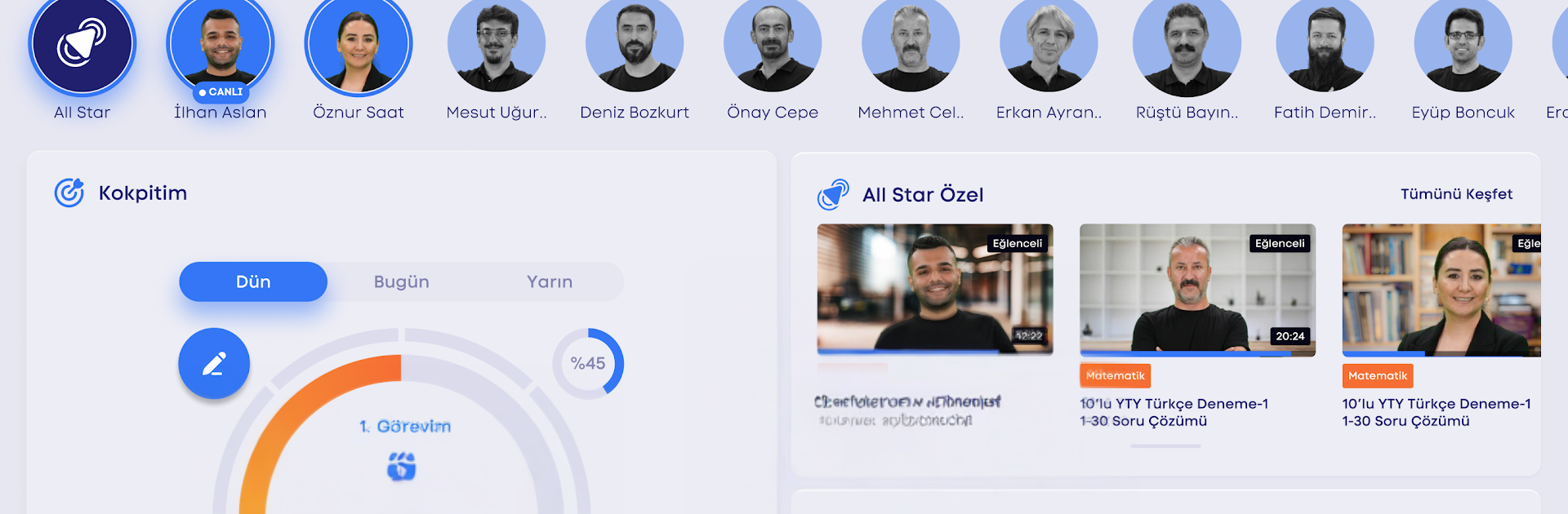
ÜçDörtBeş All Star feels like a tidy study hub that actually lines up with real books and real exams. If someone is using ÜçDörtBeş books, the app matches topics one to one, so the video lesson you need is right there for that exact chapter. After that, there are answer keys for the homework and even the essay parts from the homework book, so you can see where points are won or lost. The teachers explain in a clear, exam-focused way, not a lot of fluff, and the question solutions help nail down the method. There are placement tests and full trial exams in ÖSYM format, so the practice feels legit and the timing feels real.

On PC with BlueStacks, it is easier to sit through longer lectures, take notes, and flip between a PDF or a spreadsheet for tracking. The bigger screen makes diagrams and dense text less tiring, and skipping around in videos is smoother with a mouse. Progress is not just for students either. Parents can check how things are going and see what has been completed, and schools get tools to assign homework and track who actually did it. The whole thing is organized around getting better results, chapter by chapter, with enough structure to keep study sessions from turning into chaos. It is serious material but the layout is clean, and it cuts straight to what matters for exam prep.

Big screen. Bigger performance. Use BlueStacks on your PC or Mac to run your favorite apps.

How to Download and Run ÜçDörtBeş All Star on PC or Mac

  • Download and install BlueStacks on your PC or Mac

  • Complete Google sign-in to access the Play Store, or do it later

  • Look for ÜçDörtBeş All Star in the search bar at the top right corner

  • Click to install ÜçDörtBeş All Star from the search results

  • Complete Google sign-in (if you skipped step 2) to install ÜçDörtBeş All Star

  • Click the ÜçDörtBeş All Star icon on the home screen to start playing

video
Watch Video

Minimum System Requirements

With BlueStacks 5, you can get started on a PC that fulfills the following requirements.

  • Operating System

    Microsoft Windows 7 or above, macOS 11 (Big Sur) or above

  • Processor

    Intel, AMD or Apple Silicon Processor

  • RAM

    at least 4GB

  • HDD

    10GB Free Disk Space

Note:

* You must be an Administrator on your PC. Up to date graphics drivers from Microsoft or the chipset vendor.

ÜçDörtBeş All Star - FAQs

  • How to Run ÜçDörtBeş All Star on Windows PC & Mac?

    Run ÜçDörtBeş All Star on your PC or Mac by following these simple steps.

    • Click on ‘Download ÜçDörtBeş All Star on PC’ to download BlueStacks
    • Install it and log-in to Google Play Store
    • Launch and run the app.
  • Why is BlueStacks the fastest and safest platform to play games on PC?

    BlueStacks respects your privacy and is always safe and secure to use. It does not carry any malware, spyware, or any sort of additional software that could harm your PC.

    It is engineered to optimize speed and performance for a seamless gaming experience.

  • What are ÜçDörtBeş All Star PC requirements?

    Minimum requirement to run ÜçDörtBeş All Star on your PC

    • OS: Microsoft Windows 7 and above:
    • Processor: Intel or AMD Processor:
    • RAM: Your PC must have at least 2GB of RAM. (Note that having 2GB or more disk space is not a substitute for RAM):
    • HDD: 5GB Free Disk Space.
    • You must be an Administrator on your PC.




