
كتبي المدرسية للطلاب والمعلمين

كتبي المدرسية للطلاب والمعلمين

Education

| كتبي

Play on PC with BlueStacks or from our cloud

  • Overview
  • How to Download

Page Modified On: September 05, 2025

Run كتبي المدرسية للطلاب والمعلمين on PC or Mac

Get freedom from your phone’s obvious limitations. Use كتبي المدرسية للطلاب والمعلمين, made by كتبي, a Education app on your PC or Mac with BlueStacks, and level up your experience.

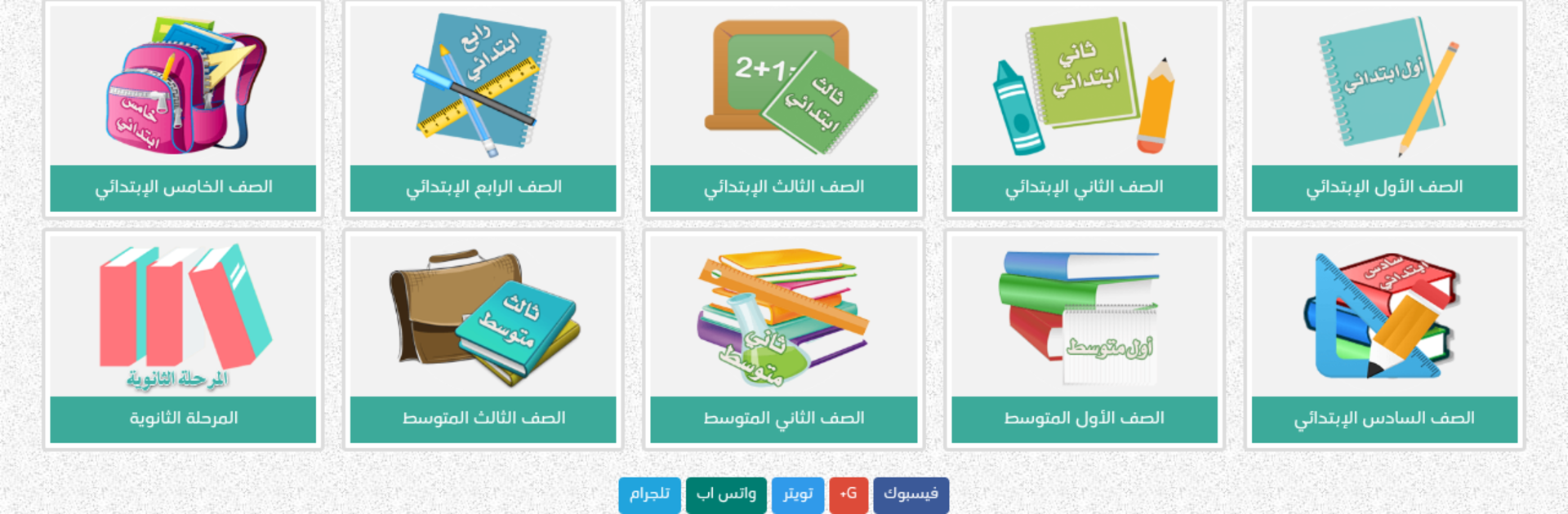
This is a straight-to-the-point school toolkit for the Saudi curriculum, more like a packed shelf than a single app. It loads up by grade and subject, then lets users open the latest textbook editions, download them if needed, and jump into full solutions for exercises and activities. Teachers get the helpful stuff too, like ready lesson plans, pacing guides for the current year, worksheets, student tracking logs, presentations, and a teacher’s guide. There is a big test corner as well for Qiyas, Qudrat, Kafaat for teachers, and Tahsili, with models and question banks that feel very practical. Everything is laid out clean, labeled clearly, and does not ask for anything fancy before it works. It is free, and new material keeps getting added, so it feels alive rather than abandoned.

On a PC with BlueStacks, it feels even easier to use since textbooks and presentations are often large PDFs. Scrolling, zooming, and switching between a book and its solution sheet is smoother on a bigger screen, and printing or taking notes on the side is less of a hassle. It covers primary (grades 1 to 6), middle, and high school including the different tracks like natural sciences and humanities, with more stages promised later. If someone needs a reliable place to study, prep lessons, or collect review summaries without hunting all over, this does the job. Just make sure the device is not too old, big files need a bit of spead.

BlueStacks brings your apps to life on a bigger screen—seamless and straightforward.

How to Download and Run كتبي المدرسية للطلاب والمعلمين on PC or Mac

  • Download and install BlueStacks on your PC or Mac

  • Complete Google sign-in to access the Play Store, or do it later

  • Look for كتبي المدرسية للطلاب والمعلمين in the search bar at the top right corner

  • Click to install كتبي المدرسية للطلاب والمعلمين from the search results

  • Complete Google sign-in (if you skipped step 2) to install كتبي المدرسية للطلاب والمعلمين

  • Click the كتبي المدرسية للطلاب والمعلمين icon on the home screen to start playing

video
Watch Video

Minimum System Requirements

With BlueStacks 5, you can get started on a PC that fulfills the following requirements.

  • Operating System

    Microsoft Windows 7 or above, macOS 11 (Big Sur) or above

  • Processor

    Intel, AMD or Apple Silicon Processor

  • RAM

    at least 4GB

  • HDD

    10GB Free Disk Space

Note:

* You must be an Administrator on your PC. Up to date graphics drivers from Microsoft or the chipset vendor.

كتبي المدرسية للطلاب والمعلمين - FAQs

  • How to Run كتبي المدرسية للطلاب والمعلمين on Windows PC & Mac?

    Run كتبي المدرسية للطلاب والمعلمين on your PC or Mac by following these simple steps.

    • Click on ‘Download كتبي المدرسية للطلاب والمعلمين on PC’ to download BlueStacks
    • Install it and log-in to Google Play Store
    • Launch and run the app.
  • Why is BlueStacks the fastest and safest platform to play games on PC?

    BlueStacks respects your privacy and is always safe and secure to use. It does not carry any malware, spyware, or any sort of additional software that could harm your PC.

    It is engineered to optimize speed and performance for a seamless gaming experience.

  • What are كتبي المدرسية للطلاب والمعلمين PC requirements?

    Minimum requirement to run كتبي المدرسية للطلاب والمعلمين on your PC

    • OS: Microsoft Windows 7 and above:
    • Processor: Intel or AMD Processor:
    • RAM: Your PC must have at least 2GB of RAM. (Note that having 2GB or more disk space is not a substitute for RAM):
    • HDD: 5GB Free Disk Space.
    • You must be an Administrator on your PC.




