
Planets
Planets

Planets

Education

| Microsys Com Ltd.

Play on PC with BlueStacks or from our cloud

  • Overview
  • How to Download

Page Modified On: April 10, 2026

Run Planets on PC or Mac

Why limit yourself to your small screen on the phone? Run Planets, an app by Microsys Com Ltd., best experienced on your PC or Mac with BlueStacks, the world’s #1 Android emulator.

About the App

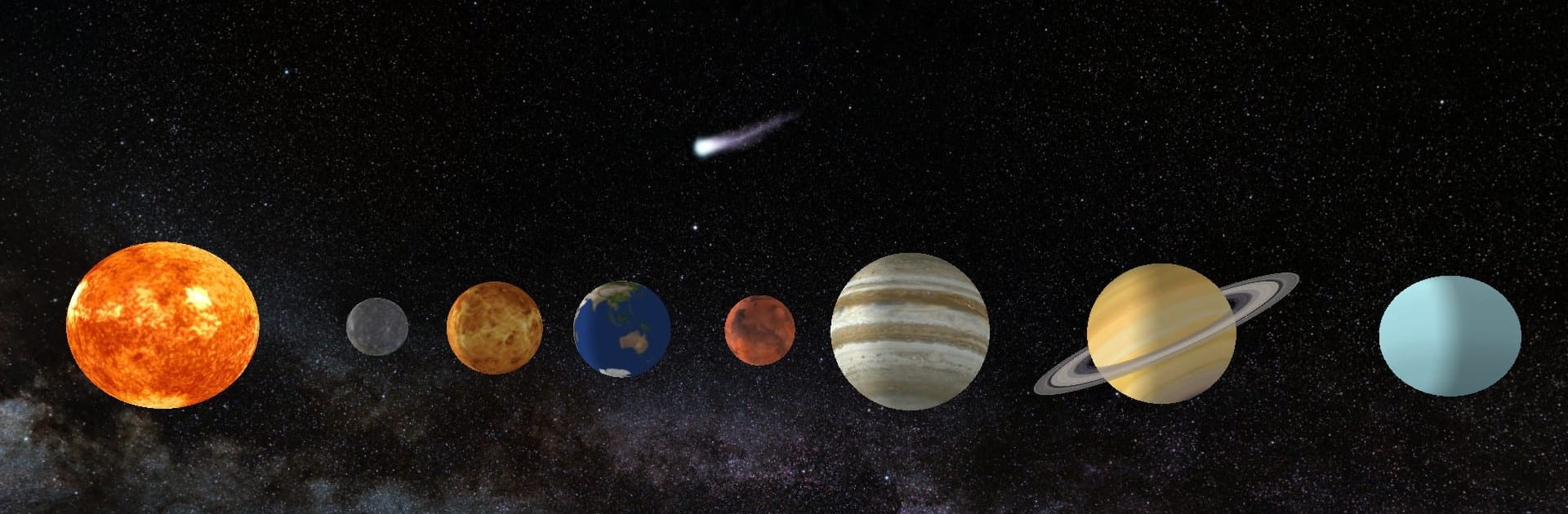
Planets from Microsys Com Ltd. is a hands-on 3D tour of our Solar System that feels like piloting a tiny spaceship. You can swing past the Sun, orbit each world, and get right up close to the details—rings, storms, craters, all of it. It’s an Education app that keeps things simple and visual, so you can explore first and read up when you want context. Prefer a bigger screen? It also runs nicely on a PC through BlueStacks.

App Features

  • Immersive 3D exploration: Glide around the Sun and every planet in high-resolution 3D with the Milky Way as your backdrop.
  • Tap, rotate, zoom: Tap a planet to focus on it, then pinch to zoom and swipe to spin. Turn on auto-rotate to watch natural motion.
  • At-a-glance facts: Open quick fact panels for each body—mass, gravity, size, and more—whenever you’re curious.
  • Photo snippets: Peek at a small gallery of surface images for each world, including standouts like Jupiter’s Great Red Spot and Saturn’s rings.
  • Realistic ring models: See carefully modeled rings for Saturn and Uranus with believable structure and scale.
  • Customizable controls: Tweak axial rotation, enable or disable the gyroscopic effect, switch voice or background music on/off, and show or hide orbital paths.
  • Handy toolbar: Jump back to the main view, open info, browse pictures, or dive into settings—everything’s one tap away.
  • Tablet-first, phone-ready: Built with tablets in mind but works on modern phones (Android 6+). Landscape orientation is recommended.
  • Pluto included: Explore Pluto for completeness and history lovers alike.
  • Notes on this version: Screenshots are disabled, and each exploration session lasts up to three minutes.

Eager to take your app experience to the next level? Start right away by downloading BlueStacks on your PC or Mac.


How to Download and Run Planets on PC or Mac

  • Download and install BlueStacks on your PC or Mac

  • Complete Google sign-in to access the Play Store, or do it later

  • Look for Planets in the search bar at the top right corner

  • Click to install Planets from the search results

  • Complete Google sign-in (if you skipped step 2) to install Planets

  • Click the Planets icon on the home screen to start playing

video
Watch Video

Minimum System Requirements

With BlueStacks 5, you can get started on a PC that fulfills the following requirements.

  • Operating System

    Microsoft Windows 7 or above, macOS 11 (Big Sur) or above

  • Processor

    Intel, AMD or Apple Silicon Processor

  • RAM

    at least 4GB

  • HDD

    10GB Free Disk Space

Note:

* You must be an Administrator on your PC. Up to date graphics drivers from Microsoft or the chipset vendor.

Planets - FAQs

  • How to Run Planets on Windows PC & Mac?

    Run Planets on your PC or Mac by following these simple steps.

    • Click on ‘Download Planets on PC’ to download BlueStacks
    • Install it and log-in to Google Play Store
    • Launch and run the app.
  • Why is BlueStacks the fastest and safest platform to play games on PC?

    BlueStacks respects your privacy and is always safe and secure to use. It does not carry any malware, spyware, or any sort of additional software that could harm your PC.

    It is engineered to optimize speed and performance for a seamless gaming experience.

  • What are Planets PC requirements?

    Minimum requirement to run Planets on your PC

    • OS: Microsoft Windows 7 and above:
    • Processor: Intel or AMD Processor:
    • RAM: Your PC must have at least 2GB of RAM. (Note that having 2GB or more disk space is not a substitute for RAM):
    • HDD: 5GB Free Disk Space.
    • You must be an Administrator on your PC.



