
برنامج التحضير والمراجعة  للباك

برنامج التحضير والمراجعة للباك

Education

| Nabil_Soft

Play on PC with BlueStacks or from our cloud

  • Overview
  • How to Download

Page Modified On: January 06, 2026

Run برنامج التحضير والمراجعة للباك on PC or Mac

Why limit yourself to your small screen on the phone? Run برنامج التحضير والمراجعة للباك, an app by Nabil_Soft, best experienced on your PC or Mac with BlueStacks, the world’s #1 Android emulator.

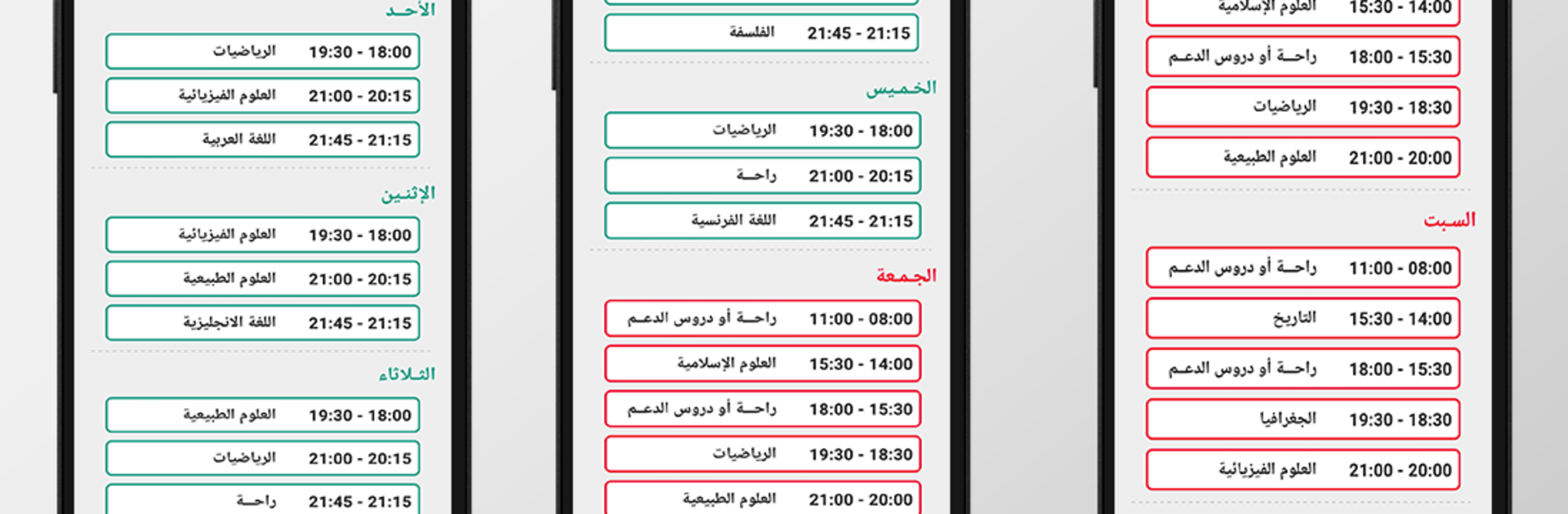
برنامج التحضير والمراجعة للباك is basically a straight-up study planner for anyone preparing the bac. It is not crammed with distractions. It just sets up a clear schedule by stream, like sciences, math, technical, management and economy, literature and philosophy, or foreign languages. The app breaks down what to revise each day and each week, even listing the specific lesson for every subject, so there is no guessing about what comes next. It also helps organize after-school time, which a lot of students struggle with, and it shows progress for each subject in a simple way that actually makes sense.

The feel is light and clean. Buttons are obvious, labels are clear, and the timetable view is easy to read. Daily notifications ping when it is time to switch to a new subject, so the routine does not slip. There are no complicated settings. Pick the stream, set the plan, and follow it. It is more about structure than teaching, which suits someone who just wants to manage revision hours and keep steady. On PC with BlueStacks, the bigger screen makes the weekly plan and progress bars easier to scan, and dragging around the schedule feels more comfortable with a mouse. It will not turn revision into magic, but it keeps things organized and that is usually the missing piece before exams.

Big screen. Bigger performance. Use BlueStacks on your PC or Mac to run your favorite apps.

How to Download and Run برنامج التحضير والمراجعة للباك on PC or Mac

  • Download and install BlueStacks on your PC or Mac

  • Complete Google sign-in to access the Play Store, or do it later

  • Look for برنامج التحضير والمراجعة للباك in the search bar at the top right corner

  • Click to install برنامج التحضير والمراجعة للباك from the search results

  • Complete Google sign-in (if you skipped step 2) to install برنامج التحضير والمراجعة للباك

  • Click the برنامج التحضير والمراجعة للباك icon on the home screen to start playing

video
Watch Video

Minimum System Requirements

With BlueStacks 5, you can get started on a PC that fulfills the following requirements.

  • Operating System

    Microsoft Windows 7 or above, macOS 11 (Big Sur) or above

  • Processor

    Intel, AMD or Apple Silicon Processor

  • RAM

    at least 4GB

  • HDD

    10GB Free Disk Space

Note:

* You must be an Administrator on your PC. Up to date graphics drivers from Microsoft or the chipset vendor.

برنامج التحضير والمراجعة للباك - FAQs

  • How to Run برنامج التحضير والمراجعة للباك on Windows PC & Mac?

    Run برنامج التحضير والمراجعة للباك on your PC or Mac by following these simple steps.

    • Click on ‘Download برنامج التحضير والمراجعة للباك on PC’ to download BlueStacks
    • Install it and log-in to Google Play Store
    • Launch and run the app.
  • Why is BlueStacks the fastest and safest platform to play games on PC?

    BlueStacks respects your privacy and is always safe and secure to use. It does not carry any malware, spyware, or any sort of additional software that could harm your PC.

    It is engineered to optimize speed and performance for a seamless gaming experience.

  • What are برنامج التحضير والمراجعة للباك PC requirements?

    Minimum requirement to run برنامج التحضير والمراجعة للباك on your PC

    • OS: Microsoft Windows 7 and above:
    • Processor: Intel or AMD Processor:
    • RAM: Your PC must have at least 2GB of RAM. (Note that having 2GB or more disk space is not a substitute for RAM):
    • HDD: 5GB Free Disk Space.
    • You must be an Administrator on your PC.




