Car Wash Makeover: ASMR Games

Car Wash Makeover: ASMR Games

Role Playing

| Game Shome Studio

Play on PC with BlueStacks or from our cloud

  • Overview
  • Game Features
  • How to Play

Page Modified On: December 15, 2025

Play Car Wash Makeover: ASMR Games on PC or Mac

From the innovators and creators at Game Shome Studio, Car Wash Makeover: ASMR Games is another fun addition to the World of Role Playing games. Go beyond your mobile screen and play it bigger and better on your PC or Mac. An immersive experience awaits you.

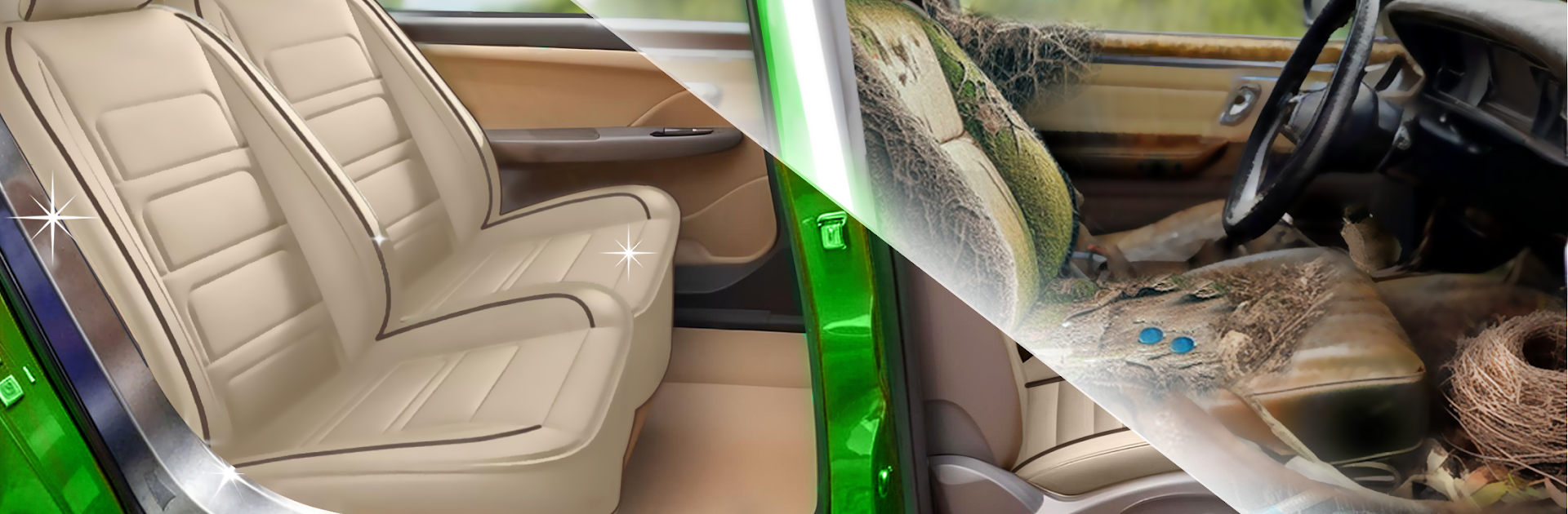
Car Wash Makeover: ASMR Games is basically a chill clean-up and repair sim where the player takes junky, mud-caked rides and makes them shine again. Jobs usually start with a filthy shell of a car, then it is all about slow, satisfying steps. Aim a pressure washer to peel off layers of dirt, foam it up, sponge and rinse, then move inside to pull out trash and dust. After that come the fix-up bits like polishing, filling scratches, touching up paint, knocking off rust, and sometimes small repairs to make the car look new. The ASMR part carries it hard, with crisp water sounds, suds sliding down panels, and that little clink when tools hit metal. It feels calm and tidy, more about cleaning things right than being fast.

Controls are simple drag-and-hold stuff, so it is easy to zone out. On PC with BlueStacks, the mouse makes aiming the spray dead-on, and the bigger screen helps spot tiny grime patches hiding around mirrors and wheel arches. Jobs change up the cars too, from old pickups and off-roaders to jeeps and trucks, and the workshop has that open-bay vibe that suits a laid-back loop. There are tool upgrades, new paints and soaps, and light station management, nothing heavy. Anyone who enjoys before-and-after reveals, neat progress, and a bit of car restoration will get why this works. It is not difficult, it is just clean, polish, repeat, until the final reveal pops and the gloss looks almost too clean to touch.

Slay your opponents with your epic moves. Play it your way on BlueStacks and dominate the battlefield.


Game Features

Enhancements

  • Macros
  • Rerolling
  • Eco Mode
  • Multi Instance Sync
  • Enhancements
Macros

Macros

Focus more on the fun part of the game, skip the tedious aspects. Master Car Wash Makeover: ASMR Games with Macros. Record yourself completing the monotonous tasks you wish to automate and replay them later with just one keypress.
Rerolling

Rerolling

Speed up the rerolling process in Car Wash Makeover: ASMR Games. Perform multiple summons and keep looking for the best Heroes. Use Multi-Instance sync to replicate the rerolling mechanism in all instances.
Eco Mode

Eco Mode

Farm in-game resources with ease in Car Wash Makeover: ASMR Games. Enable the Eco Mode when running the game in multiple instances. And lower your PC's resource consumption.
Multi Instance Sync

Multi Instance Sync

With the Multi-instance Sync, you can do even more in Car Wash Makeover: ASMR Games. Sync the action of the main instance and repeat them in real time for all other instances. Sync and sit back, let the game progress unfold.
Read More

How to Download and Play Car Wash Makeover: ASMR Games on PC or Mac

  • Download and install BlueStacks on your PC or Mac

  • Complete Google sign-in to access the Play Store, or do it later

  • Look for Car Wash Makeover: ASMR Games in the search bar at the top right corner

  • Click to install Car Wash Makeover: ASMR Games from the search results

  • Complete Google sign-in (if you skipped step 2) to install Car Wash Makeover: ASMR Games

  • Click the Car Wash Makeover: ASMR Games icon on the home screen to start playing

video
Watch Video

Minimum System Requirements

With BlueStacks 5, you can get started on a PC that fulfills the following requirements.

  • Operating System

    Microsoft Windows 7 or above, macOS 11 (Big Sur) or above

  • Processor

    Intel, AMD or Apple Silicon Processor

  • RAM

    at least 4GB

  • HDD

    10GB Free Disk Space

Note:

* You must be an Administrator on your PC. Up to date graphics drivers from Microsoft or the chipset vendor.

Car Wash Makeover: ASMR Games - FAQs

  • How to play Car Wash Makeover: ASMR Games on Windows PC & Mac?

    Play Car Wash Makeover: ASMR Games on your PC or Mac by following these simple steps.

    • Click on 'Play Car Wash Makeover: ASMR Games on PC’ to download BlueStacks
    • Install it and log-in to Google Play Store
    • Launch and play the game.
  • Why is BlueStacks the fastest and safest platform to play games on PC?

    BlueStacks respects your privacy and is always safe and secure to use. It does not carry any malware, spyware, or any sort of additional software that could harm your PC.

    It is engineered to optimize speed and performance for a seamless gaming experience.

  • What are Car Wash Makeover: ASMR Games PC requirements?

    Minimum requirement to run Car Wash Makeover: ASMR Games on your PC

    • OS: Microsoft Windows 7 or above MacOS 11 (Big Sur) or above
    • Processor: Intel, AMD or Apple Silicon Processor
    • RAM: Your PC must have at least 4GB of RAM. (Note that having 4GB or more disk space is not a substitute for RAM)
    • HDD: 10GB Free Disk Space.
    • You must be an Administrator on your PC.