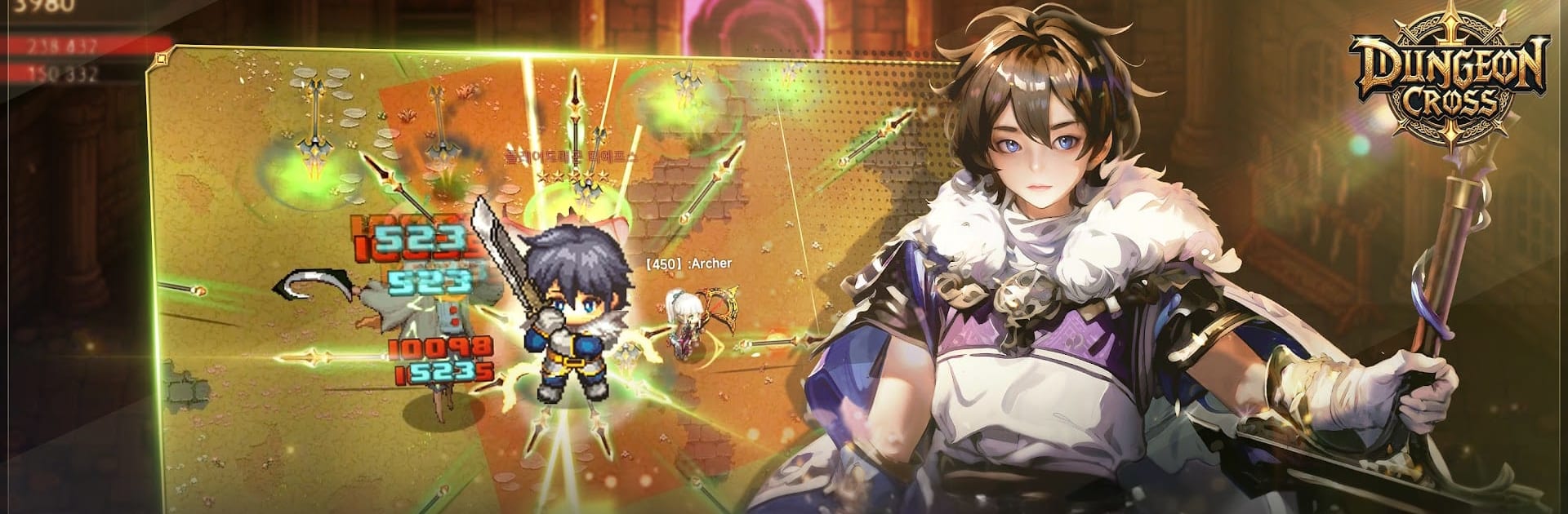
Dungeon Cross - Relic Hunter

Dungeon Cross - Relic Hunter

Role Playing

| Crazymind Corp

Play on PC with BlueStacks or from our cloud

  • Overview
  • Game Features
  • How to Play

Page Modified On: April 01, 2026

Play Dungeon Cross - Relic Hunter on PC or Mac

From the innovators and creators at Crazymind Corp, Dungeon Cross – Relic Hunter is another fun addition to the World of Role Playing games. Go beyond your mobile screen and play it bigger and better on your PC or Mac. An immersive experience awaits you.

About the Game

Dungeon Cross – Relic Hunter drops you into a mystical world on the brink, where one stubborn Adventurer can tip the balance back toward peace. Pick a path, chase down ancient relics, and push back the dark sorcerer Persona’s forces as you travel through wild, varied regions. It’s a Role Playing journey that blends thoughtful, strategic combat with an unfolding story that actually gives your battles some weight.

Game Features

  • Choose Your Class
    Pick from Paladin, Berserker, Mage, Archer, or Assassin. Each one plays differently, with distinct weapons and skill combos that make fights feel fresh instead of samey.

  • Strategic, Skill‑Based Combat
    Button‑mashing won’t cut it. Learn enemy patterns, time your dodges, and chain abilities to break through tough defenses and turn close calls into clean wins.

  • A World with Real Lore
    Explore haunted ruins, forest strongholds, seaside cliffs—each region carries its own history, characters, and mysteries that slowly connect into a larger tale.

  • Relics and Secrets to Uncover
    Hidden paths, tricky side rooms, and puzzle‑like dungeons reward curiosity. Track down relics and rare finds that add new wrinkles to how you approach a fight.

  • Face Persona’s Elite
    Powerful lieutenants guard key areas and won’t go down easy. These boss encounters test your build knowledge, timing, and ability to adapt under pressure.

  • Skills That Evolve with You
    As you progress, expand your toolkit and refine your playstyle. Whether you favor heavy hits, precise shots, or elemental trickery, you’ll find options that fit.

  • Play It How You Like
    Touch controls feel responsive on mobile, and if you prefer a bigger screen, it runs smoothly on BlueStacks without making setup a chore.

  • Made for RPG Fans
    Crafted by Crazymind Corp with an eye for atmosphere and pacing, this is for players who want a Role Playing experience that rewards smart choices and exploration.

Slay your opponents with your epic moves. Play it your way on BlueStacks and dominate the battlefield.


Game Features

Enhancements

  • Macros
  • Rerolling
  • Eco Mode
  • Multi Instance Sync
  • Enhancements
Macros

Macros

Focus more on the fun part of the game, skip the tedious aspects. Master Dungeon Cross - Relic Hunter with Macros. Record yourself completing the monotonous tasks you wish to automate and replay them later with just one keypress.
Rerolling

Rerolling

Speed up the rerolling process in Dungeon Cross - Relic Hunter. Perform multiple summons and keep looking for the best Heroes. Use Multi-Instance sync to replicate the rerolling mechanism in all instances.
Eco Mode

Eco Mode

Farm in-game resources with ease in Dungeon Cross - Relic Hunter. Enable the Eco Mode when running the game in multiple instances. And lower your PC's resource consumption.
Multi Instance Sync

Multi Instance Sync

With the Multi-instance Sync, you can do even more in Dungeon Cross - Relic Hunter. Sync the action of the main instance and repeat them in real time for all other instances. Sync and sit back, let the game progress unfold.
Read More

How to Download and Play Dungeon Cross - Relic Hunter on PC or Mac

  • Download and install BlueStacks on your PC or Mac

  • Complete Google sign-in to access the Play Store, or do it later

  • Look for Dungeon Cross - Relic Hunter in the search bar at the top right corner

  • Click to install Dungeon Cross - Relic Hunter from the search results

  • Complete Google sign-in (if you skipped step 2) to install Dungeon Cross - Relic Hunter

  • Click the Dungeon Cross - Relic Hunter icon on the home screen to start playing

video
Watch Video

Minimum System Requirements

With BlueStacks 5, you can get started on a PC that fulfills the following requirements.

  • Operating System

    Microsoft Windows 7 or above, macOS 11 (Big Sur) or above

  • Processor

    Intel, AMD or Apple Silicon Processor

  • RAM

    at least 4GB

  • HDD

    10GB Free Disk Space

Note:

* You must be an Administrator on your PC. Up to date graphics drivers from Microsoft or the chipset vendor.

Dungeon Cross - Relic Hunter - FAQs

  • How to play Dungeon Cross - Relic Hunter on Windows PC & Mac?

    Play Dungeon Cross - Relic Hunter on your PC or Mac by following these simple steps.

    • Click on 'Play Dungeon Cross - Relic Hunter on PC’ to download BlueStacks
    • Install it and log-in to Google Play Store
    • Launch and play the game.
  • Why is BlueStacks the fastest and safest platform to play games on PC?

    BlueStacks respects your privacy and is always safe and secure to use. It does not carry any malware, spyware, or any sort of additional software that could harm your PC.

    It is engineered to optimize speed and performance for a seamless gaming experience.

  • What are Dungeon Cross - Relic Hunter PC requirements?

    Minimum requirement to run Dungeon Cross - Relic Hunter on your PC

    • OS: Microsoft Windows 7 or above MacOS 11 (Big Sur) or above
    • Processor: Intel, AMD or Apple Silicon Processor
    • RAM: Your PC must have at least 4GB of RAM. (Note that having 4GB or more disk space is not a substitute for RAM)
    • HDD: 10GB Free Disk Space.
    • You must be an Administrator on your PC.