Royal Booty Quest: Card Roguel

Royal Booty Quest: Card Roguel

Role Playing

| Elite Games Ltd

Play on PC with BlueStacks or from our cloud

  • Overview
  • Game Features
  • How to Play

Page Modified On: January 19, 2026

Play Royal Booty Quest: Card Roguel on PC or Mac

Step into the World of Royal Booty Quest: Card Roguel, a thrilling Role Playing game from the house of Elite Games Ltd. Play this Android game on BlueStacks App Player and experience immersive gaming on PC or Mac.

About the Game

Royal Booty Quest: Card Roguel is a single-player card crawler where every run feels like a fresh gamble. It blends roguelike choices with smart deckbuilding, wrapped in bold pixel art and a cheeky tone. From Elite Games Ltd, it sits in the Role Playing genre but keeps the action quick, replayable, and surprisingly strategic.

Game Features

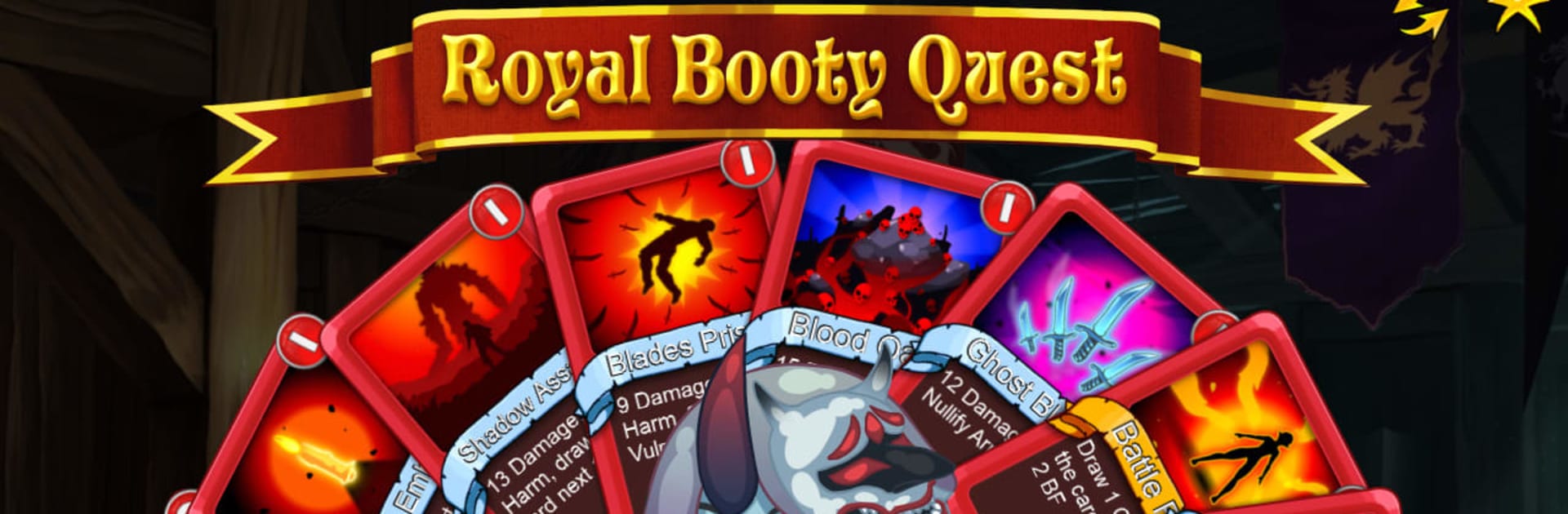
  • On-the-fly deckbuilding – Start with a lean stack, pick new cards after fights, trim the duds, and shape brutal combos as the stakes climb.
  • Four distinct heroes – Pick from 4 Heroes, each with a 70+ card pool and its own mechanics. Try reckless synergies or play it safe with control tools—it’s your call.
  • Pixel-art bestiary – Battle through 100+ handcrafted heroes, enemies, and offbeat bosses that force you to rethink your plan every few rooms.
  • Relics, events, and surprises – Grab rule-bending relics, stumble into odd encounters, and make risky choices that can snowball into ridiculous power.
  • No strings attached – Play offline. No energy timers, no ads, no extra downloads, and no data collection. Free means free.
  • Modding and custom decks – Tinker to your heart’s content. Build custom decks and plug in mods to remix the experience.
  • Extra challenge modes – Want a tougher climb? Step into Deep Quest for a longer, meaner descent when you’re in the mood to sweat.
  • Play your way – Perfect for quick runs on the go, and it also feels great on PC with BlueStacks if you prefer a bigger screen and mouse control.

Make your gaming sessions memorable with precise controls that give you an edge in close combats and visuals that pop up, bringing every character to life.


Game Features

Enhancements

  • Macros
  • Rerolling
  • Eco Mode
  • Multi Instance Sync
  • Enhancements
Macros

Macros

Focus more on the fun part of the game, skip the tedious aspects. Master Royal Booty Quest: Card Roguel with Macros. Record yourself completing the monotonous tasks you wish to automate and replay them later with just one keypress.
Rerolling

Rerolling

Speed up the rerolling process in Royal Booty Quest: Card Roguel. Perform multiple summons and keep looking for the best Heroes. Use Multi-Instance sync to replicate the rerolling mechanism in all instances.
Eco Mode

Eco Mode

Farm in-game resources with ease in Royal Booty Quest: Card Roguel. Enable the Eco Mode when running the game in multiple instances. And lower your PC's resource consumption.
Multi Instance Sync

Multi Instance Sync

With the Multi-instance Sync, you can do even more in Royal Booty Quest: Card Roguel. Sync the action of the main instance and repeat them in real time for all other instances. Sync and sit back, let the game progress unfold.
Read More

How to Download and Play Royal Booty Quest: Card Roguel on PC or Mac

  • Download and install BlueStacks on your PC or Mac

  • Complete Google sign-in to access the Play Store, or do it later

  • Look for Royal Booty Quest: Card Roguel in the search bar at the top right corner

  • Click to install Royal Booty Quest: Card Roguel from the search results

  • Complete Google sign-in (if you skipped step 2) to install Royal Booty Quest: Card Roguel

  • Click the Royal Booty Quest: Card Roguel icon on the home screen to start playing

video
Watch Video

Minimum System Requirements

With BlueStacks 5, you can get started on a PC that fulfills the following requirements.

  • Operating System

    Microsoft Windows 7 or above, macOS 11 (Big Sur) or above

  • Processor

    Intel, AMD or Apple Silicon Processor

  • RAM

    at least 4GB

  • HDD

    10GB Free Disk Space

Note:

* You must be an Administrator on your PC. Up to date graphics drivers from Microsoft or the chipset vendor.

Royal Booty Quest: Card Roguel - FAQs

  • How to play Royal Booty Quest: Card Roguel on Windows PC & Mac?

    Play Royal Booty Quest: Card Roguel on your PC or Mac by following these simple steps.

    • Click on 'Play Royal Booty Quest: Card Roguel on PC’ to download BlueStacks
    • Install it and log-in to Google Play Store
    • Launch and play the game.
  • Why is BlueStacks the fastest and safest platform to play games on PC?

    BlueStacks respects your privacy and is always safe and secure to use. It does not carry any malware, spyware, or any sort of additional software that could harm your PC.

    It is engineered to optimize speed and performance for a seamless gaming experience.

  • What are Royal Booty Quest: Card Roguel PC requirements?

    Minimum requirement to run Royal Booty Quest: Card Roguel on your PC

    • OS: Microsoft Windows 7 or above MacOS 11 (Big Sur) or above
    • Processor: Intel, AMD or Apple Silicon Processor
    • RAM: Your PC must have at least 4GB of RAM. (Note that having 4GB or more disk space is not a substitute for RAM)
    • HDD: 10GB Free Disk Space.
    • You must be an Administrator on your PC.