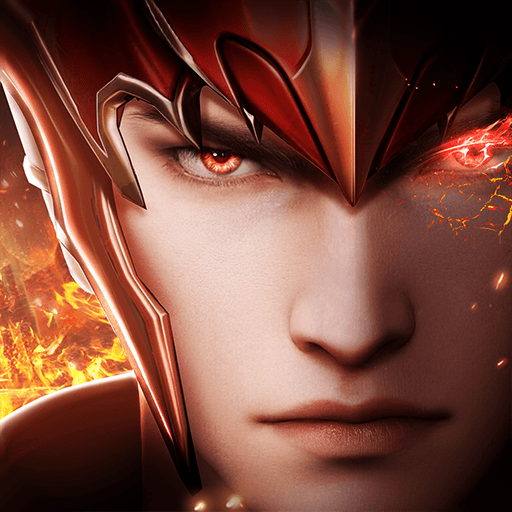
Valkyrie Fantasia
Valkyrie Fantasia

Valkyrie Fantasia

Role Playing

| WYGame

Play on PC with BlueStacks or from our cloud

  • Overview
  • Game Features
  • How to Play

Page Modified On: January 19, 2026

Play Valkyrie Fantasia on PC or Mac

From the innovators and creators at WYGame, Valkyrie Fantasia is another fun addition to the World of Role Playing games. Go beyond your mobile screen and play it bigger and better on your PC or Mac. An immersive experience awaits you.

Valkyrie Fantasia is an idle card RPG about collecting mythic heroes, building a lineup, and letting them go to work while the game keeps the rewards flowing. The style leans bright and glossy, with flashy skills and clear silhouettes, so teams actually look different in a fight. Battles are mostly hands-off with auto, speed toggles, and quick sweeps, which keeps things simple instead of twitchy. On PC through BlueStacks it feels neat to run, mouse clicks handle everything cleanly, and letting it sit in the background still stacks progress.

Most of the growth comes from raising hero levels, stars, skills, and gear, then mixing factions and roles so the squad covers each other’s gaps. The main campaign is the straightforward path, but the side modes are what make it feel busy in a good way. Abyss of Despair has that roguelike flavor with random rooms and temporary boosts that change how a run plays. Tower of Demons is a ladder that checks planning as much as raw strength. Witch Forest, Ice Dragon’s Lair, and Ruins Adventure drop different mats, so there is a reason to hop between them. The global server keeps chat lively, arena duels let players test squads against real opponents, and guild content gives everyone a reason to jump in daily without turning it into a second job. It is an easy recommend for someone who wants steady progress without micromanaging every tap, but still enjoys fine tuning a team into something that hits way above its weight.

Get ready for a buttery smooth, high-performance gaming action only on BlueStacks.

Game Features

Enhancements

  • Macros
  • Rerolling
  • Eco Mode
  • Multi Instance Sync
  • Enhancements
Macros

Macros

Focus more on the fun part of the game, skip the tedious aspects. Master Valkyrie Fantasia with Macros. Record yourself completing the monotonous tasks you wish to automate and replay them later with just one keypress.
Rerolling

Rerolling

Speed up the rerolling process in Valkyrie Fantasia. Perform multiple summons and keep looking for the best Heroes. Use Multi-Instance sync to replicate the rerolling mechanism in all instances.
Eco Mode

Eco Mode

Farm in-game resources with ease in Valkyrie Fantasia. Enable the Eco Mode when running the game in multiple instances. And lower your PC's resource consumption.
Multi Instance Sync

Multi Instance Sync

With the Multi-instance Sync, you can do even more in Valkyrie Fantasia. Sync the action of the main instance and repeat them in real time for all other instances. Sync and sit back, let the game progress unfold.
Read More

How to Download and Play Valkyrie Fantasia on PC or Mac

  • Download and install BlueStacks on your PC or Mac

  • Complete Google sign-in to access the Play Store, or do it later

  • Look for Valkyrie Fantasia in the search bar at the top right corner

  • Click to install Valkyrie Fantasia from the search results

  • Complete Google sign-in (if you skipped step 2) to install Valkyrie Fantasia

  • Click the Valkyrie Fantasia icon on the home screen to start playing

video
Watch Video

Minimum System Requirements

With BlueStacks 5, you can get started on a PC that fulfills the following requirements.

  • Operating System

    Microsoft Windows 7 or above, macOS 11 (Big Sur) or above

  • Processor

    Intel, AMD or Apple Silicon Processor

  • RAM

    at least 4GB

  • HDD

    10GB Free Disk Space

Note:

* You must be an Administrator on your PC. Up to date graphics drivers from Microsoft or the chipset vendor.

Valkyrie Fantasia - FAQs

  • How to play Valkyrie Fantasia on Windows PC & Mac?

    Play Valkyrie Fantasia on your PC or Mac by following these simple steps.

    • Click on 'Play Valkyrie Fantasia on PC’ to download BlueStacks
    • Install it and log-in to Google Play Store
    • Launch and play the game.
  • Why is BlueStacks the fastest and safest platform to play games on PC?

    BlueStacks respects your privacy and is always safe and secure to use. It does not carry any malware, spyware, or any sort of additional software that could harm your PC.

    It is engineered to optimize speed and performance for a seamless gaming experience.

  • What are Valkyrie Fantasia PC requirements?

    Minimum requirement to run Valkyrie Fantasia on your PC

    • OS: Microsoft Windows 7 or above MacOS 11 (Big Sur) or above
    • Processor: Intel, AMD or Apple Silicon Processor
    • RAM: Your PC must have at least 4GB of RAM. (Note that having 4GB or more disk space is not a substitute for RAM)
    • HDD: 10GB Free Disk Space.
    • You must be an Administrator on your PC.