Van Simulator Game Van Driving

Van Simulator Game Van Driving

Role Playing

| 8-Bit Gaming Studio

Play on PC with BlueStacks or from our cloud

  • Overview
  • Game Features
  • How to Play

Page Modified On: May 20, 2026

Play Van Simulator Game Van Driving on PC or Mac

Van Simulator Game Van Driving brings the Role Playing genre to life, and throws up exciting challenges for gamers. Developed by 8-Bit Gaming Studio, this Android game is best experienced on BlueStacks, the World’s #1 app player for PC and Mac users.

About the Game

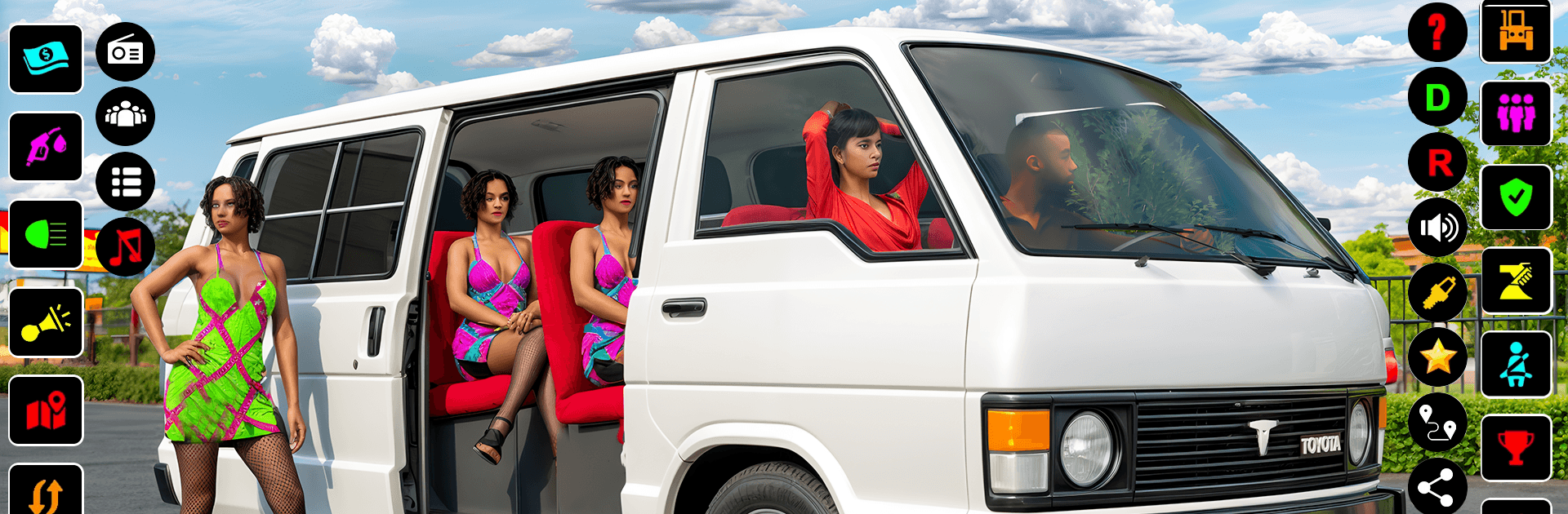
Van Simulator Game Van Driving puts you in the front seat of a working driver’s day, where every trip matters and every bend in the road can surprise you. It’s a Role Playing experience with a practical angle: pick up passengers, manage routes, and guide your van across rugged, offroad paths without missing a stop. Expect tight turns, bumpy tracks, and that satisfying moment when your riders arrive exactly where they need to be.

Game Features

  • Offroad physics that feel right: Steep hills, rocky stretches, and uneven trails make each drive feel authentic and a little unpredictable in the best way.
  • Pickups and drop-offs that matter: Start at busy terminals, collect passengers, and get them to their destinations on time without beating up the suspension.
  • School runs with care: Take on dedicated routes for school kids, where smooth driving and safe stops are the name of the game.
  • Natural obstacles to read and outsmart: Plan your approach around muddy patches, narrow paths, and scenic spots like a waterfall that can distract if you’re not focused.
  • Easy, responsive controls: Simple, intuitive handling lets you concentrate on the route ahead, not on wrestling with the interface.
  • Challenge built on skill and strategy: Choose lines wisely, manage speed on descents, and time your braking to keep everyone comfortable.
  • Looks and sounds that set the mood: Crisp visuals highlight the terrain’s texture, while engine and road noises keep you grounded in the moment.
  • Plays nicely on BlueStacks: Prefer a bigger screen and precise inputs? It runs smoothly there, too, with controls that feel natural.

Start your journey now. Download the game on BlueStacks, invite your friends, and march on a new adventure.


Game Features

Enhancements

  • Macros
  • Rerolling
  • Eco Mode
  • Multi Instance Sync
  • Enhancements
Macros

Macros

Focus more on the fun part of the game, skip the tedious aspects. Master Van Simulator Game Van Driving with Macros. Record yourself completing the monotonous tasks you wish to automate and replay them later with just one keypress.
Rerolling

Rerolling

Speed up the rerolling process in Van Simulator Game Van Driving. Perform multiple summons and keep looking for the best Heroes. Use Multi-Instance sync to replicate the rerolling mechanism in all instances.
Eco Mode

Eco Mode

Farm in-game resources with ease in Van Simulator Game Van Driving. Enable the Eco Mode when running the game in multiple instances. And lower your PC's resource consumption.
Multi Instance Sync

Multi Instance Sync

With the Multi-instance Sync, you can do even more in Van Simulator Game Van Driving. Sync the action of the main instance and repeat them in real time for all other instances. Sync and sit back, let the game progress unfold.
Read More

How to Download and Play Van Simulator Game Van Driving on PC or Mac

  • Download and install BlueStacks on your PC or Mac

  • Complete Google sign-in to access the Play Store, or do it later

  • Look for Van Simulator Game Van Driving in the search bar at the top right corner

  • Click to install Van Simulator Game Van Driving from the search results

  • Complete Google sign-in (if you skipped step 2) to install Van Simulator Game Van Driving

  • Click the Van Simulator Game Van Driving icon on the home screen to start playing

video
Watch Video

Minimum System Requirements

With BlueStacks 5, you can get started on a PC that fulfills the following requirements.

  • Operating System

    Microsoft Windows 7 or above, macOS 11 (Big Sur) or above

  • Processor

    Intel, AMD or Apple Silicon Processor

  • RAM

    at least 4GB

  • HDD

    10GB Free Disk Space

Note:

* You must be an Administrator on your PC. Up to date graphics drivers from Microsoft or the chipset vendor.

Van Simulator Game Van Driving - FAQs

  • How to play Van Simulator Game Van Driving on Windows PC & Mac?

    Play Van Simulator Game Van Driving on your PC or Mac by following these simple steps.

    • Click on 'Play Van Simulator Game Van Driving on PC’ to download BlueStacks
    • Install it and log-in to Google Play Store
    • Launch and play the game.
  • Why is BlueStacks the fastest and safest platform to play games on PC?

    BlueStacks respects your privacy and is always safe and secure to use. It does not carry any malware, spyware, or any sort of additional software that could harm your PC.

    It is engineered to optimize speed and performance for a seamless gaming experience.

  • What are Van Simulator Game Van Driving PC requirements?

    Minimum requirement to run Van Simulator Game Van Driving on your PC

    • OS: Microsoft Windows 7 or above MacOS 11 (Big Sur) or above
    • Processor: Intel, AMD or Apple Silicon Processor
    • RAM: Your PC must have at least 4GB of RAM. (Note that having 4GB or more disk space is not a substitute for RAM)
    • HDD: 10GB Free Disk Space.
    • You must be an Administrator on your PC.