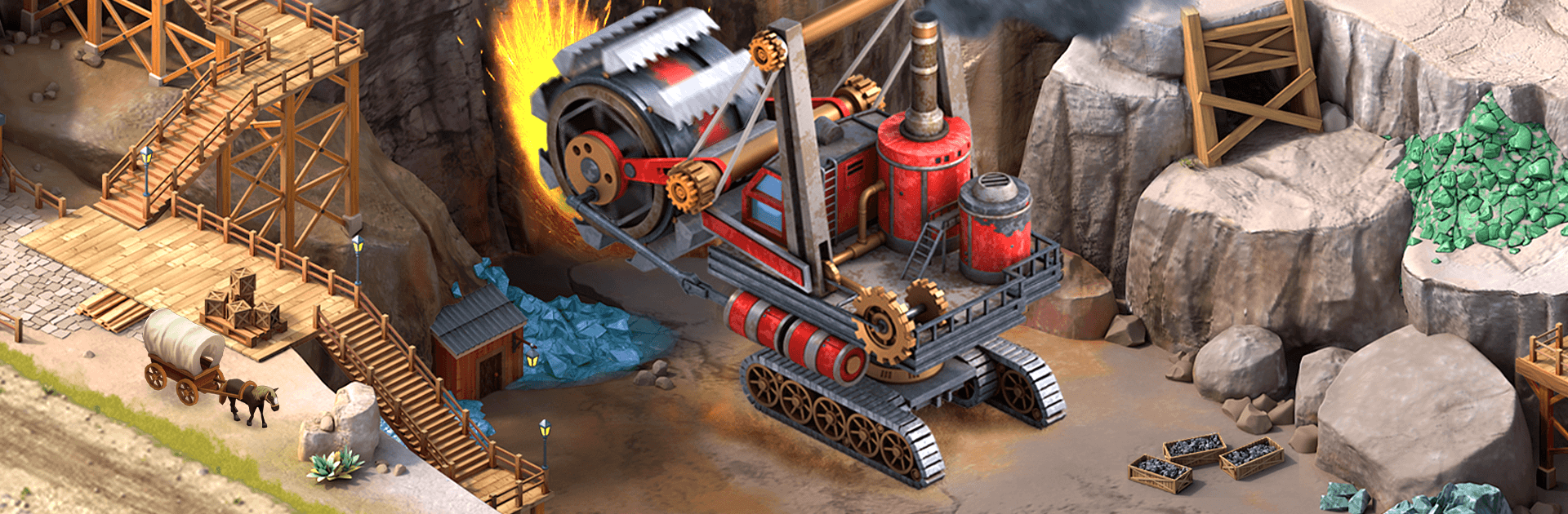
Wild West City: Building Sim

Wild West City: Building Sim

Simulation

| RED BRIX COMPUTER SYSTEMS

Play on PC with BlueStacks or from our cloud

  • Overview
  • Game Features
  • How to Play

Page Modified On: May 05, 2026

Play Wild West City: Building Sim on PC or Mac

Step into the World of Wild West City: Building Sim, a thrilling Simulation game from the house of RED BRIX COMPUTER SYSTEMS. Play this Android game on BlueStacks App Player and experience immersive gaming on PC or Mac.

About the Game

Saddle up, Mayor—Wild West City: Building Sim hands you the deed to a scrappy frontier outpost and asks what kind of city you’ll build. This Simulation from RED BRIX COMPUTER SYSTEMS blends classic city-building with smart resource management, trading, and competitive events across a living, ever-expanding map. Like playing on a bigger screen? It runs smoothly on BlueStacks, too.

Game Features

  • Build a True Frontier Hub: Lay down the essentials—sheriff’s office, homesteads, and a bustling main street—then grow into a thriving Western city packed with saloons, banks, theaters, and more.
  • Smart Layout, Happy Citizens: Place buildings where they make sense to keep taxes steady, services close, and folks content. Good planning turns dusty roads into a money-making grid.
  • Real Resource Strategy: Balance lumber, ore, livestock, and cash. Short on supplies? Produce, trade, or time upgrades to keep the wheels turning.
  • Railroads, Mines, and Ranches: Strike gold (and silver), raise cattle, and connect districts with rail lines to move goods faster and boost your economy.
  • Expand the Map: Claim new tiles with distinct terrain—from mesas and prairies to snowy passes and river valleys—each with fresh resources and building styles.
  • Bridges and Beyond: Span rivers, push through canyons, and stitch new neighborhoods together with smart infrastructure that opens profitable routes.
  • Weekly Challenges and Events: Tackle quests, climb leaderboards, and collect rewards by outthinking rival mayors in rotating competitions.
  • Join a Wild West Alliance: Team up with other players to trade supplies, share strategies, and send quick help when someone’s short on goods.
  • Trade Like a Tycoon: Set prices, time shipments, and broker deals with neighboring towns to keep your coffers full and workshops busy.
  • Unlock Legendary Landmarks: Add iconic Western structures that boost stats, attract visitors, and give your skyline that stories-to-tell look.

Slay your opponents with your epic moves. Play it your way on BlueStacks and dominate the battlefield.


Game Features

Enhancements

  • Macros
  • Multi Instance
  • Multi Instance Sync
  • Script
  • Enhancements
Macros

Macros

Automate the predictable in Wild West City: Building Sim and transform your gameplay with Macros. Get access to inventive Macros in the BlueStacks Macro Community
Multi Instance

Multi Instance

Play Wild West City: Building Sim on one window. And chat with your friend on the other. Press CTRL + Shift + 8 to open the Multi-Instance Manager. And start creating fresh instances or clone an existing one.
Multi Instance Sync

Multi Instance Sync

Play Wild West City: Building Sim with the power of Multi-Instance Sync. Replicate what you are doing on the main instance on all other instances. Level up faster, play more.
Script

Script

Script your way to gaming glory in Wild West City: Building Sim with BlueStacks Script. Write and run a set of commands to automate repeated tasks. Trigger the command by assigning it to any key.
Read More

How to Download and Play Wild West City: Building Sim on PC or Mac

  • Download and install BlueStacks on your PC or Mac

  • Complete Google sign-in to access the Play Store, or do it later

  • Look for Wild West City: Building Sim in the search bar at the top right corner

  • Click to install Wild West City: Building Sim from the search results

  • Complete Google sign-in (if you skipped step 2) to install Wild West City: Building Sim

  • Click the Wild West City: Building Sim icon on the home screen to start playing

video
Watch Video

Minimum System Requirements

With BlueStacks 5, you can get started on a PC that fulfills the following requirements.

  • Operating System

    Microsoft Windows 7 or above, macOS 11 (Big Sur) or above

  • Processor

    Intel, AMD or Apple Silicon Processor

  • RAM

    at least 4GB

  • HDD

    10GB Free Disk Space

Note:

* You must be an Administrator on your PC. Up to date graphics drivers from Microsoft or the chipset vendor.

Wild West City: Building Sim - FAQs

  • How to play Wild West City: Building Sim on Windows PC & Mac?

    Play Wild West City: Building Sim on your PC or Mac by following these simple steps.

    • Click on 'Play Wild West City: Building Sim on PC’ to download BlueStacks
    • Install it and log-in to Google Play Store
    • Launch and play the game.
  • Why is BlueStacks the fastest and safest platform to play games on PC?

    BlueStacks respects your privacy and is always safe and secure to use. It does not carry any malware, spyware, or any sort of additional software that could harm your PC.

    It is engineered to optimize speed and performance for a seamless gaming experience.

  • What are Wild West City: Building Sim PC requirements?

    Minimum requirement to run Wild West City: Building Sim on your PC

    • OS: Microsoft Windows 7 or above MacOS 11 (Big Sur) or above
    • Processor: Intel, AMD or Apple Silicon Processor
    • RAM: Your PC must have at least 4GB of RAM. (Note that having 4GB or more disk space is not a substitute for RAM)
    • HDD: 10GB Free Disk Space.
    • You must be an Administrator on your PC.