
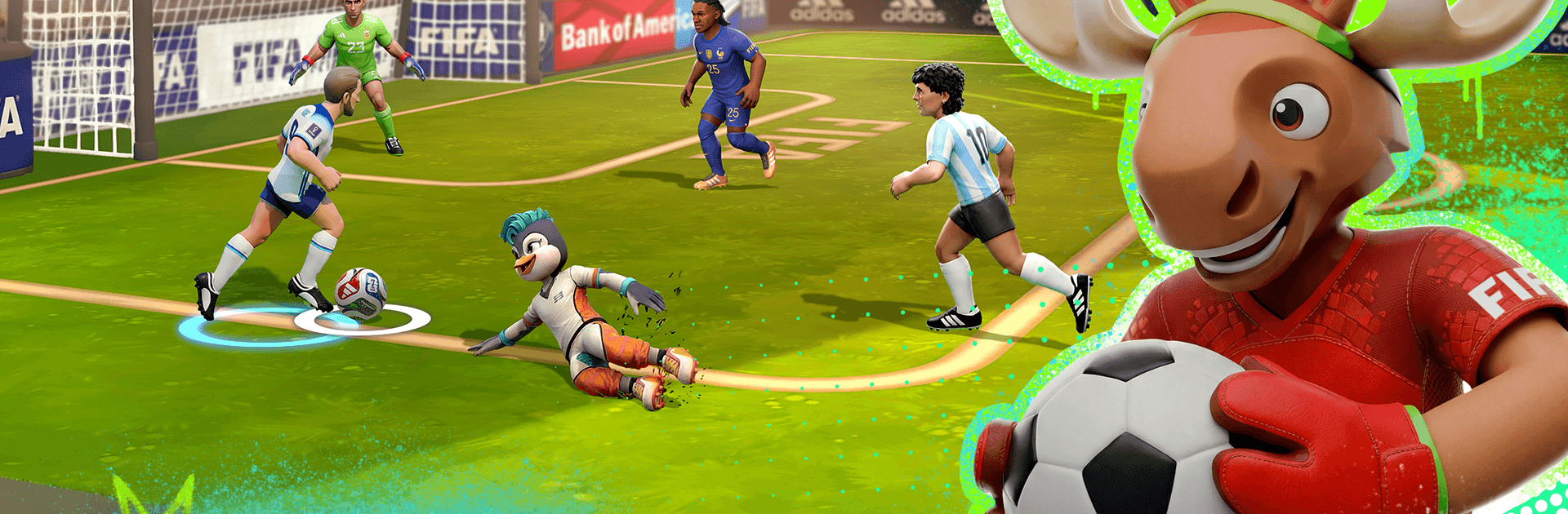
FIFA Heroes: Football Action

FIFA Heroes: Football Action

Sports

| Solace Games & ENVER

Play on PC with BlueStacks or from our cloud

  • Overview
  • Game Features
  • How to Play

Page Modified On: April 02, 2026

Play FIFA Heroes: Football Action on PC or Mac

Step into the World of FIFA Heroes: Football Action, a thrilling Sports game from the house of Solace Games. Play this Android game on BlueStacks App Player and experience immersive gaming on PC or Mac.

About the Game

FIFA Heroes: Football Action turns quick soccer skirmishes into chaotic, laugh-out-loud moments. It’s all about 5-on-5 showdowns where heroes bend the rules with wild abilities and every play can flip the score. Built by Solace Games in the Sports genre, it’s fast, punchy, and surprisingly tactical. Prefer a bigger screen and tighter controls? Running it on BlueStacks feels great, too.

Game Features

  • Quick 5v5 clashes: Matches last about a minute and a half, so you’re never stuck in a grind. Hop in, score big, and queue again.
  • Build a heroic lineup: Collect a roster of distinct stars—lockdown defenders, flashy strikers, crafty mids, and all-rounders—and mix powers to suit your style.
  • Powers that break the playbook: Blink across the pitch, freeze a breakaway, yank the ball in with a magnetic tackle, or rocket shots that keepers can only watch.
  • Worldwide ranked PvP: Face real players and climb through tiers, from Wooden up to Platinum, earning rewards and a little bragging fuel along the way.
  • Seasonal drops and passes: New avatars, borders, balls, and goal celebrations arrive regularly, inspired by legends, clubs, and big cultural moments.
  • Style it your way: Toss in emotes, customize your profile, and celebrate goals with personality. Win with flair, not just numbers.
  • Arenas with attitude: Rooftop neon courts, icy fields, even a shimmering rainbow pitch—each location changes spacing, flow, and tactics.
  • Simple to start, deep to master: Tap-and-swipe controls make it easy to learn. The real edge comes from timing combos, syncing team roles, and baiting enemy powers.
  • Progress that feels good: Win matches, complete challenges, and collect Coins and Gems to unlock new Heroes, power up abilities, and grab standout cosmetics. Live events keep the meta moving.

Ready to top the leaderboard? We bet you do. Let precise controls and sharp visuals optimized on BlueStacks lead you to victory.


Game Features

Enhancements

  • Macros
  • Multi Instance
  • Multi Instance Sync
  • Script
  • Enhancements
Macros

Macros

Automate the predictable in FIFA Heroes: Football Action and transform your gameplay with Macros. Get access to inventive Macros in the BlueStacks Macro Community
Multi Instance

Multi Instance

Play FIFA Heroes: Football Action on one window. And chat with your friend on the other. Press CTRL + Shift + 8 to open the Multi-Instance Manager. And start creating fresh instances or clone an existing one.
Multi Instance Sync

Multi Instance Sync

Play FIFA Heroes: Football Action with the power of Multi-Instance Sync. Replicate what you are doing on the main instance on all other instances. Level up faster, play more.
Script

Script

Script your way to gaming glory in FIFA Heroes: Football Action with BlueStacks Script. Write and run a set of commands to automate repeated tasks. Trigger the command by assigning it to any key.
Read More

How to Download and Play FIFA Heroes: Football Action on PC or Mac

  • Download and install BlueStacks on your PC or Mac

  • Complete Google sign-in to access the Play Store, or do it later

  • Look for FIFA Heroes: Football Action in the search bar at the top right corner

  • Click to install FIFA Heroes: Football Action from the search results

  • Complete Google sign-in (if you skipped step 2) to install FIFA Heroes: Football Action

  • Click the FIFA Heroes: Football Action icon on the home screen to start playing

video
Watch Video

Minimum System Requirements

With BlueStacks 5, you can get started on a PC that fulfills the following requirements.

  • Operating System

    Microsoft Windows 7 or above, macOS 11 (Big Sur) or above

  • Processor

    Intel, AMD or Apple Silicon Processor

  • RAM

    at least 4GB

  • HDD

    10GB Free Disk Space

Note:

* You must be an Administrator on your PC. Up to date graphics drivers from Microsoft or the chipset vendor.

FIFA Heroes: Football Action - FAQs

  • How to play FIFA Heroes: Football Action on Windows PC & Mac?

    Play FIFA Heroes: Football Action on your PC or Mac by following these simple steps.

    • Click on 'Play FIFA Heroes: Football Action on PC’ to download BlueStacks
    • Install it and log-in to Google Play Store
    • Launch and play the game.
  • Why is BlueStacks the fastest and safest platform to play games on PC?

    BlueStacks respects your privacy and is always safe and secure to use. It does not carry any malware, spyware, or any sort of additional software that could harm your PC.

    It is engineered to optimize speed and performance for a seamless gaming experience.

  • What are FIFA Heroes: Football Action PC requirements?

    Minimum requirement to run FIFA Heroes: Football Action on your PC

    • OS: Microsoft Windows 7 or above MacOS 11 (Big Sur) or above
    • Processor: Intel, AMD or Apple Silicon Processor
    • RAM: Your PC must have at least 4GB of RAM. (Note that having 4GB or more disk space is not a substitute for RAM)
    • HDD: 10GB Free Disk Space.
    • You must be an Administrator on your PC.







