Blackout : Multiplayer Horror

Blackout : Multiplayer Horror

Action

| AANG Interactive

Play on PC with BlueStacks or from our cloud

  • Overview
  • Game Features
  • How to Play

Page Modified On: April 13, 2026

Play Blackout : Multiplayer Horror on PC or Mac

Bring your A-game to Blackout : Multiplayer Horror, the Action game sensation from AANG Interactive. Give your gameplay the much-needed boost with precise game controls, high FPS graphics, and top-tier features on your PC or Mac with BlueStacks.

About the Game

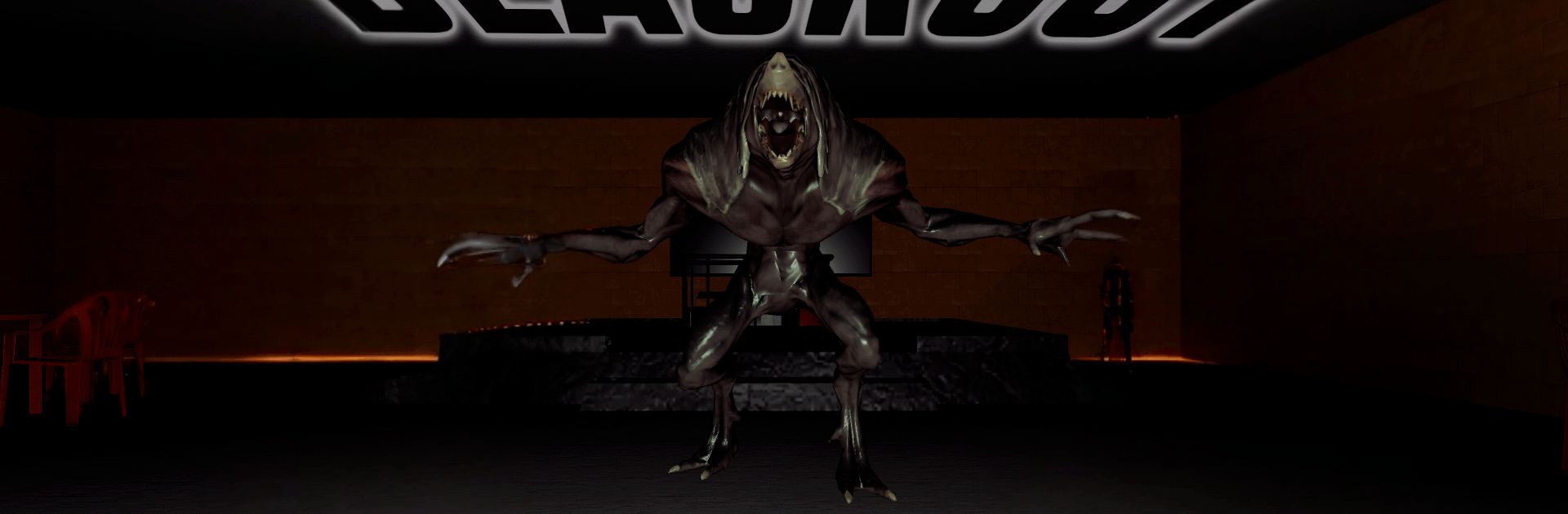
Blackout : Multiplayer Horror puts you and your crew inside shifting blackout zones across Aruvia, where light fails and something mean listens. It’s a co-op Action horror game from AANG Interactive that’s all about coordination under pressure—repairing what’s broken, dodging what hunts you, and slipping out before the dark closes in. Expect quick plans, messy improvisation, and those classic “we made it with one second left” moments. Prefer playing on a bigger screen with crisp audio cues? BlueStacks is an easy way to do that.

Game Features

  • Online Co‑op Survival: Jump into 2–4 player matches, team up through seamless matchmaking or invites, and keep each other alive with real-time coordination.

  • Three Distinct Maps: Learn the twists of an abandoned School, a silent Office, and a crumbling Asylum—each packed with shortcuts, hideouts, and nasty surprises.

  • Proximity Voice Chat: Talk softly, carry a plan. Your voice fades with distance, so staying close matters—and making noise at the wrong time can get you noticed.

  • Gear and Loadouts: Spend in-game currency to kit up before runs. Think lockpicks for tight spots, health kits for close calls, and quick boosts like soda or an adrenaline syringe.

  • Generator Objectives: Hunt down generators, fix them under pressure, and restore power to unlock the exits. The longer it takes, the riskier every hallway gets.

  • Adaptive Enemies: Different entities stalk, ambush, or charge. Learn their tells, break line of sight, and don’t give them an easy trail.

  • Real Teamwork Moments: Revive fallen friends, share items, distract threats, and call out routes. Splitting up can save time—or end a run.

  • Emotes for Flavor: React to jump scares, hype a clutch save, or silently warn a teammate when words aren’t safe.

Start your journey now. Download the game on BlueStacks, invite your friends, and march on a new adventure.


Game Features

Enhancements

  • Macros
  • Multi Instance
  • Multi Instance Sync
  • Eco Mode
  • Enhancements
Macros

Macros

Skip the boring parts of a game. Play Blackout : Multiplayer Horror with Macros and get the edge. Simply record a sequence of commands and execute them at any moment.
Multi Instance

Multi Instance

Why limit to one game on your phone when you can play many on your PC? Open multiple instances of Blackout : Multiplayer Horror at once with Multi-Instance. Leverage the power of different accounts by doing more.
Multi Instance Sync

Multi Instance Sync

Get the best out of Blackout : Multiplayer Horror with Multi-Instance Sync. Play the game from different accounts and build your own empire. Use Multi-instance sync to repeat the action in the main BlueStacks instance on all other instances.
Eco Mode

Eco Mode

Find the rarest heroes by making multiple summons in Blackout : Multiplayer Horror. And while you are at it, reduce your PC’s resource consumption with the Eco Mode. Farm efficiently. Get the best results.
Read More

How to Download and Play Blackout : Multiplayer Horror on PC or Mac

  • Download and install BlueStacks on your PC or Mac

  • Complete Google sign-in to access the Play Store, or do it later

  • Look for Blackout : Multiplayer Horror in the search bar at the top right corner

  • Click to install Blackout : Multiplayer Horror from the search results

  • Complete Google sign-in (if you skipped step 2) to install Blackout : Multiplayer Horror

  • Click the Blackout : Multiplayer Horror icon on the home screen to start playing

video
Watch Video

Minimum System Requirements

With BlueStacks 5, you can get started on a PC that fulfills the following requirements.

  • Operating System

    Microsoft Windows 7 or above, macOS 11 (Big Sur) or above

  • Processor

    Intel, AMD or Apple Silicon Processor

  • RAM

    at least 4GB

  • HDD

    10GB Free Disk Space

Note:

* You must be an Administrator on your PC. Up to date graphics drivers from Microsoft or the chipset vendor.

Blackout : Multiplayer Horror - FAQs

  • How to play Blackout : Multiplayer Horror on Windows PC & Mac?

    Play Blackout : Multiplayer Horror on your PC or Mac by following these simple steps.

    • Click on 'Play Blackout : Multiplayer Horror on PC’ to download BlueStacks
    • Install it and log-in to Google Play Store
    • Launch and play the game.
  • Why is BlueStacks the fastest and safest platform to play games on PC?

    BlueStacks respects your privacy and is always safe and secure to use. It does not carry any malware, spyware, or any sort of additional software that could harm your PC.

    It is engineered to optimize speed and performance for a seamless gaming experience.

  • What are Blackout : Multiplayer Horror PC requirements?

    Minimum requirement to run Blackout : Multiplayer Horror on your PC

    • OS: Microsoft Windows 7 or above MacOS 11 (Big Sur) or above
    • Processor: Intel, AMD or Apple Silicon Processor
    • RAM: Your PC must have at least 4GB of RAM. (Note that having 4GB or more disk space is not a substitute for RAM)
    • HDD: 10GB Free Disk Space.
    • You must be an Administrator on your PC.