Born Again
Born Again

Born Again

Action

| Unnamed Studios

Play on PC with BlueStacks or from our cloud

  • Overview
  • Game Features
  • How to Play

Page Modified On: March 06, 2026

Play Born Again on PC or Mac

Bring your A-game to Born Again, the Action game sensation from Unnamed Studios. Give your gameplay the much-needed boost with precise game controls, high FPS graphics, and top-tier features on your PC or Mac with BlueStacks.

About the Game

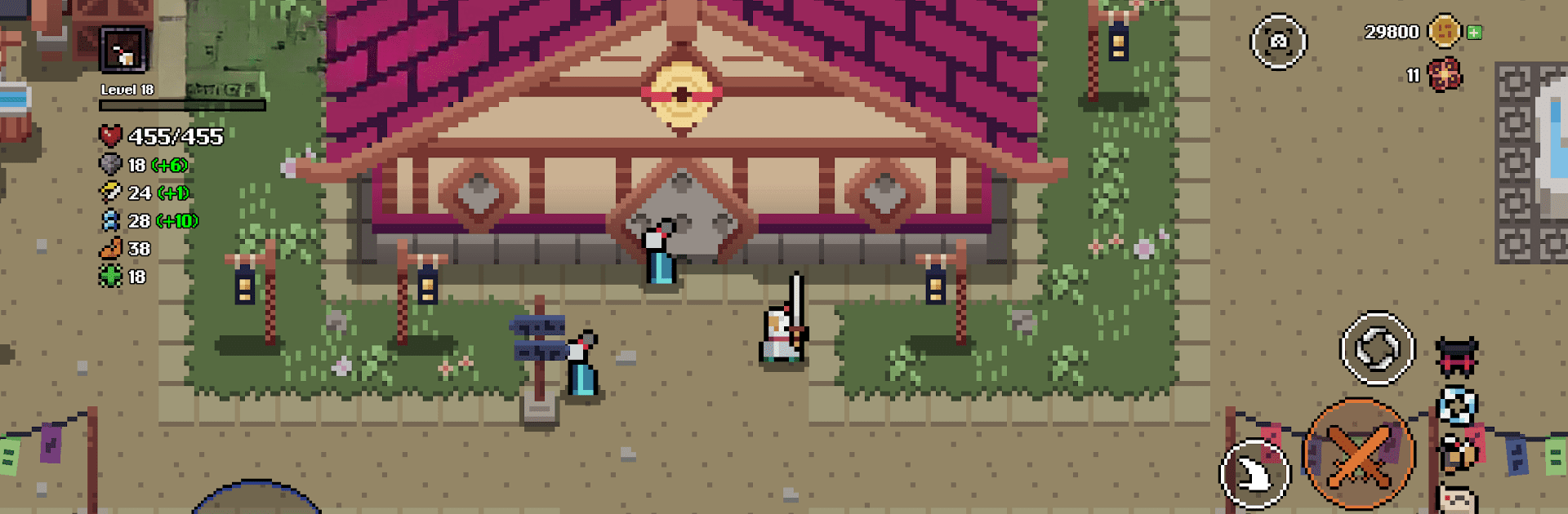
Born Again is an Action hack-and-slash from Unnamed Studios that drops you into the Spirit Realm as a wandering ronin trying to make things right—one brutal fight at a time. It’s fast, punchy, and risky: when you’re down, you’re gone, but the honor you’ve earned carries forward to shape your next life. Prefer playing on a bigger screen with tighter controls? It runs smoothly through BlueStacks.

Game Features

  • Open-Realm Co-op: Jump into shared worlds and team up with friends (or make new ones) to tackle enemies that are a little too bold to face alone.

  • Overlords and Ambushes: Hunt towering Overlords and other tyrants while watching for crafty tricksters and colossal beasts that love to turn a clean duel into chaos.

  • High-Stakes Runs, Lasting Legacy: Permanent death ups the tension, but your past deeds leave a mark. Each fallen ronin strengthens the next, building a lineage that gets a little tougher—and a little wiser—every run.

  • Flexible Playstyles: Swap classes, mix gear, and slot blessings to create wild builds. Slip through shadows like an assassin, mash through mobs as a berserker, or line up precise shots as a patient archer.

  • Loot That Changes the Fight: Weapons and armor don’t just buff stats—they reshape your rhythm. Snag a blade that speeds your combos or gear that turns a tense duel into your kind of brawl.

  • Wear Your Story: Your look evolves with your accomplishments. Show off hard-won equipment, collect hats that add personality, and bring along a pet companion that follows you from one life to the next.

  • Skill-Driven Combat: Tight timing, clean dodges, and satisfying parries reward practice. Learn patterns, punish openings, and make every encounter feel earned.

Get ready for a buttery smooth, high-performance gaming action only on BlueStacks.

Game Features

Enhancements

  • Macros
  • Multi Instance
  • Multi Instance Sync
  • Eco Mode
  • Enhancements
Macros

Macros

Skip the boring parts of a game. Play Born Again with Macros and get the edge. Simply record a sequence of commands and execute them at any moment.
Multi Instance

Multi Instance

Why limit to one game on your phone when you can play many on your PC? Open multiple instances of Born Again at once with Multi-Instance. Leverage the power of different accounts by doing more.
Multi Instance Sync

Multi Instance Sync

Get the best out of Born Again with Multi-Instance Sync. Play the game from different accounts and build your own empire. Use Multi-instance sync to repeat the action in the main BlueStacks instance on all other instances.
Eco Mode

Eco Mode

Find the rarest heroes by making multiple summons in Born Again. And while you are at it, reduce your PC’s resource consumption with the Eco Mode. Farm efficiently. Get the best results.
Read More

How to Download and Play Born Again on PC or Mac

  • Download and install BlueStacks on your PC or Mac

  • Complete Google sign-in to access the Play Store, or do it later

  • Look for Born Again in the search bar at the top right corner

  • Click to install Born Again from the search results

  • Complete Google sign-in (if you skipped step 2) to install Born Again

  • Click the Born Again icon on the home screen to start playing

video
Watch Video

Minimum System Requirements

With BlueStacks 5, you can get started on a PC that fulfills the following requirements.

  • Operating System

    Microsoft Windows 7 or above, macOS 11 (Big Sur) or above

  • Processor

    Intel, AMD or Apple Silicon Processor

  • RAM

    at least 4GB

  • HDD

    10GB Free Disk Space

Note:

* You must be an Administrator on your PC. Up to date graphics drivers from Microsoft or the chipset vendor.

Born Again - FAQs

  • How to play Born Again on Windows PC & Mac?

    Play Born Again on your PC or Mac by following these simple steps.

    • Click on 'Play Born Again on PC’ to download BlueStacks
    • Install it and log-in to Google Play Store
    • Launch and play the game.
  • Why is BlueStacks the fastest and safest platform to play games on PC?

    BlueStacks respects your privacy and is always safe and secure to use. It does not carry any malware, spyware, or any sort of additional software that could harm your PC.

    It is engineered to optimize speed and performance for a seamless gaming experience.

  • What are Born Again PC requirements?

    Minimum requirement to run Born Again on your PC

    • OS: Microsoft Windows 7 or above MacOS 11 (Big Sur) or above
    • Processor: Intel, AMD or Apple Silicon Processor
    • RAM: Your PC must have at least 4GB of RAM. (Note that having 4GB or more disk space is not a substitute for RAM)
    • HDD: 10GB Free Disk Space.
    • You must be an Administrator on your PC.