Dragon Ball: Z Ultra Goku

Dragon Ball: Z Ultra Goku

Action

| Fvrgames.Ltd

Play on PC with BlueStacks or from our cloud

  • Overview
  • Game Features
  • How to Play

Page Modified On: April 07, 2026

Play Dragon Ball: Z Ultra Goku on PC or Mac

Step into the World of Dragon Ball: Z Ultra Goku, a thrilling Action game from the house of Fvrgames.Ltd. Play this Android game on BlueStacks App Player and experience immersive gaming on PC or Mac.

About the Game

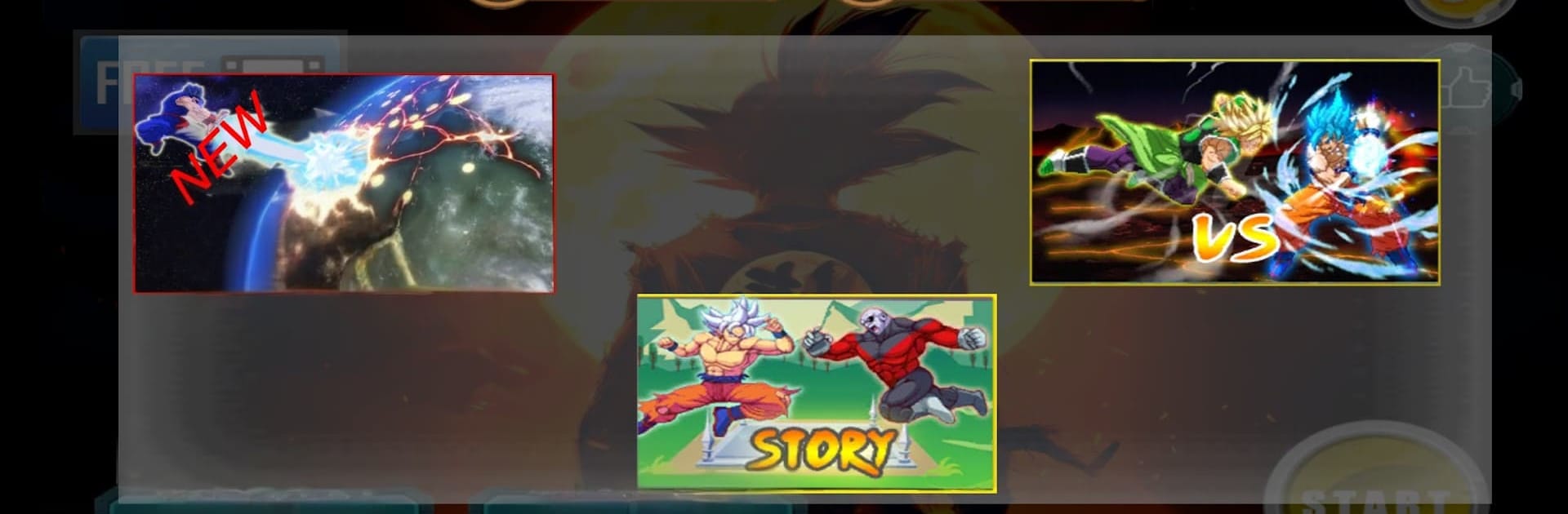
Dragon Ball: Z Ultra Goku is an Action fighter from Fvrgames.Ltd that throws you straight into high-energy showdowns inspired by the saga’s most iconic moments. It blends snappy arcade combat with light character growth, all wrapped in bold pixel art and flashy 2D effects. Play quick matches offline or chase new forms and skills as you build your dream roster. Prefer a bigger screen? It also feels great on BlueStacks with keyboard controls.

Game Features

  • Legendary roster: Take the stage as Kakarot (Goku), Vegeta, Broly, Gohan, Goku Black, Piccolo, and more, with matchups spanning Z, Kai, and GT eras.
  • Villains you know: Square off against Frieza, Cell, Majin Buu, Frost, and other heavy hitters, each bringing their own pressure and patterns.
  • Transformations that matter: Push past your limits with Saiyan forms up to Super Saiyan Blue and Ultra Instinct, changing your tempo and damage in the heat of battle.
  • Fusion-style tap combos: String together simple taps to trigger fast, fusion-inspired sequences that feel slick and satisfying.
  • Signature finishers: Unleash Ki blasts, a screen-shaking Super Kamehameha, razor-sharp Death Beams, and more crowd-pleasers.
  • Retro 2D flair: Crisp pixel visuals and punchy effects sell every hit while keeping that classic arcade vibe.
  • Progress your fighter: Collect coins and rewards to unlock skills, awaken potential, and tune stats like recovery and power.
  • Built for offline play: Hop in anytime, anywhere—no connection required for the core modes.
  • Smooth on any setup: Responsive touch controls on mobile, and comfy play on PC through BlueStacks if you want extra space and precision.

Get ready for a buttery smooth, high-performance gaming action only on BlueStacks.

Game Features

Enhancements

  • Macros
  • Multi Instance
  • Multi Instance Sync
  • Eco Mode
  • Enhancements
Macros

Macros

Skip the boring parts of a game. Play Dragon Ball: Z Ultra Goku with Macros and get the edge. Simply record a sequence of commands and execute them at any moment.
Multi Instance

Multi Instance

Why limit to one game on your phone when you can play many on your PC? Open multiple instances of Dragon Ball: Z Ultra Goku at once with Multi-Instance. Leverage the power of different accounts by doing more.
Multi Instance Sync

Multi Instance Sync

Get the best out of Dragon Ball: Z Ultra Goku with Multi-Instance Sync. Play the game from different accounts and build your own empire. Use Multi-instance sync to repeat the action in the main BlueStacks instance on all other instances.
Eco Mode

Eco Mode

Find the rarest heroes by making multiple summons in Dragon Ball: Z Ultra Goku. And while you are at it, reduce your PC’s resource consumption with the Eco Mode. Farm efficiently. Get the best results.
Read More

How to Download and Play Dragon Ball: Z Ultra Goku on PC or Mac

  • Download and install BlueStacks on your PC or Mac

  • Complete Google sign-in to access the Play Store, or do it later

  • Look for Dragon Ball: Z Ultra Goku in the search bar at the top right corner

  • Click to install Dragon Ball: Z Ultra Goku from the search results

  • Complete Google sign-in (if you skipped step 2) to install Dragon Ball: Z Ultra Goku

  • Click the Dragon Ball: Z Ultra Goku icon on the home screen to start playing

video
Watch Video

Minimum System Requirements

With BlueStacks 5, you can get started on a PC that fulfills the following requirements.

  • Operating System

    Microsoft Windows 7 or above, macOS 11 (Big Sur) or above

  • Processor

    Intel, AMD or Apple Silicon Processor

  • RAM

    at least 4GB

  • HDD

    10GB Free Disk Space

Note:

* You must be an Administrator on your PC. Up to date graphics drivers from Microsoft or the chipset vendor.

Dragon Ball: Z Ultra Goku - FAQs

  • How to play Dragon Ball: Z Ultra Goku on Windows PC & Mac?

    Play Dragon Ball: Z Ultra Goku on your PC or Mac by following these simple steps.

    • Click on 'Play Dragon Ball: Z Ultra Goku on PC’ to download BlueStacks
    • Install it and log-in to Google Play Store
    • Launch and play the game.
  • Why is BlueStacks the fastest and safest platform to play games on PC?

    BlueStacks respects your privacy and is always safe and secure to use. It does not carry any malware, spyware, or any sort of additional software that could harm your PC.

    It is engineered to optimize speed and performance for a seamless gaming experience.

  • What are Dragon Ball: Z Ultra Goku PC requirements?

    Minimum requirement to run Dragon Ball: Z Ultra Goku on your PC

    • OS: Microsoft Windows 7 or above MacOS 11 (Big Sur) or above
    • Processor: Intel, AMD or Apple Silicon Processor
    • RAM: Your PC must have at least 4GB of RAM. (Note that having 4GB or more disk space is not a substitute for RAM)
    • HDD: 10GB Free Disk Space.
    • You must be an Administrator on your PC.