God Breaker: Roguelike ARPG

God Breaker: Roguelike ARPG

Action

| GrowKing

Play on PC with BlueStacks or from our cloud

  • Overview
  • Game Features
  • How to Play

Page Modified On: January 06, 2026

Play God Breaker: Roguelike ARPG on PC or Mac

God Breaker: Roguelike ARPG brings the Action genre to life, and throws up exciting challenges for gamers. Developed by GrowKing, this Android game is best experienced on BlueStacks, the World’s #1 app player for PC and Mac users.

About the Game

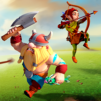
God Breaker: Roguelike ARPG is a fast, hard-hitting Action game from GrowKing where you don’t just fight gods—you bulldoze through them. Each run throws out new choices, so you’re constantly tweaking your build and testing wild combos. It’s quick to pick up, big on impact, and surprisingly deep once you start mixing elements and gear.

Game Features

  • One-finger rush combat: Drag, release, and rocket straight through enemy lines. Line up a crowd and watch them scatter—simple controls, huge payoff.
  • Smart timing, big payback: Weave through incoming hits and answer with a well-timed counter. When the window opens, you slam it shut.
  • Roguelike runs with real choices: Clear a dungeon, then pick your next route. Each crossroads shifts your strategy, keeping every attempt fresh.
  • Elemental mix-ups that matter: Fire, Water, Lightning, Moon—blend these to build synergies that reshape how you fight. Unlock flashy ultimates that feel great to unleash.
  • Growth that doesn’t quit: Take down corrupted gods to keep stacking stats. The leveling curve barely has a ceiling, so your power just keeps climbing.
  • Legendary loot, real upgrades: Hunt for standout gear that changes your run. Tweak your armor for both style and bonus stats, so you look sharp while hitting harder.
  • Quick progress for busy players: Grab offline rewards, auto-clear dungeons you’ve already mastered, and pick up generous daily goodies. It’s friendly to short sessions.
  • Play your way: Prefer a bigger screen and crisp inputs? You can play on PC with BlueStacks for a smooth, comfortable setup.

Ready to top the leaderboard? We bet you do. Let precise controls and sharp visuals optimized on BlueStacks lead you to victory.


Game Features

Enhancements

  • Macros
  • Multi Instance
  • Multi Instance Sync
  • Eco Mode
  • Enhancements
Macros

Macros

Skip the boring parts of a game. Play God Breaker: Roguelike ARPG with Macros and get the edge. Simply record a sequence of commands and execute them at any moment.
Multi Instance

Multi Instance

Why limit to one game on your phone when you can play many on your PC? Open multiple instances of God Breaker: Roguelike ARPG at once with Multi-Instance. Leverage the power of different accounts by doing more.
Multi Instance Sync

Multi Instance Sync

Get the best out of God Breaker: Roguelike ARPG with Multi-Instance Sync. Play the game from different accounts and build your own empire. Use Multi-instance sync to repeat the action in the main BlueStacks instance on all other instances.
Eco Mode

Eco Mode

Find the rarest heroes by making multiple summons in God Breaker: Roguelike ARPG. And while you are at it, reduce your PC’s resource consumption with the Eco Mode. Farm efficiently. Get the best results.
Read More

How to Download and Play God Breaker: Roguelike ARPG on PC or Mac

  • Download and install BlueStacks on your PC or Mac

  • Complete Google sign-in to access the Play Store, or do it later

  • Look for God Breaker: Roguelike ARPG in the search bar at the top right corner

  • Click to install God Breaker: Roguelike ARPG from the search results

  • Complete Google sign-in (if you skipped step 2) to install God Breaker: Roguelike ARPG

  • Click the God Breaker: Roguelike ARPG icon on the home screen to start playing

video
Watch Video

Minimum System Requirements

With BlueStacks 5, you can get started on a PC that fulfills the following requirements.

  • Operating System

    Microsoft Windows 7 or above, macOS 11 (Big Sur) or above

  • Processor

    Intel, AMD or Apple Silicon Processor

  • RAM

    at least 4GB

  • HDD

    10GB Free Disk Space

Note:

* You must be an Administrator on your PC. Up to date graphics drivers from Microsoft or the chipset vendor.

God Breaker: Roguelike ARPG - FAQs

  • How to play God Breaker: Roguelike ARPG on Windows PC & Mac?

    Play God Breaker: Roguelike ARPG on your PC or Mac by following these simple steps.

    • Click on 'Play God Breaker: Roguelike ARPG on PC’ to download BlueStacks
    • Install it and log-in to Google Play Store
    • Launch and play the game.
  • Why is BlueStacks the fastest and safest platform to play games on PC?

    BlueStacks respects your privacy and is always safe and secure to use. It does not carry any malware, spyware, or any sort of additional software that could harm your PC.

    It is engineered to optimize speed and performance for a seamless gaming experience.

  • What are God Breaker: Roguelike ARPG PC requirements?

    Minimum requirement to run God Breaker: Roguelike ARPG on your PC

    • OS: Microsoft Windows 7 or above MacOS 11 (Big Sur) or above
    • Processor: Intel, AMD or Apple Silicon Processor
    • RAM: Your PC must have at least 4GB of RAM. (Note that having 4GB or more disk space is not a substitute for RAM)
    • HDD: 10GB Free Disk Space.
    • You must be an Administrator on your PC.