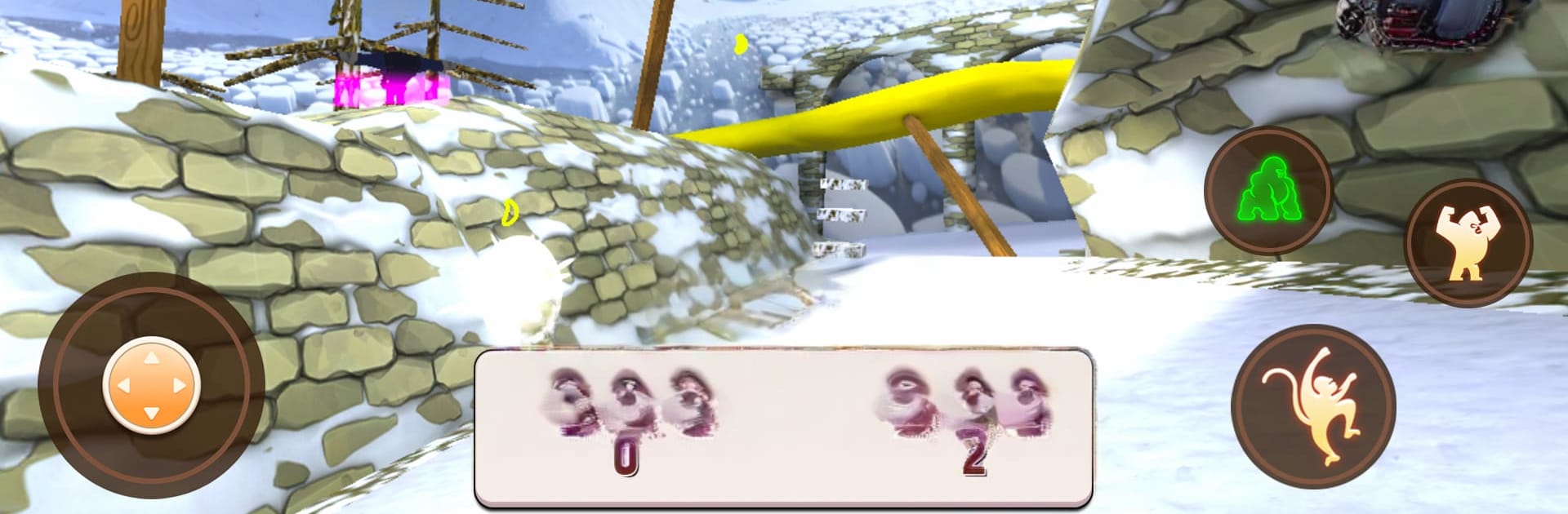
Gorilla Monkey Mobile Sim Game

Gorilla Monkey Mobile Sim Game

Action

| Games Animation Studio

Play on PC with BlueStacks or from our cloud

  • Overview
  • Game Features
  • How to Play

Page Modified On: November 20, 2025

Play Gorilla Monkey Mobile Sim Game on PC or Mac

From the innovators and creators at Games Animation Studio, Gorilla Monkey Mobile Sim Game is another fun addition to the World of Action games. Go beyond your mobile screen and play it bigger and better on your PC or Mac. An immersive experience awaits you.

Gorilla Monkey Mobile Sim Game plays like a laid back jungle survival sandbox where the player swaps between two very different moods. As a gorilla, it is all about presence and muscle, holding ground, keeping a troop safe, and scaring off whatever prowls nearby. As a monkey, it turns into quick movement and curiosity, bouncing through branches, raiding fruit trees, and staying one step ahead of danger. The map is a big, green maze of tall trees, rivers, caves, and tucked away paths that tease secrets. Missions are simple but steady, things like finding water, gathering food, slipping past predators, putting together shelter, and even raising a little family that eventually helps out. Combat is scrappy and straightforward. Gorillas hit hard, monkeys rely on speed and climbing, and the smartest move is often to get up a tree and reset.

Progress feels gradual. New skills and upgrades make running, climbing, and fighting cleaner over time, and forming a troop gives the whole thing a small animal-life loop that is oddly relaxing. The sounds do plenty of work, with jungle noise and rustle selling the space, and the 3D look is clear enough to read where to go next. On PC with BlueStacks, mouse and keyboard controls make camera turns and long climbs feel less clumsy, so the exploring and mission hopping moves along. For anyone who likes animal sims, wandering big maps, and a mix of chill collecting with short bursts of danger, this lands in a nice spot.

Get ready for a buttery smooth, high-performance gaming action only on BlueStacks.

Game Features

Enhancements

  • Macros
  • Multi Instance
  • Multi Instance Sync
  • Eco Mode
  • Enhancements
Macros

Macros

Skip the boring parts of a game. Play Gorilla Monkey Mobile Sim Game with Macros and get the edge. Simply record a sequence of commands and execute them at any moment.
Multi Instance

Multi Instance

Why limit to one game on your phone when you can play many on your PC? Open multiple instances of Gorilla Monkey Mobile Sim Game at once with Multi-Instance. Leverage the power of different accounts by doing more.
Multi Instance Sync

Multi Instance Sync

Get the best out of Gorilla Monkey Mobile Sim Game with Multi-Instance Sync. Play the game from different accounts and build your own empire. Use Multi-instance sync to repeat the action in the main BlueStacks instance on all other instances.
Eco Mode

Eco Mode

Find the rarest heroes by making multiple summons in Gorilla Monkey Mobile Sim Game. And while you are at it, reduce your PC’s resource consumption with the Eco Mode. Farm efficiently. Get the best results.
Read More

How to Download and Play Gorilla Monkey Mobile Sim Game on PC or Mac

  • Download and install BlueStacks on your PC or Mac

  • Complete Google sign-in to access the Play Store, or do it later

  • Look for Gorilla Monkey Mobile Sim Game in the search bar at the top right corner

  • Click to install Gorilla Monkey Mobile Sim Game from the search results

  • Complete Google sign-in (if you skipped step 2) to install Gorilla Monkey Mobile Sim Game

  • Click the Gorilla Monkey Mobile Sim Game icon on the home screen to start playing

video
Watch Video

Minimum System Requirements

With BlueStacks 5, you can get started on a PC that fulfills the following requirements.

  • Operating System

    Microsoft Windows 7 or above, macOS 11 (Big Sur) or above

  • Processor

    Intel, AMD or Apple Silicon Processor

  • RAM

    at least 4GB

  • HDD

    10GB Free Disk Space

Note:

* You must be an Administrator on your PC. Up to date graphics drivers from Microsoft or the chipset vendor.

Gorilla Monkey Mobile Sim Game - FAQs

  • How to play Gorilla Monkey Mobile Sim Game on Windows PC & Mac?

    Play Gorilla Monkey Mobile Sim Game on your PC or Mac by following these simple steps.

    • Click on 'Play Gorilla Monkey Mobile Sim Game on PC’ to download BlueStacks
    • Install it and log-in to Google Play Store
    • Launch and play the game.
  • Why is BlueStacks the fastest and safest platform to play games on PC?

    BlueStacks respects your privacy and is always safe and secure to use. It does not carry any malware, spyware, or any sort of additional software that could harm your PC.

    It is engineered to optimize speed and performance for a seamless gaming experience.

  • What are Gorilla Monkey Mobile Sim Game PC requirements?

    Minimum requirement to run Gorilla Monkey Mobile Sim Game on your PC

    • OS: Microsoft Windows 7 or above MacOS 11 (Big Sur) or above
    • Processor: Intel, AMD or Apple Silicon Processor
    • RAM: Your PC must have at least 4GB of RAM. (Note that having 4GB or more disk space is not a substitute for RAM)
    • HDD: 10GB Free Disk Space.
    • You must be an Administrator on your PC.