IGTA
IGTA

IGTA

Action

| GamOasis

Play on PC with BlueStacks or from our cloud

  • Overview
  • Game Features
  • How to Play

Page Modified On: June 18, 2025

Play IGTA on PC or Mac

From the innovators and creators at GamOasis, IGTA is another fun addition to the World of Action games. Go beyond your mobile screen and play it bigger and better on your PC or Mac. An immersive experience awaits you.

About the Game

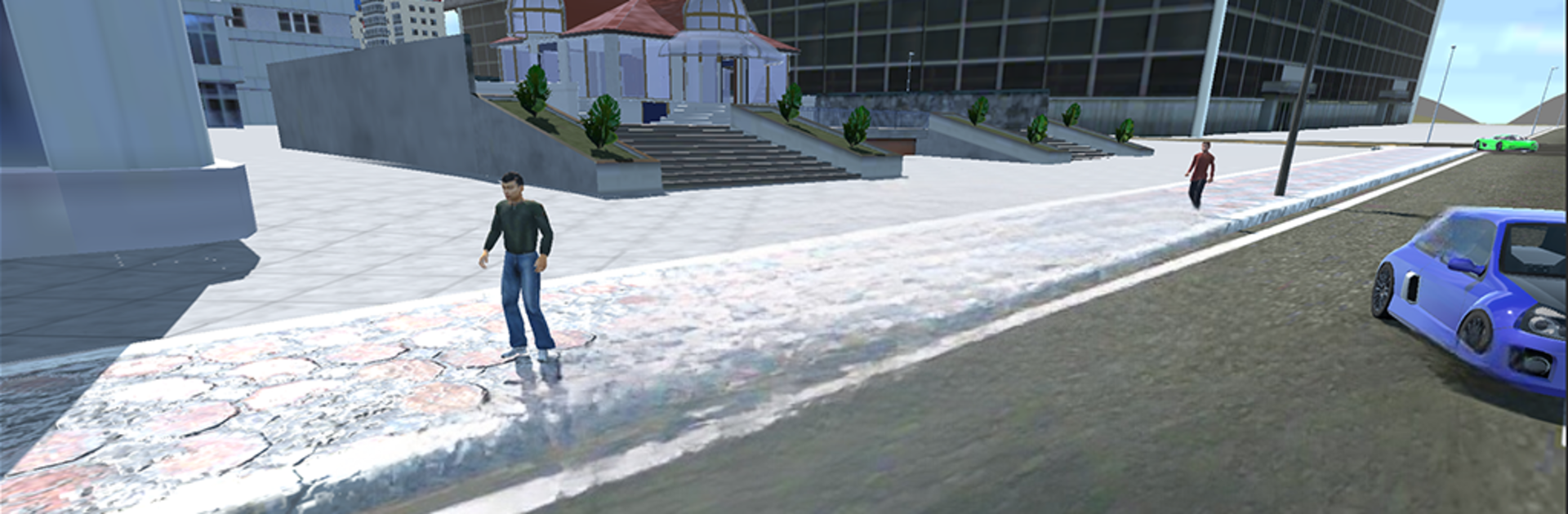
IGTA lets you cut loose in a wild, open-world playground where you call the shots. Whether you’re itching for high-speed races, want to dodge zombies, or just feel like seeing how far you can launch a car off a hill, there’s always something new to try. Forget about strict rules—this game is all about making your own fun and seeing where your imagination (and your ride) takes you.

Game Features

  • Open World Exploration
  • Cruise, drift, or floor it through a massive map filled with surprises and different terrains. No invisible walls or boundaries, just endless space to explore however you want.

  • Mix of Modes

  • Whether it’s flat-out racing, survival against zombies, or wild stunt jumps, IGTA throws a bunch of action-packed challenges your way. You might end up barreling down a mountain or weaving through a crazy obstacle course—the choice is yours.

  • No Strict Rules

  • Do things your way. Take on challenges, roam wherever you please, or just experiment with your car’s limits—nobody’s stopping you.

  • Wide Range of Vehicles

  • Tinker around with all kinds of cars, from speedy sports coupes to tough SUVs and even pickups. There’s even a handy code system for those who like a little shortcut fun.

  • Endless Replay Value

  • No two sessions ever feel the same. One minute you’re racing, the next you’re escaping a zombie horde or testing how much air your car can catch.

  • Smooth Controls on BlueStacks

  • For a smoother ride, playing IGTA on BlueStacks gives you extra comfort with mouse and keyboard support, helping you pull off trickier moves and maneuvers.

Nothing’s set in stone—IGTA from GamOasis is the kind of Action game where you make the rules (or break them).

Ready to top the leaderboard? We bet you do. Let precise controls and sharp visuals optimized on BlueStacks lead you to victory.


Game Features

Enhancements

  • Macros
  • Multi Instance
  • Multi Instance Sync
  • Eco Mode
  • Enhancements
Macros

Macros

Skip the boring parts of a game. Play IGTA with Macros and get the edge. Simply record a sequence of commands and execute them at any moment.
Multi Instance

Multi Instance

Why limit to one game on your phone when you can play many on your PC? Open multiple instances of IGTA at once with Multi-Instance. Leverage the power of different accounts by doing more.
Multi Instance Sync

Multi Instance Sync

Get the best out of IGTA with Multi-Instance Sync. Play the game from different accounts and build your own empire. Use Multi-instance sync to repeat the action in the main BlueStacks instance on all other instances.
Eco Mode

Eco Mode

Find the rarest heroes by making multiple summons in IGTA. And while you are at it, reduce your PC’s resource consumption with the Eco Mode. Farm efficiently. Get the best results.
Read More

How to Download and Play IGTA on PC or Mac

  • Download and install BlueStacks on your PC or Mac

  • Complete Google sign-in to access the Play Store, or do it later

  • Look for IGTA in the search bar at the top right corner

  • Click to install IGTA from the search results

  • Complete Google sign-in (if you skipped step 2) to install IGTA

  • Click the IGTA icon on the home screen to start playing

video
Watch Video

Minimum System Requirements

With BlueStacks 5, you can get started on a PC that fulfills the following requirements.

  • Operating System

    Microsoft Windows 7 or above, macOS 11 (Big Sur) or above

  • Processor

    Intel, AMD or Apple Silicon Processor

  • RAM

    at least 4GB

  • HDD

    10GB Free Disk Space

Note:

* You must be an Administrator on your PC. Up to date graphics drivers from Microsoft or the chipset vendor.

IGTA - FAQs

  • How to play IGTA on Windows PC & Mac?

    Play IGTA on your PC or Mac by following these simple steps.

    • Click on 'Play IGTA on PC’ to download BlueStacks
    • Install it and log-in to Google Play Store
    • Launch and play the game.
  • Why is BlueStacks the fastest and safest platform to play games on PC?

    BlueStacks respects your privacy and is always safe and secure to use. It does not carry any malware, spyware, or any sort of additional software that could harm your PC.

    It is engineered to optimize speed and performance for a seamless gaming experience.

  • What are IGTA PC requirements?

    Minimum requirement to run IGTA on your PC

    • OS: Microsoft Windows 7 or above MacOS 11 (Big Sur) or above
    • Processor: Intel, AMD or Apple Silicon Processor
    • RAM: Your PC must have at least 4GB of RAM. (Note that having 4GB or more disk space is not a substitute for RAM)
    • HDD: 10GB Free Disk Space.
    • You must be an Administrator on your PC.